
Satoshi Bro
237 Publicações

Satoshi Bro
Denunciar
Bloquear Utilizador
Aberto ao trading
Trader Frequente
3.7 mês(es)
0 A seguir
19 Seguidores
8 Gostaram
Publicações
Portfólio
Tudo
Vídeos
·
--
Ver tradução
Quick poll 👇
How do you take profit?
A) Sell everything at one target
B) Scale out in pieces (25/25/50 or similar)
C) Trailing stop and let it run
D) Take profit? I just hold 😅
I'm a B guy. Selling in pieces means I'm never fully wrong: if it keeps running I still hold some, if it dumps I already banked part.
Drop your letter below 👇
#tradingtips #CryptoCommunity #Binance #crypto
Quick poll 👇
How do you take profit?
A) Sell everything at one target
B) Scale out in pieces (25/25/50 or similar)
C) Trailing stop and let it run
D) Take profit? I just hold 😅
I'm a B guy. Selling in pieces means I'm never fully wrong: if it keeps running I still hold some, if it dumps I already banked part.
Drop your letter below 👇
#tradingtips #CryptoCommunity #Binance #crypto
How do you take profit?
A) Sell everything at one target
B) Scale out in pieces (25/25/50 or similar)
C) Trailing stop and let it run
D) Take profit? I just hold 😅
I'm a B guy. Selling in pieces means I'm never fully wrong: if it keeps running I still hold some, if it dumps I already banked part.
Drop your letter below 👇
#tradingtips #CryptoCommunity #Binance #crypto
1
·
--
Artigo
Ver tradução
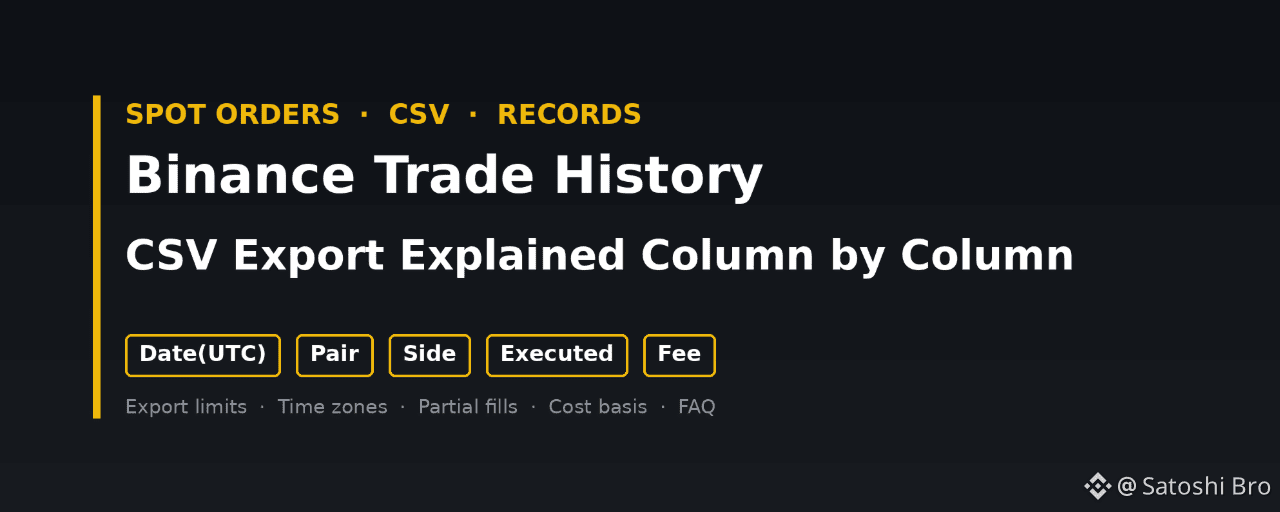
Binance Trade History CSV Export Explained Column by ColumnTo export your Binance trade history as a CSV, open Orders, then Spot Order, switch to the Trade History tab and press the export icon. That opens the Data Download Center, where you pick Spot Trade History, a time range, a time zone and the CSV format, then press Generate. The file appears in the export list and its link stays valid for 7 days. Every row is a single fill, with the fee written in whichever coin it was charged in.
👉 [Sign up on Binance with a bonus](https://www.binance.com/join?ref=GETREWARD) (code GETREWARD)
Getting the file takes two minutes. Reading it correctly takes longer, because amounts can carry coin names glued to the numbers, one order can show up as four rows, and a fee may sit in a third coin you never traded. Below: the export, every column in turn, a worked example that turns three partial fills into a cost basis, and the spreadsheet traps that quietly corrupt numbers.
Where is the export button for Spot trade history?
On the website, click the profile icon, open Orders and pick Spot Order. Choose the Trade History tab, then the download icon at the top right. In the app, open Trade, scroll to the open orders area, tap the orders icon, choose Trade History and tap the download icon.
Picking the right tab matters more than it looks:
Order History: One line per order you placed, including cancelled ones and ones that never filled. Handy for checking what you asked for, weak as a tax record.Trade History: One line per execution. An order that filled in three pieces gives three lines, each with its own price, size and fee. This is what tax software expects for spot trading.
The on-screen table only reaches back 6 months, as the note under it says. Anything older has to come through the export. If a tax tool imports zero rows from your file, the tab is the first thing to check.
The Trade History tab under Spot Order, with the date range, pair and side filters and the column headers. The small download icon at the top right opens the export.
The download icon leads to one form for every kind of record, so the first field matters.
Which settings matter in the Data Download Center?
Data Type: Spot, Trade History. Other entries in the same menu cover futures, deposits, Convert and more, each as a separate file.Time Range: Presets from the last 24 hours to 6 months, or Customize for older dates. Binance's help page puts the limit at one year per generated statement, with data going back to 13 July 2017.Time zone: A small selector at the top right of the range. It decides how every timestamp in the file is written, more on that below.Format: PDF, Excel or CSV. The form itself warns that PDFs may fail above 10,000 records and Excel above 50,000, and points to CSV for raw data. Tax tools want CSV anyway.Monthly quota: The line under Generate shows how many files you can still request this month. Older help pages mention 5 a month, while the screen on our test account showed a much larger allowance, so trust the number on your own screen.
With a long history, plan ranges before clicking. Someone trading since 2019 who wants everything up to the end of 2025 needs seven yearly files. Use whole years, 1 January 00:00 to 31 December 23:59 in one time zone, so neighbouring ranges meet with no gap and no overlap, and keep a short log of what you requested and when you downloaded it.
The Data Download Center with Spot Trade History selected, showing the time range presets or Customize, the time zone selector, PDF, Excel or CSV, and the monthly quota under Generate.
After pressing Generate there is nothing to watch. The next step happens in the list of finished exports.
Where does the finished file show up?
Under Export Details on the same page, with submission time, data type, date range, status and a download action. Binance emails you when it is ready. Large ranges can take from a few minutes to over an hour, so check the list before requesting the same range again.
Download within 7 days: After that the link expires and you generate the file again.Rename it straight away: Something like spot-trades_2025_UTC.csv. The default name says little about the range or the time zone.Leave the original untouched: Mark it read-only and work on a copy. One spreadsheet save can rewrite dates and decimals.Back it up off the laptop: Questions about old trades can come years later.
Export Details lists each requested file with its submission time, data type, range and status. Download links expire after 7 days.
With the file saved, open a copy and look at the header row. That is where most misreadings begin.
What does each column in the CSV mean?
Column names have changed over the years, so check your header first. The layout most import tools document has seven columns, and a typical row reads like this:
2026-03-15 00:03:12, ETHUSDT, BUY, 2400.00, 0.10000000ETH, 240.00000000USDT, 0.00010000ETH
Date(UTC): The second the fill executed, not the moment you placed the order. A limit order placed on Monday that fills on Wednesday carries Wednesday's time.Pair: The market. ETHUSDT means ETH priced in USDT. The first coin is the base asset and the rest is the quote asset, and some versions write it with a slash, as the on-screen table does.Side: BUY or SELL, always seen from the base asset. SELL on ETHBTC means ETH left your wallet and BTC came in, which most tax systems treat as disposing of ETH although no cash appeared.Price: The fill price in the quote asset for one unit of the base asset.Executed: How much of the base asset changed hands in this fill. The screen calls it Filled.Amount: Price times Executed, in the quote asset. On a buy it is what you spent before the fee, on a sell what you got before the fee. The screen calls it Total.Fee: The trading fee for this fill, with its coin. By default it comes out of whatever you received, the base coin on a buy and the quote coin on a sell. With BNB fee settlement switched on and BNB in the Spot wallet, it shows up in BNB instead.
Older files use Date(UTC), Market, Type, Price, Amount, Total, Fee and Fee Coin. Same data, different names: Market is the pair, Type is the side, Amount there means the base quantity, Total is the quote value. Newer screens also show Role, meaning maker or taker, and a value in USDT. A sheet built for one layout returns wrong numbers on another without a single error message.
Why do the times look several hours off?
Because the file and your phone may not agree on the zone. Binance's help page says trade history is shown in UTC+0, and the classic header says Date(UTC). The Data Download Center adds a time zone selector, and it does not always default to UTC.
For someone in UTC−5, a sale at 21:30 local time on 31 December is 02:30 on 1 January in UTC. Export calendar years in UTC and that sale lands in the following year's file. Pick the zone your tax year follows, write it into the file name, and use the same setting for every year, or the merged history will have hours missing or doubled at each boundary.
How do three partial fills become one cost basis?
A worked example with round numbers. You place a limit buy for 0.30 ETH at 2,400 USDT late in the evening. It fills in three pieces, and partway through your small BNB balance runs dry, so the fee coin changes between rows.
Row 1: 2026-03-14 23:58:41, ETHUSDT, BUY, 2400.00, 0.12000000ETH, 288.00000000USDT, 0.00036000BNBRow 2: 2026-03-15 00:03:12, ETHUSDT, BUY, 2400.00, 0.10000000ETH, 240.00000000USDT, 0.00010000ETHRow 3: 2026-03-15 00:07:55, ETHUSDT, BUY, 2400.00, 0.08000000ETH, 192.00000000USDT, 0.00008000ETH
The first row is dated 14 March, the other two 15 March. One order, two dates, only because midnight UTC fell in the middle of it.
The arithmetic, using the common approach where buying fees are added to cost:
Add up the spend: 288 + 240 + 192 = 720.00 USDT.Work out what arrived: 0.30 ETH executed, minus 0.00018 ETH taken as fees in rows 2 and 3, leaves 0.29982 ETH.Value the BNB fee: The file shows 0.00036 BNB but no BNB price. Look up BNB/USDT for 23:58 UTC on 14 March. At 600 USDT that fee is worth 0.216 USDT, against 0.288 USDT at the regular 0.1% rate, so the lower BNB rate checks out.Total the cost: 720.00 + 0.216 = 720.216 USDT for 0.29982 ETH, roughly 2,402.16 USDT per ETH.Convert to your currency: Tax is normally reported in local money, so each part is converted at the rate for its own date, two dates here.
The ETH fees in rows 2 and 3 need no separate value under this approach. You spent 720 USDT and received fewer coins, so the cost per coin already reflects them. The BNB fee is another matter. Those 0.00036 BNB left your wallet, and where spending crypto counts as a disposal, that line is a tiny BNB sale with its own gain or loss. Tax software handles it row by row, one more reason it needs your whole history rather than one year.
Months later you sell 0.10 ETH at 2,600 USDT. Amount is 260.00 USDT, a 0.1% fee of 0.26 USDT comes out of it, and 259.74 USDT arrives. At the average cost of 2,402.16, those 0.10 ETH cost 240.22 USDT, a gain of 19.52 USDT before currency conversion. First in, first out and other methods give different results when lots were bought at different prices, and your country may prescribe one. This walkthrough of [Binance taxes in eight real scenarios](https://www.binance.com/en/square/post/382501158206499) runs a single sale through three methods side by side.
Why are some trades missing from the file?
Usually because they never touched the spot order book. Several common actions are recorded elsewhere:
Convert: Swaps on the Convert page have their own Convert history and export. They are often disposals, yet this file never shows them.Small balance sweeps into BNB: These appear in the transaction history, not as spot fills.Futures: Separate order pages and separate exports.Deposits, withdrawals and rewards: Without them a sell can appear with no matching buy, because the coins arrived from outside.Sub-accounts: Check each one, since their trades may not appear in the main account's file.
The fix is to pair this file with the broader transaction export, which lists every balance change across wallets. Our [Binance statement guide from download to final check](https://www.binance.com/en/square/post/382531217540378) covers that export and how to test whether the totals reconcile. The trade file gives fill-level prices and fees, the transaction file shows where coins came from and where they went.
How do you merge several yearly files without double counting?
Match the headers: Rename older Market and Total columns to the current names before stacking.Stack, then sort by date: Files often come newest first, so sort ascending once everything is in one sheet.Build a duplicate key: The classic layout has no trade ID, so join date, pair, side, price and executed quantity into one text key and count repeats.Look before deleting: A repeat inside one file can be two genuine fills of the same size in the same second. A repeat right on the boundary between two files is almost always an overlap.Count rows: The merged sheet should hold the sum of all source rows minus the overlaps you removed.
Most tax tools prefer the original files uploaded one at a time, oldest first. Merge for your own checks and upload the originals.
How do you open the CSV in Excel or Google Sheets without breaking numbers?
Double-clicking the file is the quickest way to damage it. Spreadsheets guess the type of every cell, and timestamps, long decimals and coin suffixes trip those guesses.
Import instead of opening: In Excel use Data, From Text/CSV. In Google Sheets use File, Import. Both let you set the delimiter and column types before anything gets converted.Match the decimal separator: The file uses a dot. In a locale that expects a decimal comma, 2400.00 can turn into 240000 or into text. Pick a locale with a decimal point for the import.Keep the date as text at first: Automatic conversion can drop the seconds or swap day and month.Split off the coin suffix: Where a cell holds 0.00036000BNB, in Google Sheets =VALUE(REGEXEXTRACT(E2,"^[0-9.]+")) returns the number and =REGEXREPLACE(E2,"^[0-9.]+","") returns the coin. Coins whose names start with a digit, such as 1INCH, confuse this split, so check those rows by hand.Ignore 1E-05: A fee of 0.00001 BTC may display in scientific notation. The value is fine, apply a format with 8 decimals.Never save over the original: Saving back to CSV writes the converted values, and the next import reads the damaged version.
What does a tax tool need from you besides this file?
Every year since your first deposit, not only the current one, because cost basis carries forward from old purchases. The transaction history and Convert exports, so swaps, deposits and rewards have a starting point. Withdrawals to your own wallets labelled as transfers. And a spot-check of three or four rows against the app: date, price and fee should match what Binance shows for that fill.
Rules differ widely on which cost method applies, whether crypto to crypto swaps count and how fee coins are handled. Everything above describes the data. How your own tax rules use it is a question for them or an adviser. This is not tax advice.
Setting up a fresh account? The sign-up code GETREWARD goes into the code field on the registration form, and the export works the same way on every account. Before the first deposit, have a look at the [tasks in the current Binance welcome bonus](https://www.binance.com/en/events/BESTBONUS) too.
FAQ
Can I export several years of trade history in one file?
Binance's help page limits a generated statement to one year, so longer histories need several requests within your monthly quota.
Why is my exported CSV empty?
The usual causes are Order History selected instead of Trade History, a range with no fills, trades made in a sub-account, or activity that only went through Convert.
Is the time in the file my local time?
Only if you chose your zone in the time zone selector. The classic export and the help page use UTC+0, so read the header and the selector before filtering by date.
Does the file include a BNB price for fees charged in BNB?
No. It records the BNB amount only. Look up the BNB price at the fill time or let your tax software do it.
Can I export trade history from the app?
Yes. Open the orders screen from Trade, pick Trade History and tap the download icon. The help page says ranges within six months export at once, up to 10,000 data points each.
Disclosure: this article includes a Binance sign-up link with the code GETREWARD. Crypto prices move in both directions and trades can lose money. Nothing here is financial or tax advice.
Binance Trade History CSV Export Explained Column by Column
To export your Binance trade history as a CSV, open Orders, then Spot Order, switch to the Trade History tab and press the export icon. That opens the Data Download Center, where you pick Spot Trade History, a time range, a time zone and the CSV format, then press Generate. The file appears in the export list and its link stays valid for 7 days. Every row is a single fill, with the fee written in whichever coin it was charged in.
👉 Sign up on Binance with a bonus (code GETREWARD)
Getting the file takes two minutes. Reading it correctly takes longer, because amounts can carry coin names glued to the numbers, one order can show up as four rows, and a fee may sit in a third coin you never traded. Below: the export, every column in turn, a worked example that turns three partial fills into a cost basis, and the spreadsheet traps that quietly corrupt numbers.
Where is the export button for Spot trade history?
On the website, click the profile icon, open Orders and pick Spot Order. Choose the Trade History tab, then the download icon at the top right. In the app, open Trade, scroll to the open orders area, tap the orders icon, choose Trade History and tap the download icon.
Picking the right tab matters more than it looks:
Order History: One line per order you placed, including cancelled ones and ones that never filled. Handy for checking what you asked for, weak as a tax record.Trade History: One line per execution. An order that filled in three pieces gives three lines, each with its own price, size and fee. This is what tax software expects for spot trading.
The on-screen table only reaches back 6 months, as the note under it says. Anything older has to come through the export. If a tax tool imports zero rows from your file, the tab is the first thing to check.
The Trade History tab under Spot Order, with the date range, pair and side filters and the column headers. The small download icon at the top right opens the export.
The download icon leads to one form for every kind of record, so the first field matters.
Which settings matter in the Data Download Center?
Data Type: Spot, Trade History. Other entries in the same menu cover futures, deposits, Convert and more, each as a separate file.Time Range: Presets from the last 24 hours to 6 months, or Customize for older dates. Binance's help page puts the limit at one year per generated statement, with data going back to 13 July 2017.Time zone: A small selector at the top right of the range. It decides how every timestamp in the file is written, more on that below.Format: PDF, Excel or CSV. The form itself warns that PDFs may fail above 10,000 records and Excel above 50,000, and points to CSV for raw data. Tax tools want CSV anyway.Monthly quota: The line under Generate shows how many files you can still request this month. Older help pages mention 5 a month, while the screen on our test account showed a much larger allowance, so trust the number on your own screen.
With a long history, plan ranges before clicking. Someone trading since 2019 who wants everything up to the end of 2025 needs seven yearly files. Use whole years, 1 January 00:00 to 31 December 23:59 in one time zone, so neighbouring ranges meet with no gap and no overlap, and keep a short log of what you requested and when you downloaded it.
The Data Download Center with Spot Trade History selected, showing the time range presets or Customize, the time zone selector, PDF, Excel or CSV, and the monthly quota under Generate.
After pressing Generate there is nothing to watch. The next step happens in the list of finished exports.
Where does the finished file show up?
Under Export Details on the same page, with submission time, data type, date range, status and a download action. Binance emails you when it is ready. Large ranges can take from a few minutes to over an hour, so check the list before requesting the same range again.
Download within 7 days: After that the link expires and you generate the file again.Rename it straight away: Something like spot-trades_2025_UTC.csv. The default name says little about the range or the time zone.Leave the original untouched: Mark it read-only and work on a copy. One spreadsheet save can rewrite dates and decimals.Back it up off the laptop: Questions about old trades can come years later.
Export Details lists each requested file with its submission time, data type, range and status. Download links expire after 7 days.
With the file saved, open a copy and look at the header row. That is where most misreadings begin.
What does each column in the CSV mean?
Column names have changed over the years, so check your header first. The layout most import tools document has seven columns, and a typical row reads like this:
2026-03-15 00:03:12, ETHUSDT, BUY, 2400.00, 0.10000000ETH, 240.00000000USDT, 0.00010000ETH
Date(UTC): The second the fill executed, not the moment you placed the order. A limit order placed on Monday that fills on Wednesday carries Wednesday's time.Pair: The market. ETHUSDT means ETH priced in USDT. The first coin is the base asset and the rest is the quote asset, and some versions write it with a slash, as the on-screen table does.Side: BUY or SELL, always seen from the base asset. SELL on ETHBTC means ETH left your wallet and BTC came in, which most tax systems treat as disposing of ETH although no cash appeared.Price: The fill price in the quote asset for one unit of the base asset.Executed: How much of the base asset changed hands in this fill. The screen calls it Filled.Amount: Price times Executed, in the quote asset. On a buy it is what you spent before the fee, on a sell what you got before the fee. The screen calls it Total.Fee: The trading fee for this fill, with its coin. By default it comes out of whatever you received, the base coin on a buy and the quote coin on a sell. With BNB fee settlement switched on and BNB in the Spot wallet, it shows up in BNB instead.
Older files use Date(UTC), Market, Type, Price, Amount, Total, Fee and Fee Coin. Same data, different names: Market is the pair, Type is the side, Amount there means the base quantity, Total is the quote value. Newer screens also show Role, meaning maker or taker, and a value in USDT. A sheet built for one layout returns wrong numbers on another without a single error message.
Why do the times look several hours off?
Because the file and your phone may not agree on the zone. Binance's help page says trade history is shown in UTC+0, and the classic header says Date(UTC). The Data Download Center adds a time zone selector, and it does not always default to UTC.
For someone in UTC−5, a sale at 21:30 local time on 31 December is 02:30 on 1 January in UTC. Export calendar years in UTC and that sale lands in the following year's file. Pick the zone your tax year follows, write it into the file name, and use the same setting for every year, or the merged history will have hours missing or doubled at each boundary.
How do three partial fills become one cost basis?
A worked example with round numbers. You place a limit buy for 0.30 ETH at 2,400 USDT late in the evening. It fills in three pieces, and partway through your small BNB balance runs dry, so the fee coin changes between rows.
Row 1: 2026-03-14 23:58:41, ETHUSDT, BUY, 2400.00, 0.12000000ETH, 288.00000000USDT, 0.00036000BNBRow 2: 2026-03-15 00:03:12, ETHUSDT, BUY, 2400.00, 0.10000000ETH, 240.00000000USDT, 0.00010000ETHRow 3: 2026-03-15 00:07:55, ETHUSDT, BUY, 2400.00, 0.08000000ETH, 192.00000000USDT, 0.00008000ETH
The first row is dated 14 March, the other two 15 March. One order, two dates, only because midnight UTC fell in the middle of it.
The arithmetic, using the common approach where buying fees are added to cost:
Add up the spend: 288 + 240 + 192 = 720.00 USDT.Work out what arrived: 0.30 ETH executed, minus 0.00018 ETH taken as fees in rows 2 and 3, leaves 0.29982 ETH.Value the BNB fee: The file shows 0.00036 BNB but no BNB price. Look up BNB/USDT for 23:58 UTC on 14 March. At 600 USDT that fee is worth 0.216 USDT, against 0.288 USDT at the regular 0.1% rate, so the lower BNB rate checks out.Total the cost: 720.00 + 0.216 = 720.216 USDT for 0.29982 ETH, roughly 2,402.16 USDT per ETH.Convert to your currency: Tax is normally reported in local money, so each part is converted at the rate for its own date, two dates here.
The ETH fees in rows 2 and 3 need no separate value under this approach. You spent 720 USDT and received fewer coins, so the cost per coin already reflects them. The BNB fee is another matter. Those 0.00036 BNB left your wallet, and where spending crypto counts as a disposal, that line is a tiny BNB sale with its own gain or loss. Tax software handles it row by row, one more reason it needs your whole history rather than one year.
Months later you sell 0.10 ETH at 2,600 USDT. Amount is 260.00 USDT, a 0.1% fee of 0.26 USDT comes out of it, and 259.74 USDT arrives. At the average cost of 2,402.16, those 0.10 ETH cost 240.22 USDT, a gain of 19.52 USDT before currency conversion. First in, first out and other methods give different results when lots were bought at different prices, and your country may prescribe one. This walkthrough of Binance taxes in eight real scenarios runs a single sale through three methods side by side.
Why are some trades missing from the file?
Usually because they never touched the spot order book. Several common actions are recorded elsewhere:
Convert: Swaps on the Convert page have their own Convert history and export. They are often disposals, yet this file never shows them.Small balance sweeps into BNB: These appear in the transaction history, not as spot fills.Futures: Separate order pages and separate exports.Deposits, withdrawals and rewards: Without them a sell can appear with no matching buy, because the coins arrived from outside.Sub-accounts: Check each one, since their trades may not appear in the main account's file.
The fix is to pair this file with the broader transaction export, which lists every balance change across wallets. Our Binance statement guide from download to final check covers that export and how to test whether the totals reconcile. The trade file gives fill-level prices and fees, the transaction file shows where coins came from and where they went.
How do you merge several yearly files without double counting?
Match the headers: Rename older Market and Total columns to the current names before stacking.Stack, then sort by date: Files often come newest first, so sort ascending once everything is in one sheet.Build a duplicate key: The classic layout has no trade ID, so join date, pair, side, price and executed quantity into one text key and count repeats.Look before deleting: A repeat inside one file can be two genuine fills of the same size in the same second. A repeat right on the boundary between two files is almost always an overlap.Count rows: The merged sheet should hold the sum of all source rows minus the overlaps you removed.
Most tax tools prefer the original files uploaded one at a time, oldest first. Merge for your own checks and upload the originals.
How do you open the CSV in Excel or Google Sheets without breaking numbers?
Double-clicking the file is the quickest way to damage it. Spreadsheets guess the type of every cell, and timestamps, long decimals and coin suffixes trip those guesses.
Import instead of opening: In Excel use Data, From Text/CSV. In Google Sheets use File, Import. Both let you set the delimiter and column types before anything gets converted.Match the decimal separator: The file uses a dot. In a locale that expects a decimal comma, 2400.00 can turn into 240000 or into text. Pick a locale with a decimal point for the import.Keep the date as text at first: Automatic conversion can drop the seconds or swap day and month.Split off the coin suffix: Where a cell holds 0.00036000BNB, in Google Sheets =VALUE(REGEXEXTRACT(E2,"^[0-9.]+")) returns the number and =REGEXREPLACE(E2,"^[0-9.]+","") returns the coin. Coins whose names start with a digit, such as 1INCH, confuse this split, so check those rows by hand.Ignore 1E-05: A fee of 0.00001 BTC may display in scientific notation. The value is fine, apply a format with 8 decimals.Never save over the original: Saving back to CSV writes the converted values, and the next import reads the damaged version.
What does a tax tool need from you besides this file?
Every year since your first deposit, not only the current one, because cost basis carries forward from old purchases. The transaction history and Convert exports, so swaps, deposits and rewards have a starting point. Withdrawals to your own wallets labelled as transfers. And a spot-check of three or four rows against the app: date, price and fee should match what Binance shows for that fill.
Rules differ widely on which cost method applies, whether crypto to crypto swaps count and how fee coins are handled. Everything above describes the data. How your own tax rules use it is a question for them or an adviser. This is not tax advice.
Setting up a fresh account? The sign-up code GETREWARD goes into the code field on the registration form, and the export works the same way on every account. Before the first deposit, have a look at the tasks in the current Binance welcome bonus too.
FAQ
Can I export several years of trade history in one file?
Binance's help page limits a generated statement to one year, so longer histories need several requests within your monthly quota.
Why is my exported CSV empty?
The usual causes are Order History selected instead of Trade History, a range with no fills, trades made in a sub-account, or activity that only went through Convert.
Is the time in the file my local time?
Only if you chose your zone in the time zone selector. The classic export and the help page use UTC+0, so read the header and the selector before filtering by date.
Does the file include a BNB price for fees charged in BNB?
No. It records the BNB amount only. Look up the BNB price at the fill time or let your tax software do it.
Can I export trade history from the app?
Yes. Open the orders screen from Trade, pick Trade History and tap the download icon. The help page says ranges within six months export at once, up to 10,000 data points each.
Disclosure: this article includes a Binance sign-up link with the code GETREWARD. Crypto prices move in both directions and trades can lose money. Nothing here is financial or tax advice.
👉 Sign up on Binance with a bonus (code GETREWARD)
Getting the file takes two minutes. Reading it correctly takes longer, because amounts can carry coin names glued to the numbers, one order can show up as four rows, and a fee may sit in a third coin you never traded. Below: the export, every column in turn, a worked example that turns three partial fills into a cost basis, and the spreadsheet traps that quietly corrupt numbers.
Where is the export button for Spot trade history?
On the website, click the profile icon, open Orders and pick Spot Order. Choose the Trade History tab, then the download icon at the top right. In the app, open Trade, scroll to the open orders area, tap the orders icon, choose Trade History and tap the download icon.
Picking the right tab matters more than it looks:
Order History: One line per order you placed, including cancelled ones and ones that never filled. Handy for checking what you asked for, weak as a tax record.Trade History: One line per execution. An order that filled in three pieces gives three lines, each with its own price, size and fee. This is what tax software expects for spot trading.
The on-screen table only reaches back 6 months, as the note under it says. Anything older has to come through the export. If a tax tool imports zero rows from your file, the tab is the first thing to check.
The Trade History tab under Spot Order, with the date range, pair and side filters and the column headers. The small download icon at the top right opens the export.
The download icon leads to one form for every kind of record, so the first field matters.
Which settings matter in the Data Download Center?
Data Type: Spot, Trade History. Other entries in the same menu cover futures, deposits, Convert and more, each as a separate file.Time Range: Presets from the last 24 hours to 6 months, or Customize for older dates. Binance's help page puts the limit at one year per generated statement, with data going back to 13 July 2017.Time zone: A small selector at the top right of the range. It decides how every timestamp in the file is written, more on that below.Format: PDF, Excel or CSV. The form itself warns that PDFs may fail above 10,000 records and Excel above 50,000, and points to CSV for raw data. Tax tools want CSV anyway.Monthly quota: The line under Generate shows how many files you can still request this month. Older help pages mention 5 a month, while the screen on our test account showed a much larger allowance, so trust the number on your own screen.
With a long history, plan ranges before clicking. Someone trading since 2019 who wants everything up to the end of 2025 needs seven yearly files. Use whole years, 1 January 00:00 to 31 December 23:59 in one time zone, so neighbouring ranges meet with no gap and no overlap, and keep a short log of what you requested and when you downloaded it.
The Data Download Center with Spot Trade History selected, showing the time range presets or Customize, the time zone selector, PDF, Excel or CSV, and the monthly quota under Generate.
After pressing Generate there is nothing to watch. The next step happens in the list of finished exports.
Where does the finished file show up?
Under Export Details on the same page, with submission time, data type, date range, status and a download action. Binance emails you when it is ready. Large ranges can take from a few minutes to over an hour, so check the list before requesting the same range again.
Download within 7 days: After that the link expires and you generate the file again.Rename it straight away: Something like spot-trades_2025_UTC.csv. The default name says little about the range or the time zone.Leave the original untouched: Mark it read-only and work on a copy. One spreadsheet save can rewrite dates and decimals.Back it up off the laptop: Questions about old trades can come years later.
Export Details lists each requested file with its submission time, data type, range and status. Download links expire after 7 days.
With the file saved, open a copy and look at the header row. That is where most misreadings begin.
What does each column in the CSV mean?
Column names have changed over the years, so check your header first. The layout most import tools document has seven columns, and a typical row reads like this:
2026-03-15 00:03:12, ETHUSDT, BUY, 2400.00, 0.10000000ETH, 240.00000000USDT, 0.00010000ETH
Date(UTC): The second the fill executed, not the moment you placed the order. A limit order placed on Monday that fills on Wednesday carries Wednesday's time.Pair: The market. ETHUSDT means ETH priced in USDT. The first coin is the base asset and the rest is the quote asset, and some versions write it with a slash, as the on-screen table does.Side: BUY or SELL, always seen from the base asset. SELL on ETHBTC means ETH left your wallet and BTC came in, which most tax systems treat as disposing of ETH although no cash appeared.Price: The fill price in the quote asset for one unit of the base asset.Executed: How much of the base asset changed hands in this fill. The screen calls it Filled.Amount: Price times Executed, in the quote asset. On a buy it is what you spent before the fee, on a sell what you got before the fee. The screen calls it Total.Fee: The trading fee for this fill, with its coin. By default it comes out of whatever you received, the base coin on a buy and the quote coin on a sell. With BNB fee settlement switched on and BNB in the Spot wallet, it shows up in BNB instead.
Older files use Date(UTC), Market, Type, Price, Amount, Total, Fee and Fee Coin. Same data, different names: Market is the pair, Type is the side, Amount there means the base quantity, Total is the quote value. Newer screens also show Role, meaning maker or taker, and a value in USDT. A sheet built for one layout returns wrong numbers on another without a single error message.
Why do the times look several hours off?
Because the file and your phone may not agree on the zone. Binance's help page says trade history is shown in UTC+0, and the classic header says Date(UTC). The Data Download Center adds a time zone selector, and it does not always default to UTC.
For someone in UTC−5, a sale at 21:30 local time on 31 December is 02:30 on 1 January in UTC. Export calendar years in UTC and that sale lands in the following year's file. Pick the zone your tax year follows, write it into the file name, and use the same setting for every year, or the merged history will have hours missing or doubled at each boundary.
How do three partial fills become one cost basis?
A worked example with round numbers. You place a limit buy for 0.30 ETH at 2,400 USDT late in the evening. It fills in three pieces, and partway through your small BNB balance runs dry, so the fee coin changes between rows.
Row 1: 2026-03-14 23:58:41, ETHUSDT, BUY, 2400.00, 0.12000000ETH, 288.00000000USDT, 0.00036000BNBRow 2: 2026-03-15 00:03:12, ETHUSDT, BUY, 2400.00, 0.10000000ETH, 240.00000000USDT, 0.00010000ETHRow 3: 2026-03-15 00:07:55, ETHUSDT, BUY, 2400.00, 0.08000000ETH, 192.00000000USDT, 0.00008000ETH
The first row is dated 14 March, the other two 15 March. One order, two dates, only because midnight UTC fell in the middle of it.
The arithmetic, using the common approach where buying fees are added to cost:
Add up the spend: 288 + 240 + 192 = 720.00 USDT.Work out what arrived: 0.30 ETH executed, minus 0.00018 ETH taken as fees in rows 2 and 3, leaves 0.29982 ETH.Value the BNB fee: The file shows 0.00036 BNB but no BNB price. Look up BNB/USDT for 23:58 UTC on 14 March. At 600 USDT that fee is worth 0.216 USDT, against 0.288 USDT at the regular 0.1% rate, so the lower BNB rate checks out.Total the cost: 720.00 + 0.216 = 720.216 USDT for 0.29982 ETH, roughly 2,402.16 USDT per ETH.Convert to your currency: Tax is normally reported in local money, so each part is converted at the rate for its own date, two dates here.
The ETH fees in rows 2 and 3 need no separate value under this approach. You spent 720 USDT and received fewer coins, so the cost per coin already reflects them. The BNB fee is another matter. Those 0.00036 BNB left your wallet, and where spending crypto counts as a disposal, that line is a tiny BNB sale with its own gain or loss. Tax software handles it row by row, one more reason it needs your whole history rather than one year.
Months later you sell 0.10 ETH at 2,600 USDT. Amount is 260.00 USDT, a 0.1% fee of 0.26 USDT comes out of it, and 259.74 USDT arrives. At the average cost of 2,402.16, those 0.10 ETH cost 240.22 USDT, a gain of 19.52 USDT before currency conversion. First in, first out and other methods give different results when lots were bought at different prices, and your country may prescribe one. This walkthrough of Binance taxes in eight real scenarios runs a single sale through three methods side by side.
Why are some trades missing from the file?
Usually because they never touched the spot order book. Several common actions are recorded elsewhere:
Convert: Swaps on the Convert page have their own Convert history and export. They are often disposals, yet this file never shows them.Small balance sweeps into BNB: These appear in the transaction history, not as spot fills.Futures: Separate order pages and separate exports.Deposits, withdrawals and rewards: Without them a sell can appear with no matching buy, because the coins arrived from outside.Sub-accounts: Check each one, since their trades may not appear in the main account's file.
The fix is to pair this file with the broader transaction export, which lists every balance change across wallets. Our Binance statement guide from download to final check covers that export and how to test whether the totals reconcile. The trade file gives fill-level prices and fees, the transaction file shows where coins came from and where they went.
How do you merge several yearly files without double counting?
Match the headers: Rename older Market and Total columns to the current names before stacking.Stack, then sort by date: Files often come newest first, so sort ascending once everything is in one sheet.Build a duplicate key: The classic layout has no trade ID, so join date, pair, side, price and executed quantity into one text key and count repeats.Look before deleting: A repeat inside one file can be two genuine fills of the same size in the same second. A repeat right on the boundary between two files is almost always an overlap.Count rows: The merged sheet should hold the sum of all source rows minus the overlaps you removed.
Most tax tools prefer the original files uploaded one at a time, oldest first. Merge for your own checks and upload the originals.
How do you open the CSV in Excel or Google Sheets without breaking numbers?
Double-clicking the file is the quickest way to damage it. Spreadsheets guess the type of every cell, and timestamps, long decimals and coin suffixes trip those guesses.
Import instead of opening: In Excel use Data, From Text/CSV. In Google Sheets use File, Import. Both let you set the delimiter and column types before anything gets converted.Match the decimal separator: The file uses a dot. In a locale that expects a decimal comma, 2400.00 can turn into 240000 or into text. Pick a locale with a decimal point for the import.Keep the date as text at first: Automatic conversion can drop the seconds or swap day and month.Split off the coin suffix: Where a cell holds 0.00036000BNB, in Google Sheets =VALUE(REGEXEXTRACT(E2,"^[0-9.]+")) returns the number and =REGEXREPLACE(E2,"^[0-9.]+","") returns the coin. Coins whose names start with a digit, such as 1INCH, confuse this split, so check those rows by hand.Ignore 1E-05: A fee of 0.00001 BTC may display in scientific notation. The value is fine, apply a format with 8 decimals.Never save over the original: Saving back to CSV writes the converted values, and the next import reads the damaged version.
What does a tax tool need from you besides this file?
Every year since your first deposit, not only the current one, because cost basis carries forward from old purchases. The transaction history and Convert exports, so swaps, deposits and rewards have a starting point. Withdrawals to your own wallets labelled as transfers. And a spot-check of three or four rows against the app: date, price and fee should match what Binance shows for that fill.
Rules differ widely on which cost method applies, whether crypto to crypto swaps count and how fee coins are handled. Everything above describes the data. How your own tax rules use it is a question for them or an adviser. This is not tax advice.
Setting up a fresh account? The sign-up code GETREWARD goes into the code field on the registration form, and the export works the same way on every account. Before the first deposit, have a look at the tasks in the current Binance welcome bonus too.
FAQ
Can I export several years of trade history in one file?
Binance's help page limits a generated statement to one year, so longer histories need several requests within your monthly quota.
Why is my exported CSV empty?
The usual causes are Order History selected instead of Trade History, a range with no fills, trades made in a sub-account, or activity that only went through Convert.
Is the time in the file my local time?
Only if you chose your zone in the time zone selector. The classic export and the help page use UTC+0, so read the header and the selector before filtering by date.
Does the file include a BNB price for fees charged in BNB?
No. It records the BNB amount only. Look up the BNB price at the fill time or let your tax software do it.
Can I export trade history from the app?
Yes. Open the orders screen from Trade, pick Trade History and tap the download icon. The help page says ranges within six months export at once, up to 10,000 data points each.
Disclosure: this article includes a Binance sign-up link with the code GETREWARD. Crypto prices move in both directions and trades can lose money. Nothing here is financial or tax advice.
15
·
--
Ver tradução
Binance Referral Code for UAE
New to Binance in the UAE? Use promo code 20LESSFEES at sign-up for a flat 20% off Spot and Futures fees.
1. Open sign-up
2. Enter 20LESSFEES before you finish registration
3. Check the welcome tasks (up to $19,800 for eligible users)
[Sign up with code 20LESSFEES](https://www.binance.com/join?ref=20LESSFEES)
[Welcome bonus terms](https://www.binance.com/en/events/BESTBONUS)
Not financial advice. Fees and terms can change.
#Binance #BinancePromoCode #crypto #BinanceUae
Binance Referral Code for UAE
New to Binance in the UAE? Use promo code 20LESSFEES at sign-up for a flat 20% off Spot and Futures fees.
1. Open sign-up
2. Enter 20LESSFEES before you finish registration
3. Check the welcome tasks (up to $19,800 for eligible users)
Sign up with code 20LESSFEES
Welcome bonus terms
Not financial advice. Fees and terms can change.
#Binance #BinancePromoCode #crypto #BinanceUae
New to Binance in the UAE? Use promo code 20LESSFEES at sign-up for a flat 20% off Spot and Futures fees.
1. Open sign-up
2. Enter 20LESSFEES before you finish registration
3. Check the welcome tasks (up to $19,800 for eligible users)
Sign up with code 20LESSFEES
Welcome bonus terms
Not financial advice. Fees and terms can change.
#Binance #BinancePromoCode #crypto #BinanceUae
106
·
--
Artigo
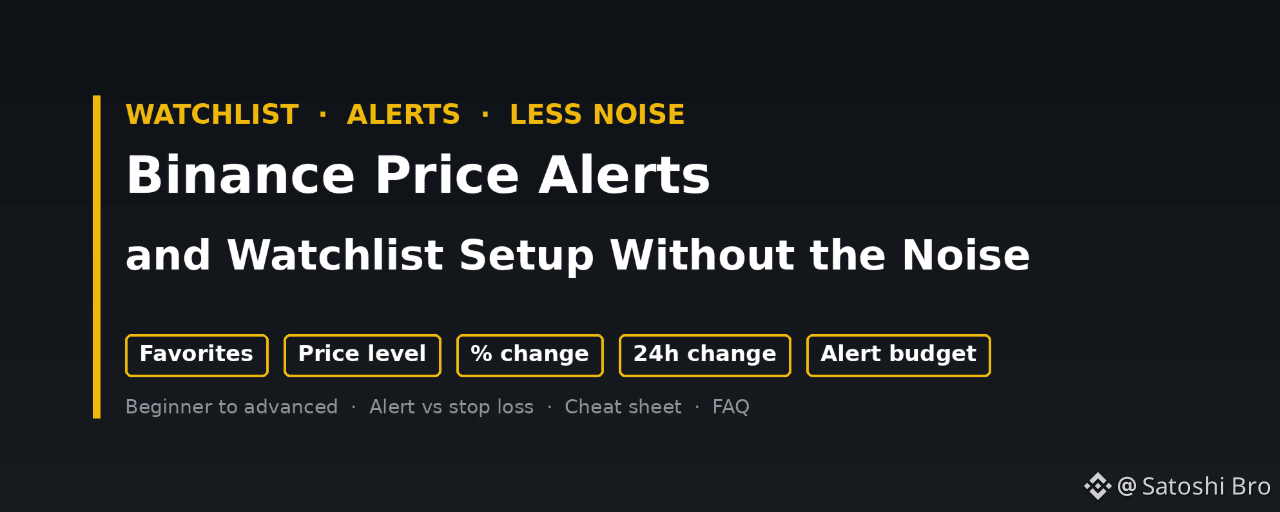
Alertas de preço e configuração da lista de acompanhamento da Binance sem excesso de notificaçõesA Binance limita cada conta a 50 alertas de preço ativos, com no máximo 10 para um único par de negociação, e cada alerta expira após 90 dias. Poucas pessoas chegam a esse limite. Quem chega perto geralmente acaba silenciando o aplicativo.
Uma configuração que continua sendo útil é assim: mantenha uma lista curta de pares que você realmente negociaria, defina um ou dois alertas para cada um, vinculados a um plano por escrito, use alertas de nível de preço para entradas e alertas de variação percentual para movimentos incomuns. Os alertas podem ser criados na página do par no aplicativo e no gráfico do site.
Alertas de preço e configuração da lista de acompanhamento da Binance sem excesso de notificações
A Binance limita cada conta a 50 alertas de preço ativos, com no máximo 10 para um único par de negociação, e cada alerta expira após 90 dias. Poucas pessoas chegam a esse limite. Quem chega perto geralmente acaba silenciando o aplicativo.
Uma configuração que continua sendo útil é assim: mantenha uma lista curta de pares que você realmente negociaria, defina um ou dois alertas para cada um, vinculados a um plano por escrito, use alertas de nível de preço para entradas e alertas de variação percentual para movimentos incomuns. Os alertas podem ser criados na página do par no aplicativo e no gráfico do site.
Uma configuração que continua sendo útil é assim: mantenha uma lista curta de pares que você realmente negociaria, defina um ou dois alertas para cada um, vinculados a um plano por escrito, use alertas de nível de preço para entradas e alertas de variação percentual para movimentos incomuns. Os alertas podem ser criados na página do par no aplicativo e no gráfico do site.
59
·
--
Ver tradução
🧭 Beginner tip: write your exit before your entry
Before you hit Buy, type three lines into your notes app:
1️⃣ Why am I buying this?
2️⃣ At what price am I wrong? (that's your stop)
3️⃣ Where do I take some profit?
Takes 30 seconds.
When the chart drops 10% at 3am, you're not deciding in a panic. You already decided while calm.
Bonus: after a month, those notes show you exactly which mistakes you keep repeating.
Do you plan your exits before buying, or figure it out on the way? 👇
#crypto #tradingtips #CryptoBeginners #Binance
🧭 Beginner tip: write your exit before your entry
Before you hit Buy, type three lines into your notes app:
1️⃣ Why am I buying this?
2️⃣ At what price am I wrong? (that's your stop)
3️⃣ Where do I take some profit?
Takes 30 seconds.
When the chart drops 10% at 3am, you're not deciding in a panic. You already decided while calm.
Bonus: after a month, those notes show you exactly which mistakes you keep repeating.
Do you plan your exits before buying, or figure it out on the way? 👇
#crypto #tradingtips #CryptoBeginners #Binance
Before you hit Buy, type three lines into your notes app:
1️⃣ Why am I buying this?
2️⃣ At what price am I wrong? (that's your stop)
3️⃣ Where do I take some profit?
Takes 30 seconds.
When the chart drops 10% at 3am, you're not deciding in a panic. You already decided while calm.
Bonus: after a month, those notes show you exactly which mistakes you keep repeating.
Do you plan your exits before buying, or figure it out on the way? 👇
#crypto #tradingtips #CryptoBeginners #Binance
1
·
--
Opinião polêmica 🔥
A maioria das pessoas não perde dinheiro com moedas ruins. Perde com moedas boas compradas em uma proporção errada.
A mesma moeda, dois traders:
👉 um investe 5% do saldo e não se abala com uma queda de 15%
👉 o outro investe 60%, entra em pânico com uma queda de 8% e vende no fundo
A moeda não mudou. O tamanho da posição, sim.
Antes de perguntar "o que devo comprar?", pergunte "quanto consigo manter durante uma semana ruim sem mexer?"
Concorda ou não? 👇
#crypto #tradingtips #RiskManagement #Binance
Opinião polêmica 🔥
A maioria das pessoas não perde dinheiro com moedas ruins. Perde com moedas boas compradas em uma proporção errada.
A mesma moeda, dois traders:
👉 um investe 5% do saldo e não se abala com uma queda de 15%
👉 o outro investe 60%, entra em pânico com uma queda de 8% e vende no fundo
A moeda não mudou. O tamanho da posição, sim.
Antes de perguntar "o que devo comprar?", pergunte "quanto consigo manter durante uma semana ruim sem mexer?"
Concorda ou não? 👇
#crypto #tradingtips #RiskManagement #Binance
A maioria das pessoas não perde dinheiro com moedas ruins. Perde com moedas boas compradas em uma proporção errada.
A mesma moeda, dois traders:
👉 um investe 5% do saldo e não se abala com uma queda de 15%
👉 o outro investe 60%, entra em pânico com uma queda de 8% e vende no fundo
A moeda não mudou. O tamanho da posição, sim.
Antes de perguntar "o que devo comprar?", pergunte "quanto consigo manter durante uma semana ruim sem mexer?"
Concorda ou não? 👇
#crypto #tradingtips #RiskManagement #Binance
2
·
--
Código de bônus de inscrição da Binance para taxas de negociação mais baixas
Use um código promocional ao se inscrever para obter 20% de desconto fixo nas taxas Spot.
1. Crie uma nova conta Binance
2. Insira THEBESTCODE antes de concluir o cadastro
3. Confira se o desconto de 20% nas taxas Spot aparece na sua conta
Código promocional THEBESTCODE
[Sign up with code THEBESTCODE](https://www.binance.com/join?ref=THEBESTCODE)
Bônus de boas-vindas de até US$ 19.800 para usuários elegíveis
[Welcome bonus terms](https://www.binance.com/en/events/BESTBONUS)
Isto não é uma recomendação financeira. As taxas e os termos do bônus podem mudar.
#Binance #BinancePromoCode #crypto
Código de bônus de inscrição da Binance para taxas de negociação mais baixas
Use um código promocional ao se inscrever para obter 20% de desconto fixo nas taxas Spot.
1. Crie uma nova conta Binance
2. Insira THEBESTCODE antes de concluir o cadastro
3. Confira se o desconto de 20% nas taxas Spot aparece na sua conta
Código promocional THEBESTCODE
Sign up with code THEBESTCODE
Bônus de boas-vindas de até US$ 19.800 para usuários elegíveis
Welcome bonus terms
Isto não é uma recomendação financeira. As taxas e os termos do bônus podem mudar.
#Binance #BinancePromoCode #crypto
Use um código promocional ao se inscrever para obter 20% de desconto fixo nas taxas Spot.
1. Crie uma nova conta Binance
2. Insira THEBESTCODE antes de concluir o cadastro
3. Confira se o desconto de 20% nas taxas Spot aparece na sua conta
Código promocional THEBESTCODE
Sign up with code THEBESTCODE
Bônus de boas-vindas de até US$ 19.800 para usuários elegíveis
Welcome bonus terms
Isto não é uma recomendação financeira. As taxas e os termos do bônus podem mudar.
#Binance #BinancePromoCode #crypto
279
·
--
Artigo
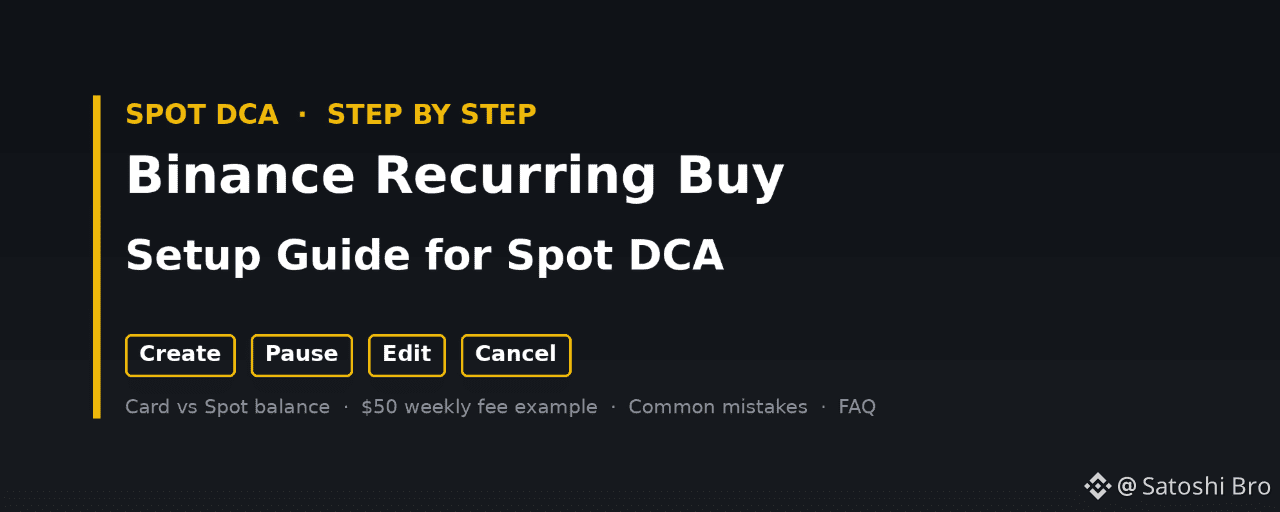
Guia de configuração da Compra Recorrente da Binance para DCA SpotA Binance tem duas ferramentas diferentes de compra recorrente, e as taxas não são iguais. A opção com cartão, em Comprar Cripto, cobra o valor de um cartão Visa ou Mastercard de acordo com um calendário e acrescenta uma taxa de transação com cartão a cada ordem. A opção Converter Recorrente utiliza um saldo que já tem na sua conta Spot, não cobra uma taxa de negociação separada e pode ser executada de hora a hora. Escolher a opção certa antes de criar um plano evita ter de o configurar novamente mais tarde.
👉 [Open a Binance account with code GETREWARD](https://www.binance.com/join?ref=GETREWARD)
Este guia acompanha um plano desde o primeiro clique até ao momento em que o desativa: criar, executar, pausar, editar e cancelar. Depois, apresentamos os valores das taxas para um plano semanal de 50 $ e os erros que podem impedir discretamente o funcionamento dos planos.
Guia de configuração da Compra Recorrente da Binance para DCA Spot
A Binance tem duas ferramentas diferentes de compra recorrente, e as taxas não são iguais. A opção com cartão, em Comprar Cripto, cobra o valor de um cartão Visa ou Mastercard de acordo com um calendário e acrescenta uma taxa de transação com cartão a cada ordem. A opção Converter Recorrente utiliza um saldo que já tem na sua conta Spot, não cobra uma taxa de negociação separada e pode ser executada de hora a hora. Escolher a opção certa antes de criar um plano evita ter de o configurar novamente mais tarde.
👉 Open a Binance account with code GETREWARD
Este guia acompanha um plano desde o primeiro clique até ao momento em que o desativa: criar, executar, pausar, editar e cancelar. Depois, apresentamos os valores das taxas para um plano semanal de 50 $ e os erros que podem impedir discretamente o funcionamento dos planos.
👉 Open a Binance account with code GETREWARD
Este guia acompanha um plano desde o primeiro clique até ao momento em que o desativa: criar, executar, pausar, editar e cancelar. Depois, apresentamos os valores das taxas para um plano semanal de 50 $ e os erros que podem impedir discretamente o funcionamento dos planos.
56
·
--
📖 Glossário: MAKER vs TAKER
Cada ordem que colocas tem um de dois papéis.
🟢 Maker: colocas uma ordem limitada que não é executada de imediato. Ela fica no livro de ordens e adiciona liquidez até alguém negociar contra ela.
🔴 Taker: a tua ordem é executada instantaneamente contra uma ordem que já está no livro. As ordens de mercado são sempre taker. Uma ordem limitada com um preço que atravessa o livro também é executada como taker.
Porque é que isso importa:
• As taxas taker são geralmente mais altas do que as taxas maker
• Ao longo de centenas de negociações, essa diferença acumula-se
• As execuções taker também podem sofrer derrapagem num livro de ordens pouco líquido
Se selecionares «Mercado» em todas as negociações, pagas a taxa taker em todas elas.
És sobretudo maker ou taker? 👇
#crypto #cryptoeducation #tradingtips #Binance
📖 Glossário: MAKER vs TAKER
Cada ordem que colocas tem um de dois papéis.
🟢 Maker: colocas uma ordem limitada que não é executada de imediato. Ela fica no livro de ordens e adiciona liquidez até alguém negociar contra ela.
🔴 Taker: a tua ordem é executada instantaneamente contra uma ordem que já está no livro. As ordens de mercado são sempre taker. Uma ordem limitada com um preço que atravessa o livro também é executada como taker.
Porque é que isso importa:
• As taxas taker são geralmente mais altas do que as taxas maker
• Ao longo de centenas de negociações, essa diferença acumula-se
• As execuções taker também podem sofrer derrapagem num livro de ordens pouco líquido
Se selecionares «Mercado» em todas as negociações, pagas a taxa taker em todas elas.
És sobretudo maker ou taker? 👇
#crypto #cryptoeducation #tradingtips #Binance
Cada ordem que colocas tem um de dois papéis.
🟢 Maker: colocas uma ordem limitada que não é executada de imediato. Ela fica no livro de ordens e adiciona liquidez até alguém negociar contra ela.
🔴 Taker: a tua ordem é executada instantaneamente contra uma ordem que já está no livro. As ordens de mercado são sempre taker. Uma ordem limitada com um preço que atravessa o livro também é executada como taker.
Porque é que isso importa:
• As taxas taker são geralmente mais altas do que as taxas maker
• Ao longo de centenas de negociações, essa diferença acumula-se
• As execuções taker também podem sofrer derrapagem num livro de ordens pouco líquido
Se selecionares «Mercado» em todas as negociações, pagas a taxa taker em todas elas.
És sobretudo maker ou taker? 👇
#crypto #cryptoeducation #tradingtips #Binance
49
·
--
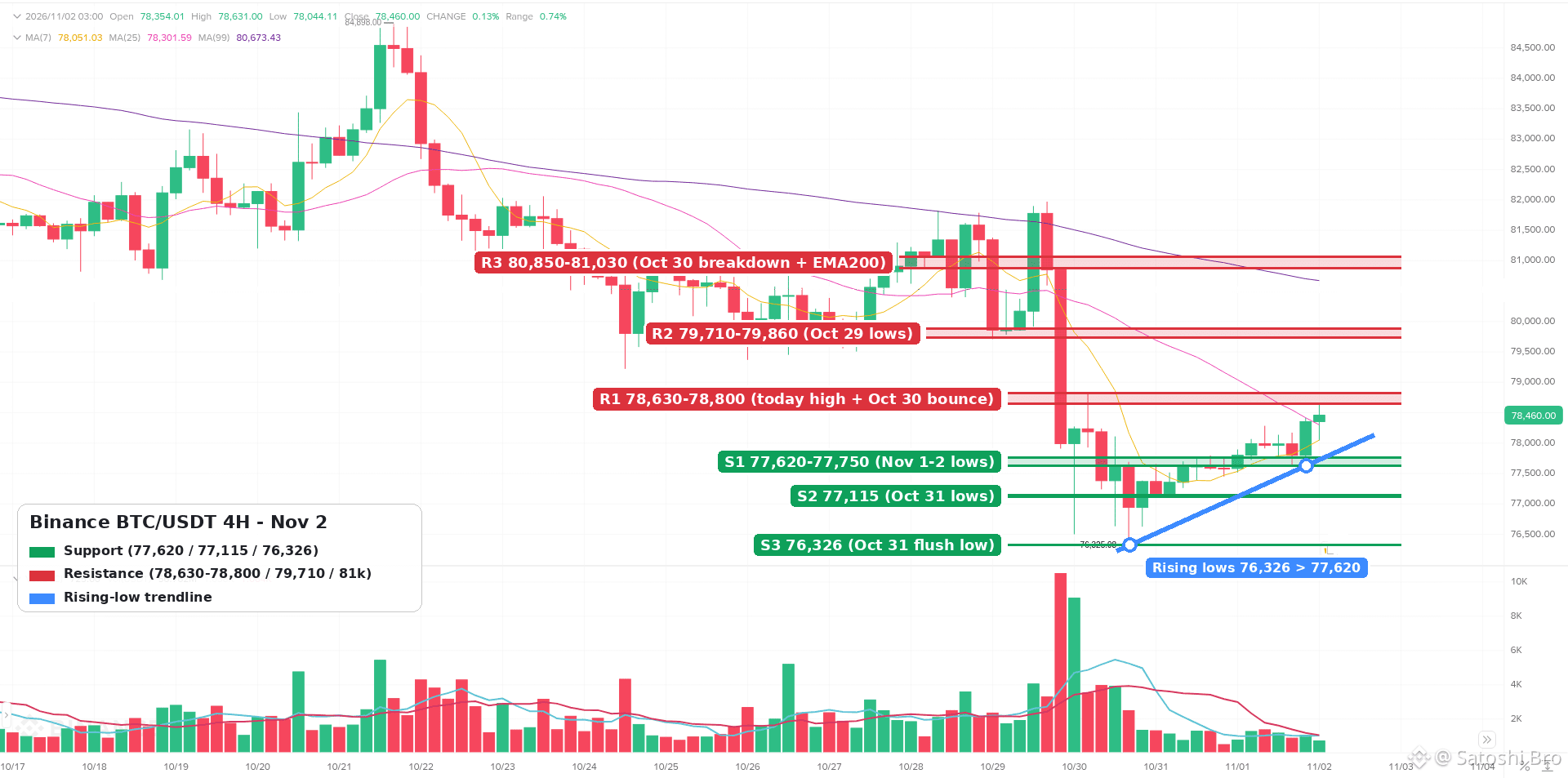
$BTC de volta a 78,490 após a queda brusca de 30 de outubro. Isso é uma base ou apenas uma pausa? Análise de 4H 👇
• Tendência: ainda abaixo da EMA50 de 4H (~79,240) e da EMA200 (~81,030), mas as mínimas continuam subindo, de 76,326 (31 de outubro) para 77,620 (hoje de manhã)
• Suporte: 77,620-77,750 primeiro, depois 77,115 e, em seguida, a mínima da queda brusca em 76,326
• Resistência: 78,630-78,800 é o teto no momento; acima disso, 79,710-79,860 (mínimas de 29 de outubro) e 80,850-81,030
• RSI ~50, neutro. Sem sobreaquecimento e ainda sem impulso real
• Cenário de alta: um fechamento de 4H acima de 78,800 abre caminho para 79,240 e a zona de 79,700
• Cenário de baixa: perder 77,600 e a linha das mínimas ascendentes coloca 77,100 e 76,300 novamente em jogo
Conclusão: mínimas mais altas sob forte resistência. Quero ver um fechamento acima de 78,800 antes de confiar nesta recuperação.
Isto não é aconselhamento financeiro.
#BTC #bitcoin #TechnicalAnalysis #CryptoMarket #Binance
$BTC de volta a 78,490 após a queda brusca de 30 de outubro. Isso é uma base ou apenas uma pausa? Análise de 4H 👇
• Tendência: ainda abaixo da EMA50 de 4H (~79,240) e da EMA200 (~81,030), mas as mínimas continuam subindo, de 76,326 (31 de outubro) para 77,620 (hoje de manhã)
• Suporte: 77,620-77,750 primeiro, depois 77,115 e, em seguida, a mínima da queda brusca em 76,326
• Resistência: 78,630-78,800 é o teto no momento; acima disso, 79,710-79,860 (mínimas de 29 de outubro) e 80,850-81,030
• RSI ~50, neutro. Sem sobreaquecimento e ainda sem impulso real
• Cenário de alta: um fechamento de 4H acima de 78,800 abre caminho para 79,240 e a zona de 79,700
• Cenário de baixa: perder 77,600 e a linha das mínimas ascendentes coloca 77,100 e 76,300 novamente em jogo
Conclusão: mínimas mais altas sob forte resistência. Quero ver um fechamento acima de 78,800 antes de confiar nesta recuperação.
Isto não é aconselhamento financeiro.
#BTC #bitcoin #TechnicalAnalysis #CryptoMarket #Binance
• Tendência: ainda abaixo da EMA50 de 4H (~79,240) e da EMA200 (~81,030), mas as mínimas continuam subindo, de 76,326 (31 de outubro) para 77,620 (hoje de manhã)
• Suporte: 77,620-77,750 primeiro, depois 77,115 e, em seguida, a mínima da queda brusca em 76,326
• Resistência: 78,630-78,800 é o teto no momento; acima disso, 79,710-79,860 (mínimas de 29 de outubro) e 80,850-81,030
• RSI ~50, neutro. Sem sobreaquecimento e ainda sem impulso real
• Cenário de alta: um fechamento de 4H acima de 78,800 abre caminho para 79,240 e a zona de 79,700
• Cenário de baixa: perder 77,600 e a linha das mínimas ascendentes coloca 77,100 e 76,300 novamente em jogo
Conclusão: mínimas mais altas sob forte resistência. Quero ver um fechamento acima de 78,800 antes de confiar nesta recuperação.
Isto não é aconselhamento financeiro.
#BTC #bitcoin #TechnicalAnalysis #CryptoMarket #Binance
1
166
·
--
Artigo
Bônus de cadastro da Binance em 2026: prós e contras do desconto de 20% nas taxasDigite 20LESSFEES no campo do código ao abrir uma conta na Binance e pague uma taxa de negociação fixa 20% menor em todas as operações de Spot e Futuros dessa conta. O bônus de boas-vindas de até US$ 19.800 para usuários elegíveis é um benefício à parte, com um conjunto separado de tarefas. Você pode começar pelo link de cadastro abaixo.
👉 [Sign up on Binance with 20LESSFEES](https://www.binance.com/join?ref=20LESSFEES)
Um bônus de cadastro parece dinheiro grátis, e é exatamente por isso que merece uma análise ponderada. Abaixo estão as vantagens reais, as desvantagens reais e os números por trás de ambos, para que você possa decidir quanto a oferta vale para a sua forma de negociar.
Bônus de cadastro da Binance em 2026: prós e contras do desconto de 20% nas taxas
Digite 20LESSFEES no campo do código ao abrir uma conta na Binance e pague uma taxa de negociação fixa 20% menor em todas as operações de Spot e Futuros dessa conta. O bônus de boas-vindas de até US$ 19.800 para usuários elegíveis é um benefício à parte, com um conjunto separado de tarefas. Você pode começar pelo link de cadastro abaixo.
👉 Sign up on Binance with 20LESSFEES
Um bônus de cadastro parece dinheiro grátis, e é exatamente por isso que merece uma análise ponderada. Abaixo estão as vantagens reais, as desvantagens reais e os números por trás de ambos, para que você possa decidir quanto a oferta vale para a sua forma de negociar.
👉 Sign up on Binance with 20LESSFEES
Um bônus de cadastro parece dinheiro grátis, e é exatamente por isso que merece uma análise ponderada. Abaixo estão as vantagens reais, as desvantagens reais e os números por trás de ambos, para que você possa decidir quanto a oferta vale para a sua forma de negociar.
21
·
--
Mito vs. fato: "Esta moeda custa apenas US$ 0,001, então é barata e tem muito mais espaço para crescer do que o BTC" 🧐
❌ Mito: preço baixo por moeda = moeda barata.
✅ Fato: o preço por moeda, por si só, não diz nada. O que importa é a capitalização de mercado = preço x oferta em circulação.
Um token a US$ 0,001 com 500 trilhões de moedas em circulação já é um projeto de US$ 500 bilhões. Para multiplicar seu valor por 10, US$ 4,5 trilhões em novo valor precisam entrar no mercado.
Antes de chamar qualquer coisa de "barata", confira a capitalização de mercado, a oferta em circulação e o cronograma de desbloqueio. A entrada de novas moedas no mercado dilui a participação de todos os detentores.
Que "moeda barata" ensinou isso a você da pior maneira? 👇
#crypto #CryptoEducation #altcoins #Binance
Mito vs. fato: "Esta moeda custa apenas US$ 0,001, então é barata e tem muito mais espaço para crescer do que o BTC" 🧐
❌ Mito: preço baixo por moeda = moeda barata.
✅ Fato: o preço por moeda, por si só, não diz nada. O que importa é a capitalização de mercado = preço x oferta em circulação.
Um token a US$ 0,001 com 500 trilhões de moedas em circulação já é um projeto de US$ 500 bilhões. Para multiplicar seu valor por 10, US$ 4,5 trilhões em novo valor precisam entrar no mercado.
Antes de chamar qualquer coisa de "barata", confira a capitalização de mercado, a oferta em circulação e o cronograma de desbloqueio. A entrada de novas moedas no mercado dilui a participação de todos os detentores.
Que "moeda barata" ensinou isso a você da pior maneira? 👇
#crypto #CryptoEducation #altcoins #Binance
❌ Mito: preço baixo por moeda = moeda barata.
✅ Fato: o preço por moeda, por si só, não diz nada. O que importa é a capitalização de mercado = preço x oferta em circulação.
Um token a US$ 0,001 com 500 trilhões de moedas em circulação já é um projeto de US$ 500 bilhões. Para multiplicar seu valor por 10, US$ 4,5 trilhões em novo valor precisam entrar no mercado.
Antes de chamar qualquer coisa de "barata", confira a capitalização de mercado, a oferta em circulação e o cronograma de desbloqueio. A entrada de novas moedas no mercado dilui a participação de todos os detentores.
Que "moeda barata" ensinou isso a você da pior maneira? 👇
#crypto #CryptoEducation #altcoins #Binance
22
·
--
Artigo
Margem Cruzada vs. Margem Isolada na Binance: exemplos práticosDois traders investem US$ 1.000 cada nas mesmas duas operações com margem. Uma moeda perde metade do valor, e eles terminam a semana em situações muito diferentes, apenas porque escolheram modos de margem diferentes. A margem cruzada na Binance reúne todos os ativos da sua conta de Margem Cruzada como garantia compartilhada para todas as suas posições, com um único nível de margem para toda a conta. A margem isolada dá a cada par de negociação uma pequena conta própria, com sua própria garantia e seu próprio nível de margem, de modo que uma liquidação fica restrita àquele par.
👉 [Sign up on Binance with code 20LESSFEES for 20% lower Spot and Futures fees](https://www.binance.com/join?ref=20LESSFEES)
Margem Cruzada vs. Margem Isolada na Binance: exemplos práticos
Dois traders investem US$ 1.000 cada nas mesmas duas operações com margem. Uma moeda perde metade do valor, e eles terminam a semana em situações muito diferentes, apenas porque escolheram modos de margem diferentes. A margem cruzada na Binance reúne todos os ativos da sua conta de Margem Cruzada como garantia compartilhada para todas as suas posições, com um único nível de margem para toda a conta. A margem isolada dá a cada par de negociação uma pequena conta própria, com sua própria garantia e seu próprio nível de margem, de modo que uma liquidação fica restrita àquele par.
👉 Sign up on Binance with code 20LESSFEES for 20% lower Spot and Futures fees
👉 Sign up on Binance with code 20LESSFEES for 20% lower Spot and Futures fees
26
·
--
🚨 Dica de segurança: o suporte oficial da Binance nunca vai enviar uma mensagem privada primeiro.
O golpe geralmente funciona assim:
👉 Você publica algo sobre um saque preso
👉 Minutos depois, um “agente de suporte” entra em contato com você pelo Telegram ou pelo X
👉 Ele pede seu código 2FA, o compartilhamento da tela ou para “verificar” sua carteira em um link
O suporte oficial não inicia conversas privadas e nunca pede códigos nem frases-semente.
O que fazer:
✅ Use apenas o suporte por chat no aplicativo
✅ Verifique qualquer contato com o Binance Verify
✅ Nunca informe seu código 2FA nem sua frase-semente a ninguém
Algum falso agente já apareceu nas suas mensagens privadas? 👇
#ScamAlert #CryptoSecurity #crypto #Binance
🚨 Dica de segurança: o suporte oficial da Binance nunca vai enviar uma mensagem privada primeiro.
O golpe geralmente funciona assim:
👉 Você publica algo sobre um saque preso
👉 Minutos depois, um “agente de suporte” entra em contato com você pelo Telegram ou pelo X
👉 Ele pede seu código 2FA, o compartilhamento da tela ou para “verificar” sua carteira em um link
O suporte oficial não inicia conversas privadas e nunca pede códigos nem frases-semente.
O que fazer:
✅ Use apenas o suporte por chat no aplicativo
✅ Verifique qualquer contato com o Binance Verify
✅ Nunca informe seu código 2FA nem sua frase-semente a ninguém
Algum falso agente já apareceu nas suas mensagens privadas? 👇
#ScamAlert #CryptoSecurity #crypto #Binance
O golpe geralmente funciona assim:
👉 Você publica algo sobre um saque preso
👉 Minutos depois, um “agente de suporte” entra em contato com você pelo Telegram ou pelo X
👉 Ele pede seu código 2FA, o compartilhamento da tela ou para “verificar” sua carteira em um link
O suporte oficial não inicia conversas privadas e nunca pede códigos nem frases-semente.
O que fazer:
✅ Use apenas o suporte por chat no aplicativo
✅ Verifique qualquer contato com o Binance Verify
✅ Nunca informe seu código 2FA nem sua frase-semente a ninguém
Algum falso agente já apareceu nas suas mensagens privadas? 👇
#ScamAlert #CryptoSecurity #crypto #Binance
1
·
--
Artigo
Código de convite Binance 2026 para pagar menos 20% em taxas SpotO que é que um código introduzido numa pequena caixa durante o registo realmente altera? Na Binance, bastante coisa. Introduza THEBESTCODE ao criar a sua conta e todas as negociações Spot que fizer com ela terão uma redução fixa de 20% nas taxas de negociação. O bónus de boas-vindas, de até 19 800 $, para utilizadores elegíveis, é um extra à parte, atribuído com base em tarefas.
👉 [Create your Binance account with THEBESTCODE](https://www.binance.com/join?ref=THEBESTCODE)
A maioria dos guias para por aí: «introduza o código e já está». Isso cobre os primeiros dez minutos e ignora tudo o que vem depois. Este guia acompanha uma nova conta desde o ecrã de registo até às primeiras negociações, às tarefas de boas-vindas e aos hábitos que determinam quanto vale realmente o desconto de 20% ao longo de um ano. Leia-o pela ordem ou avance para o nível em que já se encontra.
Código de convite Binance 2026 para pagar menos 20% em taxas Spot
O que é que um código introduzido numa pequena caixa durante o registo realmente altera? Na Binance, bastante coisa. Introduza THEBESTCODE ao criar a sua conta e todas as negociações Spot que fizer com ela terão uma redução fixa de 20% nas taxas de negociação. O bónus de boas-vindas, de até 19 800 $, para utilizadores elegíveis, é um extra à parte, atribuído com base em tarefas.
👉 Create your Binance account with THEBESTCODE
A maioria dos guias para por aí: «introduza o código e já está». Isso cobre os primeiros dez minutos e ignora tudo o que vem depois. Este guia acompanha uma nova conta desde o ecrã de registo até às primeiras negociações, às tarefas de boas-vindas e aos hábitos que determinam quanto vale realmente o desconto de 20% ao longo de um ano. Leia-o pela ordem ou avance para o nível em que já se encontra.
👉 Create your Binance account with THEBESTCODE
A maioria dos guias para por aí: «introduza o código e já está». Isso cobre os primeiros dez minutos e ignora tudo o que vem depois. Este guia acompanha uma nova conta desde o ecrã de registo até às primeiras negociações, às tarefas de boas-vindas e aos hábitos que determinam quanto vale realmente o desconto de 20% ao longo de um ano. Leia-o pela ordem ou avance para o nível em que já se encontra.
30
·
--
3 regras rápidas para uma abertura tranquila na segunda-feira 🧵
1️⃣ As faixas de preço do fim de semana enganam. O volume é baixo no sábado e no domingo, então é fácil falsificar rompimentos. Espere algumas horas de volume real antes de confiar no movimento.
2️⃣ Configure alertas, não passe mais tempo olhando para a tela. Marque seus níveis, configure alertas de preço e feche o aplicativo. Ficar olhando para candles de 1 minuto leva a operações que você nunca planejou.
3️⃣ Confira o calendário da semana. Há algum dado macro importante ou um grande desbloqueio de tokens a caminho? Saiba as datas antes de aumentar sua posição.
Qual dessas regras você costuma quebrar mais? 👇
#crypto #tradingtips #CryptoEducation #Binance
3 regras rápidas para uma abertura tranquila na segunda-feira 🧵
1️⃣ As faixas de preço do fim de semana enganam. O volume é baixo no sábado e no domingo, então é fácil falsificar rompimentos. Espere algumas horas de volume real antes de confiar no movimento.
2️⃣ Configure alertas, não passe mais tempo olhando para a tela. Marque seus níveis, configure alertas de preço e feche o aplicativo. Ficar olhando para candles de 1 minuto leva a operações que você nunca planejou.
3️⃣ Confira o calendário da semana. Há algum dado macro importante ou um grande desbloqueio de tokens a caminho? Saiba as datas antes de aumentar sua posição.
Qual dessas regras você costuma quebrar mais? 👇
#crypto #tradingtips #CryptoEducation #Binance
1️⃣ As faixas de preço do fim de semana enganam. O volume é baixo no sábado e no domingo, então é fácil falsificar rompimentos. Espere algumas horas de volume real antes de confiar no movimento.
2️⃣ Configure alertas, não passe mais tempo olhando para a tela. Marque seus níveis, configure alertas de preço e feche o aplicativo. Ficar olhando para candles de 1 minuto leva a operações que você nunca planejou.
3️⃣ Confira o calendário da semana. Há algum dado macro importante ou um grande desbloqueio de tokens a caminho? Saiba as datas antes de aumentar sua posição.
Qual dessas regras você costuma quebrar mais? 👇
#crypto #tradingtips #CryptoEducation #Binance
2
·
--
Artigo
Lista de verificação para configurar a lista de permissões de saque da BinanceA lista de permissões de saque da Binance é uma configuração que permite que sua conta envie criptomoedas apenas para endereços aprovados por você com antecedência. Ative-a em Configurações e, depois, em Saques. Em seguida, adicione os endereços das suas próprias carteiras em Gerenciamento de endereços e confirme cada etapa com uma chave de acesso ou a autenticação de dois fatores (2FA).
👉 [Open a Binance account with code GETREWARD](https://www.binance.com/join?ref=GETREWARD)
Se alguém conseguir acessar sua conta, a lista de permissões impede que essa pessoa simplesmente cole o próprio endereço e esvazie sua conta. Primeiro, ela teria que adicionar um novo endereço e, com o limite de saque ativado, esse endereço fica bloqueado por 24, 48 ou 72 horas. Esse intervalo é sua chance de perceber o que está acontecendo e proteger sua conta.
Lista de verificação para configurar a lista de permissões de saque da Binance
A lista de permissões de saque da Binance é uma configuração que permite que sua conta envie criptomoedas apenas para endereços aprovados por você com antecedência. Ative-a em Configurações e, depois, em Saques. Em seguida, adicione os endereços das suas próprias carteiras em Gerenciamento de endereços e confirme cada etapa com uma chave de acesso ou a autenticação de dois fatores (2FA).
👉 Open a Binance account with code GETREWARD
Se alguém conseguir acessar sua conta, a lista de permissões impede que essa pessoa simplesmente cole o próprio endereço e esvazie sua conta. Primeiro, ela teria que adicionar um novo endereço e, com o limite de saque ativado, esse endereço fica bloqueado por 24, 48 ou 72 horas. Esse intervalo é sua chance de perceber o que está acontecendo e proteger sua conta.
👉 Open a Binance account with code GETREWARD
Se alguém conseguir acessar sua conta, a lista de permissões impede que essa pessoa simplesmente cole o próprio endereço e esvazie sua conta. Primeiro, ela teria que adicionar um novo endereço e, com o limite de saque ativado, esse endereço fica bloqueado por 24, 48 ou 72 horas. Esse intervalo é sua chance de perceber o que está acontecendo e proteger sua conta.
4
·
--
Código de indicação da Binance para a Indonésia
Negocia a partir da Indonésia? Aplica um código promocional ao registares-te e obtém um desconto fixo de 20% nas taxas de Spot e Futuros.
1. Abre a página de registo da Binance
2. Introduz o código 20LESSFEES
3. Conclui o registo e consulta a tua taxa de comissão
Código: 20LESSFEES
Regista-te: [Sign up with code 20LESSFEES](https://www.binance.com/join?ref=20LESSFEES)
Bónus de boas-vindas até $19,800 para utilizadores elegíveis: [Welcome bonus terms](https://www.binance.com/en/events/BESTBONUS)
Isto não constitui aconselhamento financeiro.
#Binance #BinanceIndonesia #BinancePromoCode #crypto
Código de indicação da Binance para a Indonésia
Negocia a partir da Indonésia? Aplica um código promocional ao registares-te e obtém um desconto fixo de 20% nas taxas de Spot e Futuros.
1. Abre a página de registo da Binance
2. Introduz o código 20LESSFEES
3. Conclui o registo e consulta a tua taxa de comissão
Código: 20LESSFEES
Regista-te: Sign up with code 20LESSFEES
Bónus de boas-vindas até $19,800 para utilizadores elegíveis: Welcome bonus terms
Isto não constitui aconselhamento financeiro.
#Binance #BinanceIndonesia #BinancePromoCode #crypto
Negocia a partir da Indonésia? Aplica um código promocional ao registares-te e obtém um desconto fixo de 20% nas taxas de Spot e Futuros.
1. Abre a página de registo da Binance
2. Introduz o código 20LESSFEES
3. Conclui o registo e consulta a tua taxa de comissão
Código: 20LESSFEES
Regista-te: Sign up with code 20LESSFEES
Bónus de boas-vindas até $19,800 para utilizadores elegíveis: Welcome bonus terms
Isto não constitui aconselhamento financeiro.
#Binance #BinanceIndonesia #BinancePromoCode #crypto
112
·
--
Artigo
Guia de depósitos e levantamentos em AZN pela m10 na Binance AzerbaijãoImagine que você tenha 1.700 manats na m10 e queira ter USDT na Binance até esta noite. Desde que a integração da m10 entrou em funcionamento, você não precisa recorrer a um desconhecido no P2P. Basta enviar os manats diretamente do aplicativo da m10 para um saldo em AZN na Binance, comprar criptomoedas com esse saldo e, mais tarde, enviar os manats de volta da mesma forma.
👉 [Create your Binance account with code GETREWARD](https://www.binance.com/join?ref=GETREWARD)
Abaixo estão três situações reais com os valores calculados: um primeiro depósito, uma conversão para USDT e um levantamento, seguidos do limite mensal, de uma comparação de custos com P2P, da situação legal e de soluções para os problemas mais comuns. As taxas e os limites indicados aqui correspondem às condições anunciadas pela m10 e pela Binance em outubro de 2025. Antes de cada transferência, confira a tela de confirmação nos dois aplicativos, pois o valor exibido nessa tela é o que se aplica.
Guia de depósitos e levantamentos em AZN pela m10 na Binance Azerbaijão
Imagine que você tenha 1.700 manats na m10 e queira ter USDT na Binance até esta noite. Desde que a integração da m10 entrou em funcionamento, você não precisa recorrer a um desconhecido no P2P. Basta enviar os manats diretamente do aplicativo da m10 para um saldo em AZN na Binance, comprar criptomoedas com esse saldo e, mais tarde, enviar os manats de volta da mesma forma.
👉 Create your Binance account with code GETREWARD
Abaixo estão três situações reais com os valores calculados: um primeiro depósito, uma conversão para USDT e um levantamento, seguidos do limite mensal, de uma comparação de custos com P2P, da situação legal e de soluções para os problemas mais comuns. As taxas e os limites indicados aqui correspondem às condições anunciadas pela m10 e pela Binance em outubro de 2025. Antes de cada transferência, confira a tela de confirmação nos dois aplicativos, pois o valor exibido nessa tela é o que se aplica.
👉 Create your Binance account with code GETREWARD
Abaixo estão três situações reais com os valores calculados: um primeiro depósito, uma conversão para USDT e um levantamento, seguidos do limite mensal, de uma comparação de custos com P2P, da situação legal e de soluções para os problemas mais comuns. As taxas e os limites indicados aqui correspondem às condições anunciadas pela m10 e pela Binance em outubro de 2025. Antes de cada transferência, confira a tela de confirmação nos dois aplicativos, pois o valor exibido nessa tela é o que se aplica.
12
·
--
$BNB está sendo negociado perto de 714 USDT após dois dias consolidado entre 694 e 711, abaixo da queda brusca de 30 de outubro. As velas de 4H desta tarde finalmente superaram a máxima de 31 de outubro (710.83) e chegaram a 716.
• Tendência: a queda de 30 de outubro, de 745 até uma mínima de 680, rompeu o piso da faixa de 18 a 29 de outubro. Desde então, as mínimas continuam subindo (694 > 698.8 > 702) ao longo de uma linha de tendência curta que agora passa perto de 706
• Suporte principal: 703-706 (base da faixa + linha de tendência), depois 694-696 (mínimas de 30 e 31 de outubro) e, por fim, 680 (a mínima da queda brusca)
• Resistência principal: 720-722 (máximas da recuperação de 30 de outubro), 724.8 (EMA50 de 4H) e, depois, 731-737, onde se alinham as mínimas de 24 a 27 de outubro e a EMA200 (~736.8)
• RSI(14) ~47, acima da faixa dos 30 observada em 30 de outubro, mas ainda abaixo de 50
• Cenário de alta: um fechamento de 4H acima de 722 e da EMA50 abre caminho para 731-737. Cenário de baixa: perder 703 e a linha de tendência pode levar o preço de volta a 694; abaixo disso, 680 é o próximo nível relevante
Interpreto isso como uma tentativa de rompimento que ainda precisa superar 722 para ter algum significado.
Isto não é aconselhamento financeiro.
#BNB #BNBChain #TechnicalAnalysis #CryptoMarket #Binance
$BNB está sendo negociado perto de 714 USDT após dois dias consolidado entre 694 e 711, abaixo da queda brusca de 30 de outubro. As velas de 4H desta tarde finalmente superaram a máxima de 31 de outubro (710.83) e chegaram a 716.
• Tendência: a queda de 30 de outubro, de 745 até uma mínima de 680, rompeu o piso da faixa de 18 a 29 de outubro. Desde então, as mínimas continuam subindo (694 > 698.8 > 702) ao longo de uma linha de tendência curta que agora passa perto de 706
• Suporte principal: 703-706 (base da faixa + linha de tendência), depois 694-696 (mínimas de 30 e 31 de outubro) e, por fim, 680 (a mínima da queda brusca)
• Resistência principal: 720-722 (máximas da recuperação de 30 de outubro), 724.8 (EMA50 de 4H) e, depois, 731-737, onde se alinham as mínimas de 24 a 27 de outubro e a EMA200 (~736.8)
• RSI(14) ~47, acima da faixa dos 30 observada em 30 de outubro, mas ainda abaixo de 50
• Cenário de alta: um fechamento de 4H acima de 722 e da EMA50 abre caminho para 731-737. Cenário de baixa: perder 703 e a linha de tendência pode levar o preço de volta a 694; abaixo disso, 680 é o próximo nível relevante
Interpreto isso como uma tentativa de rompimento que ainda precisa superar 722 para ter algum significado.
Isto não é aconselhamento financeiro.
#BNB #BNBChain #TechnicalAnalysis #CryptoMarket #Binance
• Tendência: a queda de 30 de outubro, de 745 até uma mínima de 680, rompeu o piso da faixa de 18 a 29 de outubro. Desde então, as mínimas continuam subindo (694 > 698.8 > 702) ao longo de uma linha de tendência curta que agora passa perto de 706
• Suporte principal: 703-706 (base da faixa + linha de tendência), depois 694-696 (mínimas de 30 e 31 de outubro) e, por fim, 680 (a mínima da queda brusca)
• Resistência principal: 720-722 (máximas da recuperação de 30 de outubro), 724.8 (EMA50 de 4H) e, depois, 731-737, onde se alinham as mínimas de 24 a 27 de outubro e a EMA200 (~736.8)
• RSI(14) ~47, acima da faixa dos 30 observada em 30 de outubro, mas ainda abaixo de 50
• Cenário de alta: um fechamento de 4H acima de 722 e da EMA50 abre caminho para 731-737. Cenário de baixa: perder 703 e a linha de tendência pode levar o preço de volta a 694; abaixo disso, 680 é o próximo nível relevante
Interpreto isso como uma tentativa de rompimento que ainda precisa superar 722 para ter algum significado.
Isto não é aconselhamento financeiro.
#BNB #BNBChain #TechnicalAnalysis #CryptoMarket #Binance
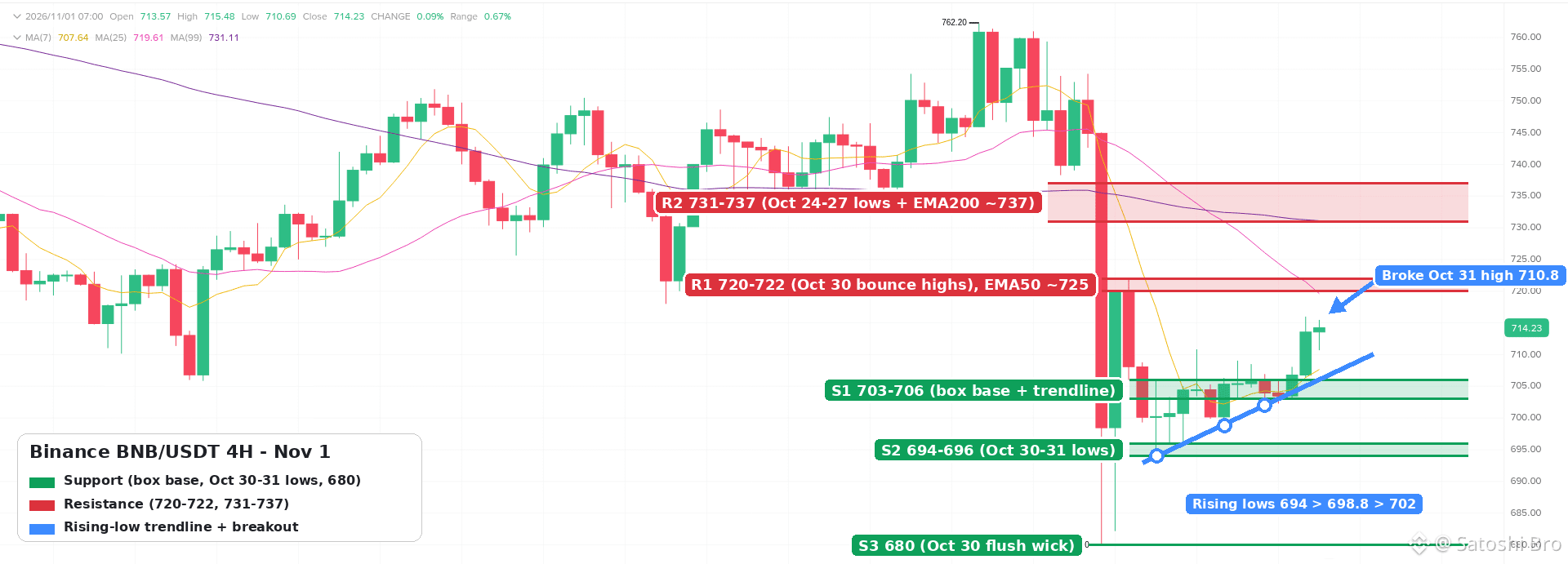
36
Inicia sessão para explorar mais conteúdos
Junta-te a utilizadores de criptomoedas de todo o mundo na Binance Square
⚡️ Obtém informações úteis e recentes sobre criptomoedas.
💬 Com a confiança da maior exchange de criptomoedas do mundo.
👍 Descobre perspetivas reais de criadores verificados.
E-mail/Número de telefone
Tópicos em Tendência
BinanceRestores28FiatWithdrawals
16,514 visualizações
361 a discutir
Binance restabelece saques em moeda fiduciária para USD, AED e três moedas asiáticas, elevando o total para 28
Binance News
·13 gostos
·5.7k visualizações
BinanceProcesses$4.65BWithdrawals
68,516 visualizações
298 a discutir
ETHFalls16.1%InOctober
3,876 visualizações
124 a discutir