
Telegram group: https://t.me/niuwuriji
Telegram channel: https://t.me/jiedubalaodi
Avail has been quite active recently. First, it cooperated with the settlement layer DYM. Due to the cooperation with the one-click chain platform Madara, the Clash of node activity is in full swing. However, due to the influx of a large number of node users, they have now been closed. Therefore, we can only start from the validator node and other aspects. Recently, the Avail github page has added node personal user information verification. We can add our own mnemonics for light client node operations:
Before running a node, you need a computer, which can be a local computer or a cloud server (VPS). Since the node needs to run 24 hours a day, I personally recommend buying a VPS to run the node. I use Contabo's host, which is relatively cheap. You can follow my personal recommendation link:
VPS Setup - Buying Guide — Small bets to support a wife and children, big bets to start a business and build a family — Medium
The light node has very low requirements for machine configuration, basically a single core + 2G RAM + 30G is enough, but it is still not recommended to use a mainland machine to run it. Some group members have reported that connection errors will occur
The following are the reference tutorial steps for building an Avail node:
1. Download the Polkadot SUB wallet and generate a mnemonic phrase
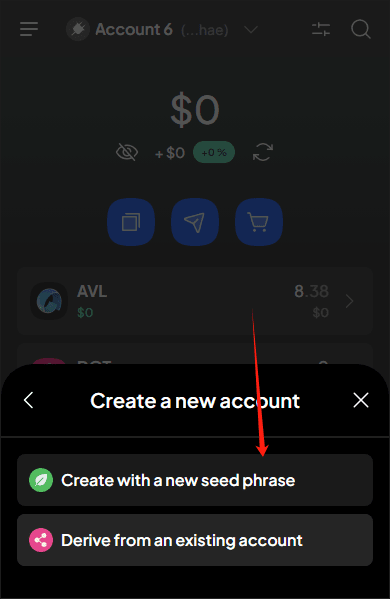
2. Execute one-click deployment node script in VPS
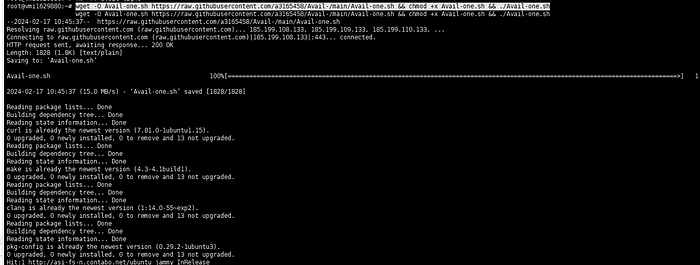
wget -O Avail-one.sh https://raw.githubusercontent.com/a3165458/Avail-one/main/Avail-one.sh && chmod +x Avail-one.sh && ./Avail-one.sh
3. Enter the 12-digit mnemonic phrase of the wallet you just generated
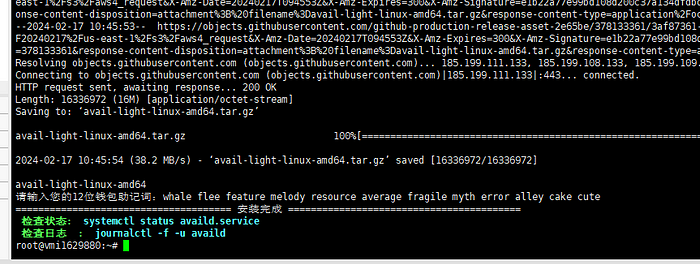
4. Enter the corresponding command to check the status and you can see the wallet address of the corresponding mnemonic:
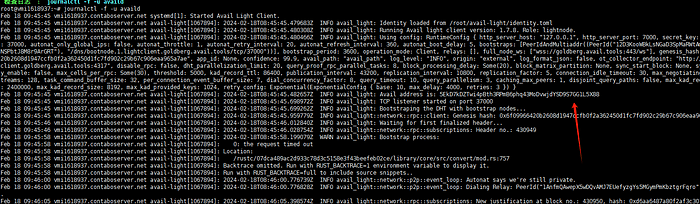
journalctl -u availd | grep address
Avail The light node is set up. Next, you need to enter the DC to collect water
5. Collect water for light node accounts (prerequisite gitcoin passport 20 points)

DC official channel invitation link: https://discord.gg/availproject
Click to enter and perform robot verification first
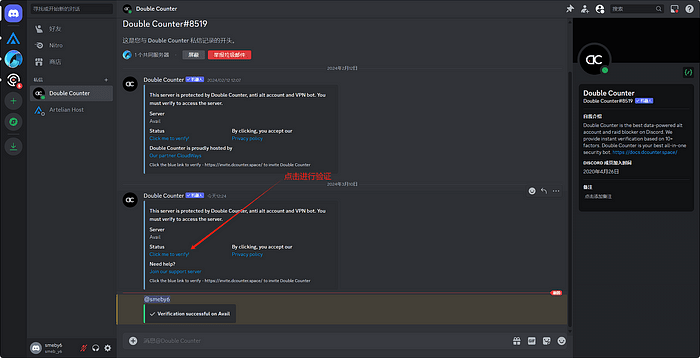
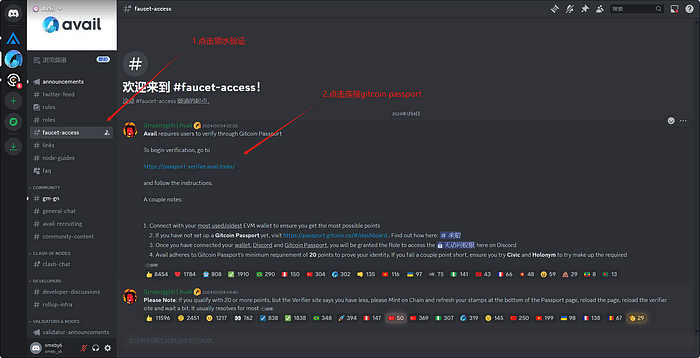
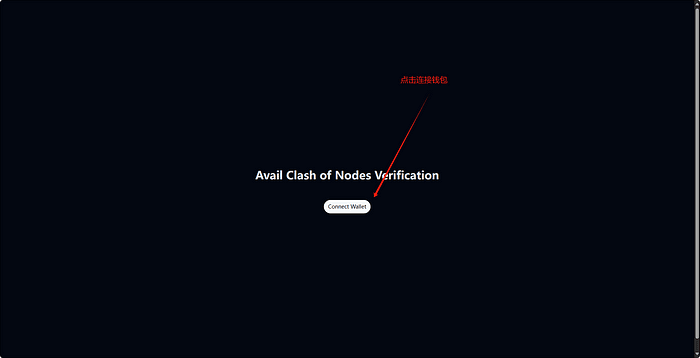
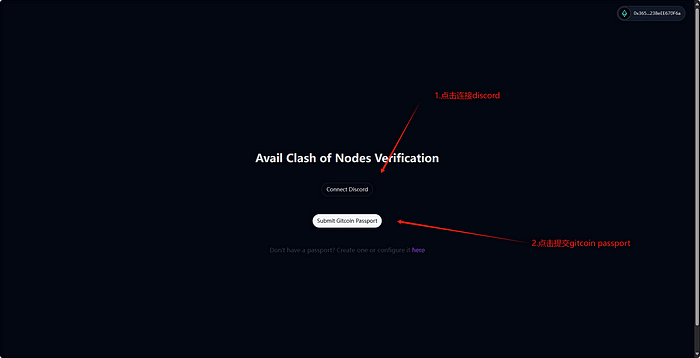
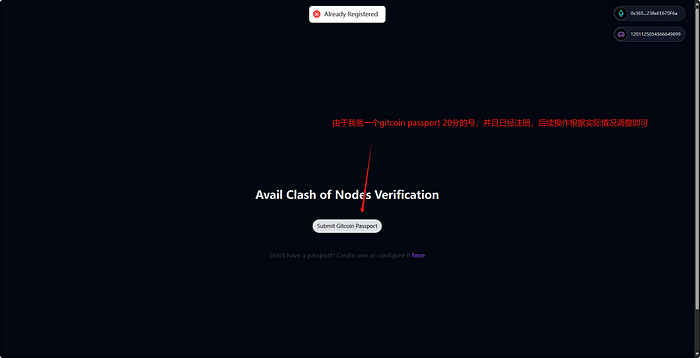
6. Enter the corresponding channel to get water
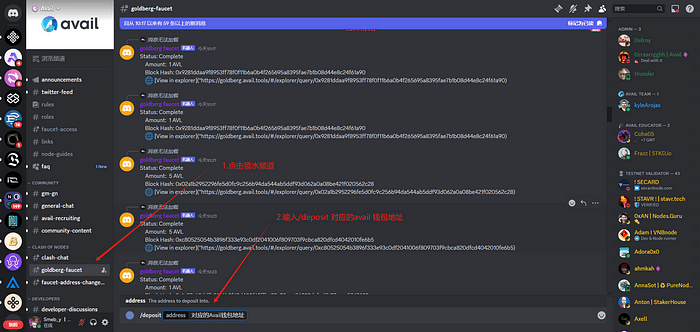
Water control command:/deposit
Just remember to collect water on time.
— — — — — — — — — — — — — — — — — — — — — — — — — — — — —
The Avail light node construction process ends here. Waiting for official follow-up updates, this article will also be updated in real time