
#aprendeypreviene
aprendeypreviene
1,577 views
2 Discussing
Hot
Latest

·
--
🔥 HOW TO SET UP YOUR FIRST STOP LOSS ON BINANCE (STEP BY STEP FOR NOVICES)
In this morning's post, I mentioned that trading without a Stop Loss is like driving a car without brakes. Since my goal is to help you stop losing cash, here’s a quick guide to activating your safety net in the market today.
Imagine you bought Sonic ($S) or any other coin at $1.00, hoping it would pump. But then the market takes a turn. You don’t want your account to hit zero if it crashes.
🛠️ The 3 steps in your Binance app:
Select the OCO or Stop-Limit order: When you head to the "Sell" section, switch the option from "Market" or "Limit" to Stop-Limit.
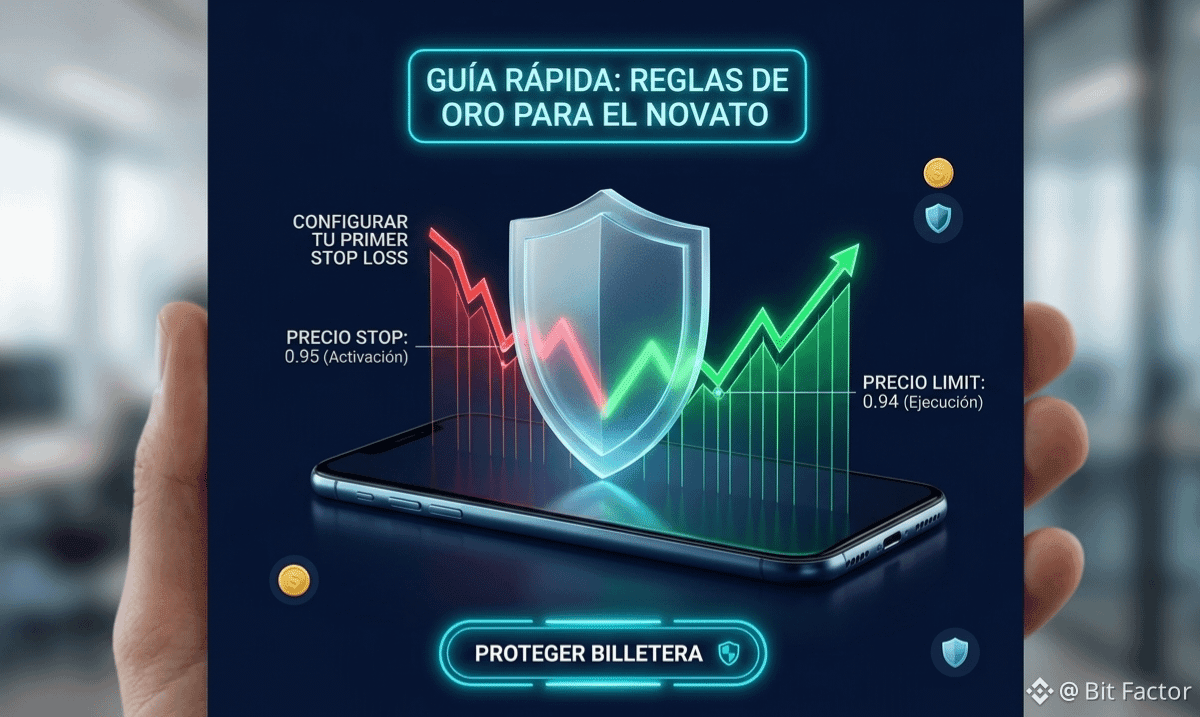
Set the activation price (Stop): This is your alarm button. If you bought at $1.00 and the maximum you're willing to lose is 5%, your Stop price will be $0.95.
When the market hits that price, Binance gets ready to sell.
Set the execution price (Limit): This is the actual price at which your coin will sell to get you out of the risk. Set it just a tad lower than the Stop (for example, $0.94) to ensure the order executes quickly, even if the market drops hard.
🧠 THE DIFFERENCE BETWEEN THE AMATEUR AND THE PRO:
The newbie sees the Stop Loss as "losing money". The pro sees it as the cost of protecting their business. I’d rather lose $2 today and keep $98 to trade tomorrow, than lose it all out of pure pride.
Creating these tutorials takes time and dedication while I balance my day between tech support and the screens.
👇 SUPPORT REAL CONTENT:
If this explanation cleared your mind and saved you from a liquidation, the tip button is open below.
👇 Your support fuels this 19-year-old trader to keep bringing you real value every day.
And tell me in the comments: Did you already know how to use the Stop-Limit or were you still trading on a whim? I’m all ears! 📊$
#BinanceAcademy #TradingTips" #StopLoss #AprendeYPreviene #Hustle
🔥 HOW TO SET UP YOUR FIRST STOP LOSS ON BINANCE (STEP BY STEP FOR NOVICES)
In this morning's post, I mentioned that trading without a Stop Loss is like driving a car without brakes. Since my goal is to help you stop losing cash, here’s a quick guide to activating your safety net in the market today.
Imagine you bought Sonic ($S) or any other coin at $1.00, hoping it would pump. But then the market takes a turn. You don’t want your account to hit zero if it crashes.
🛠️ The 3 steps in your Binance app:
Select the OCO or Stop-Limit order: When you head to the "Sell" section, switch the option from "Market" or "Limit" to Stop-Limit.
Set the activation price (Stop): This is your alarm button. If you bought at $1.00 and the maximum you're willing to lose is 5%, your Stop price will be $0.95.
When the market hits that price, Binance gets ready to sell.
Set the execution price (Limit): This is the actual price at which your coin will sell to get you out of the risk. Set it just a tad lower than the Stop (for example, $0.94) to ensure the order executes quickly, even if the market drops hard.
🧠 THE DIFFERENCE BETWEEN THE AMATEUR AND THE PRO:
The newbie sees the Stop Loss as "losing money". The pro sees it as the cost of protecting their business. I’d rather lose $2 today and keep $98 to trade tomorrow, than lose it all out of pure pride.
Creating these tutorials takes time and dedication while I balance my day between tech support and the screens.
👇 SUPPORT REAL CONTENT:
If this explanation cleared your mind and saved you from a liquidation, the tip button is open below.
👇 Your support fuels this 19-year-old trader to keep bringing you real value every day.
And tell me in the comments: Did you already know how to use the Stop-Limit or were you still trading on a whim? I’m all ears! 📊$
#BinanceAcademy #TradingTips" #StopLoss #AprendeYPreviene #Hustle
In this morning's post, I mentioned that trading without a Stop Loss is like driving a car without brakes. Since my goal is to help you stop losing cash, here’s a quick guide to activating your safety net in the market today.
Imagine you bought Sonic ($S) or any other coin at $1.00, hoping it would pump. But then the market takes a turn. You don’t want your account to hit zero if it crashes.
🛠️ The 3 steps in your Binance app:
Select the OCO or Stop-Limit order: When you head to the "Sell" section, switch the option from "Market" or "Limit" to Stop-Limit.
Set the activation price (Stop): This is your alarm button. If you bought at $1.00 and the maximum you're willing to lose is 5%, your Stop price will be $0.95.
When the market hits that price, Binance gets ready to sell.
Set the execution price (Limit): This is the actual price at which your coin will sell to get you out of the risk. Set it just a tad lower than the Stop (for example, $0.94) to ensure the order executes quickly, even if the market drops hard.
🧠 THE DIFFERENCE BETWEEN THE AMATEUR AND THE PRO:
The newbie sees the Stop Loss as "losing money". The pro sees it as the cost of protecting their business. I’d rather lose $2 today and keep $98 to trade tomorrow, than lose it all out of pure pride.
Creating these tutorials takes time and dedication while I balance my day between tech support and the screens.
👇 SUPPORT REAL CONTENT:
If this explanation cleared your mind and saved you from a liquidation, the tip button is open below.
👇 Your support fuels this 19-year-old trader to keep bringing you real value every day.
And tell me in the comments: Did you already know how to use the Stop-Limit or were you still trading on a whim? I’m all ears! 📊$
#BinanceAcademy #TradingTips" #StopLoss #AprendeYPreviene #Hustle
4
2.4k
Log in to explore more content
Join global crypto users on Binance Square
⚡️ Get latest and useful information about crypto.
💬 Trusted by the world’s largest crypto exchange.
👍 Discover real insights from verified creators.
Email / Phone number
Trending Topics
1
#BitcoinReboundsTo$79K
23,743 views
228 Discussing
2
#USDCOnChainVolumeTops$100Trillion
0 views
0 Discussing
3
#BitcoinSpotETFsNetInflow$160M
843 views
53 Discussing
4
#SouthKoreaCryptoTaxDelayPetitionTops50000
17,742 views
496 Discussing
5
#SolanaTransactionV1GoesLiveOnMainnet
11,995 views
335 Discussing
6
#RussianCentralBankFlagsCryptoAsFinancialRisk
9,599 views
297 Discussing
7
#GrayscalePutsXRPAt26.11%InAdvisorPortfolio
24,021 views
420 Discussing
8
#PhiladelphiaSemiconductorIndexFalls5.9%
8,965 views
264 Discussing
9
#SECChairUrgesCongressToAdvanceClarityAct
23,415 views
282 Discussing
10
#FedHikeOddsRiseTo89%
123,053 views
1,308 Discussing