

In volatile times, speed and simplicity are more important than ever. This is where Binance Convert comes into play: instant conversion between currencies, quoted price before execution, and no traditional trading fees—knowing that the quoted price may include a spread depending on liquidity. The result? Move your profits instantly into stable coins like USDT/FDUSD or swap between strong assets without opening the charting platform.
Why Binance Convert during volatility?
Fast and simple: Enter the amount ⇢ Preview the price ⇢ Confirm. No complex orders or order books. The quoted price shows exactly what you will receive if you confirm before the timer expires.
No traditional trading fees: No commission is deducted as in the spot market; just watch the price differences within the quote.
Two execution modes:
Instant (Market/Instant): Execution at the price currently displayed.
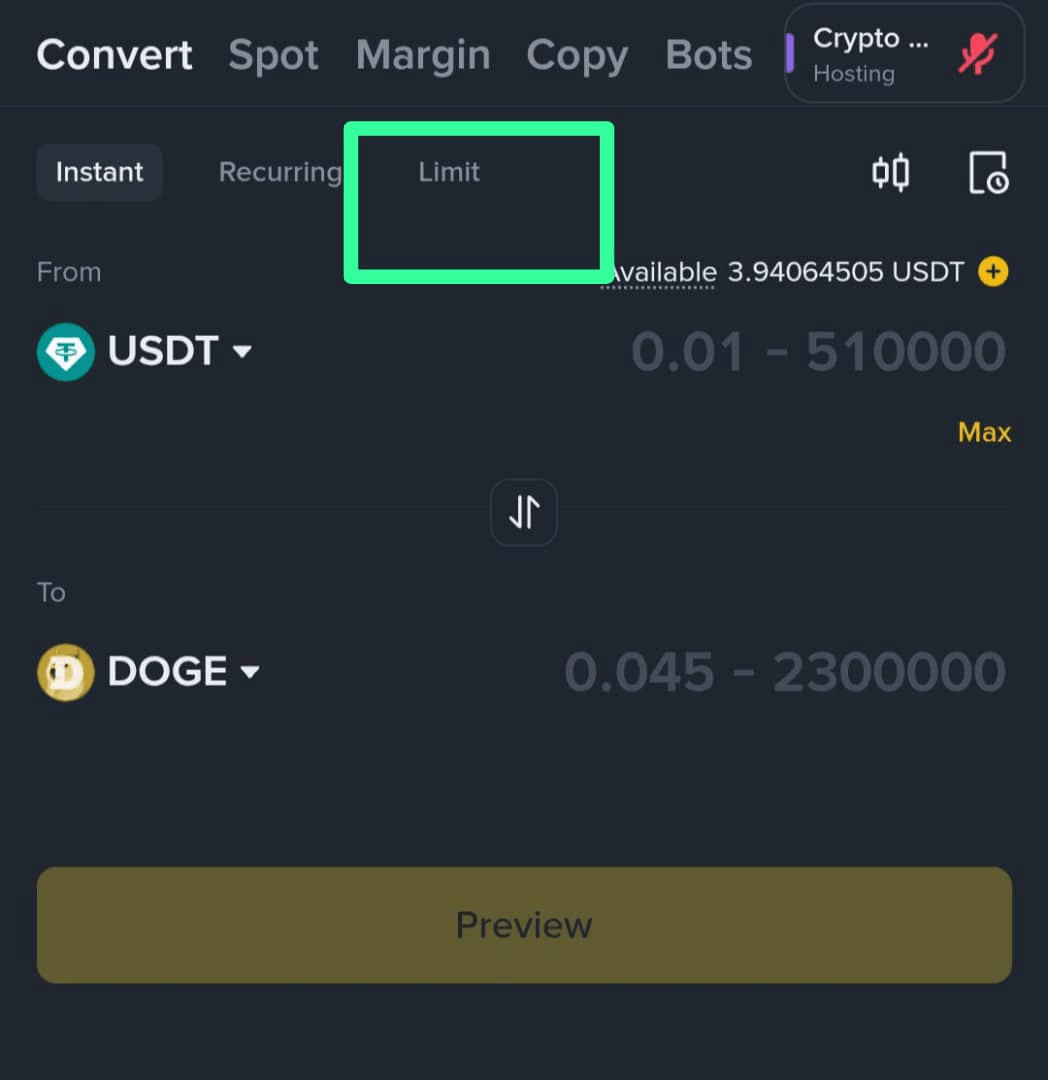
Limit: You set your price, and the conversion executes automatically when the market reaches it.
The quoted price has a timer: it expires within a few seconds; if it expires, request a new quote.
> Note: For very small “dust” amounts that are non-tradable, use the feature to convert small balances to BNB to clean up the wallet.
Usage steps (web and app)
1. Log into your Binance account.
2. From Trade, select Convert & Block Trade (in the app: Trade → Convert).
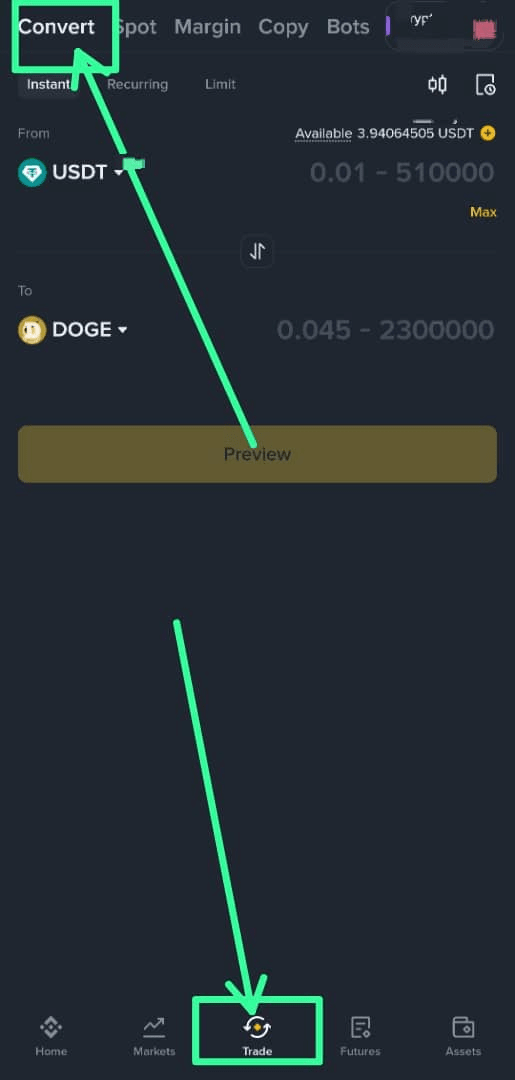
3. Choose From/To, and enter the amount.
4. Press Preview to see the quoted offer—it is the final amount you will receive if you confirm before the timer expires.
5. If the price is right, press Convert/Confirm. The new currency is deposited directly into your wallet.
Limit mode
Set the price you want; the conversion executes automatically when the market reaches it, or cancel the order whenever you wish from the history.
4 practical scenarios during volatility
1. Secure profits quickly: After a strong surge in BNB, convert part of it immediately to USDT/FDUSD to lock in the gain and avoid a sudden pullback.
2. Moving between power levers: Noticed the strength of ETH against BTC? Convert part of BTC to ETH in moments to catch the momentum without the usual slippage in large orders.
3. Catch the discount in advance: Place a Limit order to convert at a better price—if the market reaches it, it executes automatically while you are comfortable.
4. Quick exit from low liquidity pairs: Instead of chasing the order book, use the quoted offer to convert directly to BTC/USDT.
Where can I find my conversion history and reports?
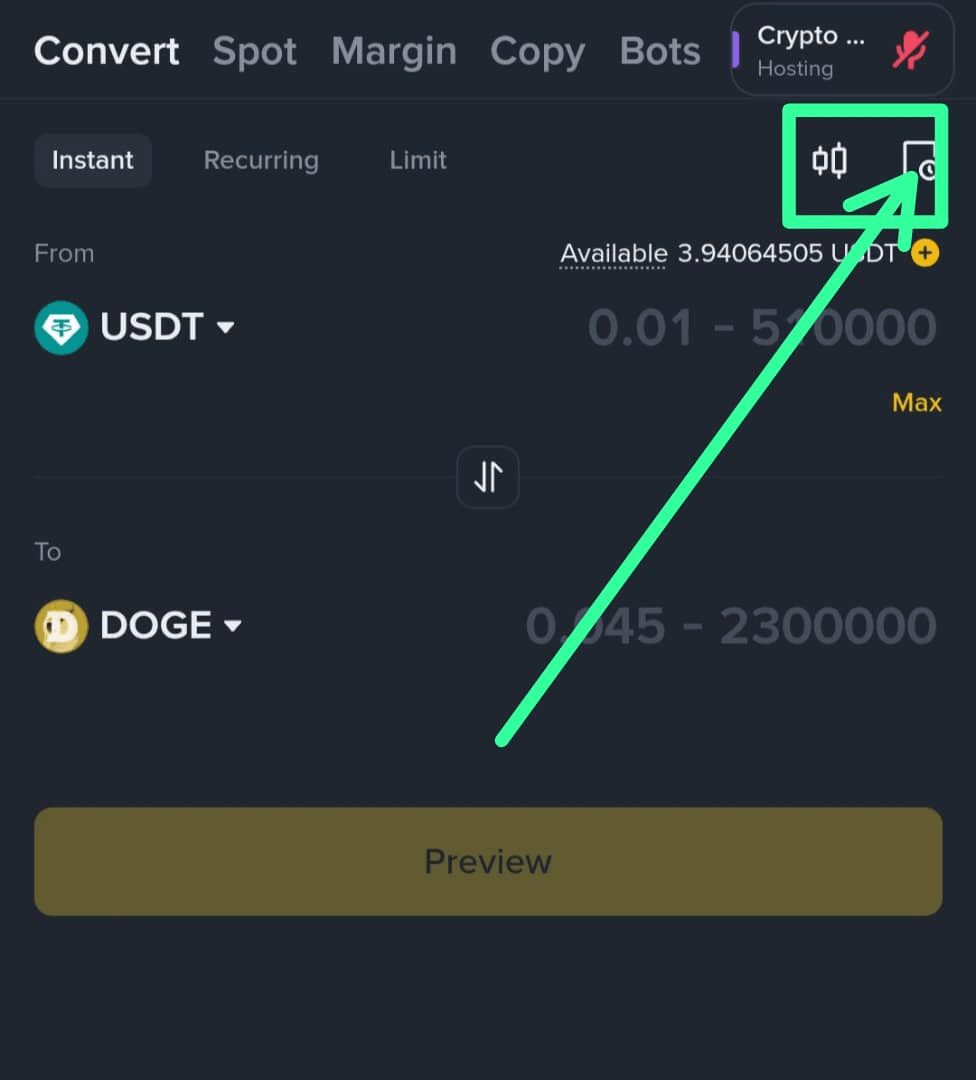
From the wallet icon on the web ⇢ Transaction History ⇢ Convert History. You can download the Convert transactions statement for tracking or tax purposes.
Convert Spot/OTC— When should I use either?
Use Convert for speed, simplicity, and immediate quotes (no traditional trading commission, but watch the price spread).
Use Spot if you need precise management of books/fees/advanced order types.
For very large trades, check OTC/Block Trading; for amounts below ~200,000 dollars you can usually get a direct quote via Convert.
Quick professional tips
Watch the quote timer; if it expires, request a new quote before confirming.
Pre-determine whether you want to convert from Spot or Funding. (Convert displays the available balance in each within the interface).
Minimum/maximum limits vary by pair and liquidity; if the amount is very small, consider the option to 'convert small balances to BNB'.
Brief summary
Binance Convert gives you instant execution with a quoted price and no traditional trading fees—ideal for locking in profits or quickly moving to stable coins during volatility. Use Market for speed, and Limit for target pricing—always confirm before the timer expires.


