


Leverage is the setting most new Futures traders change last, and it should be the first. This guide compares 3x and 20x on Binance's XRPUSDT contract using the real Adjust Leverage window from November 22, 2026.
New to Binance? Register with the Binance referral code CODE2026: Binance referral code CODE2026 sign-up link.
How to Change Leverage on Binance Futures
Open a contract, for example XRPUSDT Perpetual.
At the top of the order form, click the leverage button next to Cross.
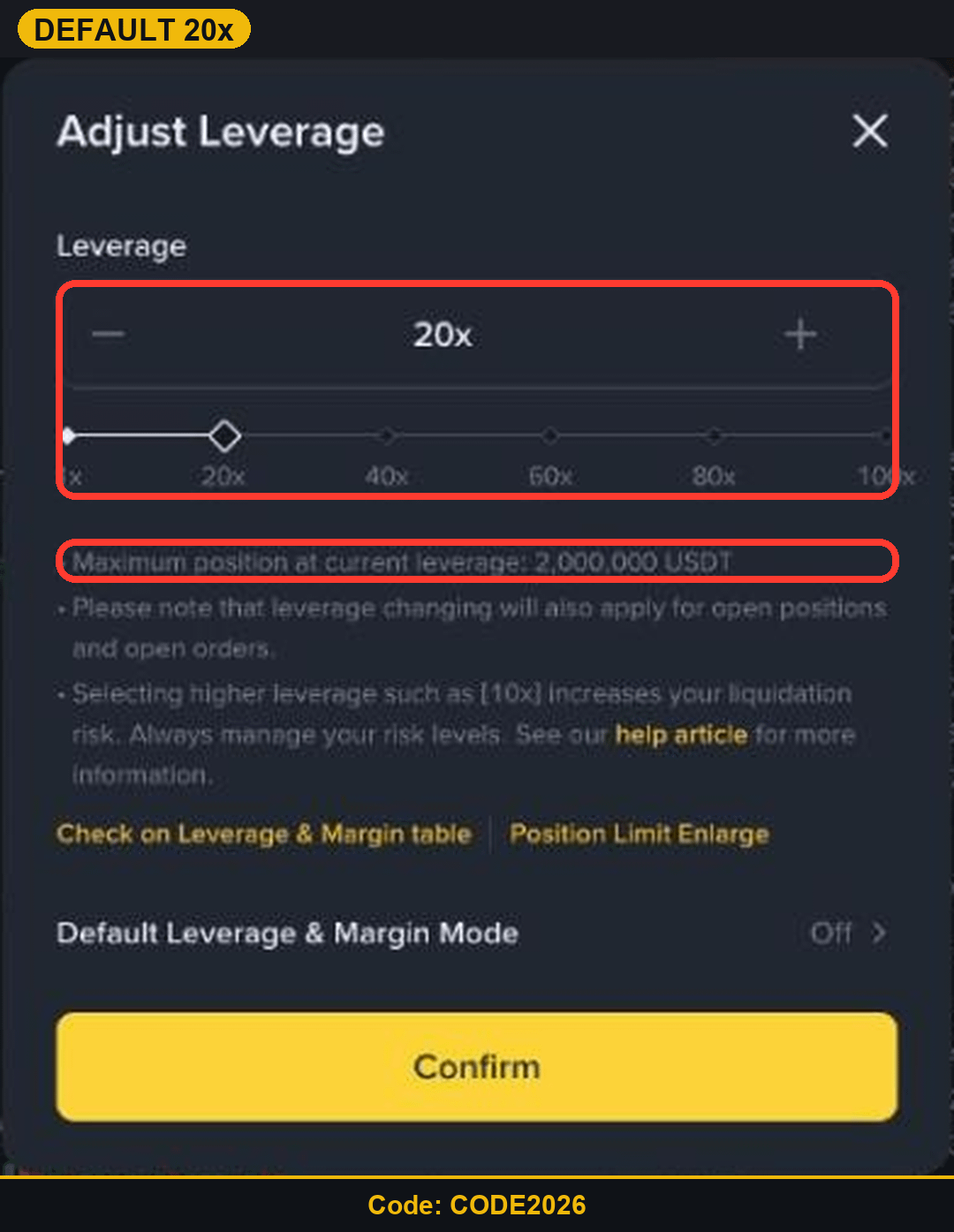
Type a number or drag the slider (1x to 100x on this contract) and click Confirm.
3x vs 20x: What the Window Shows
At 20x the maximum position was 2,000,000 USDT.
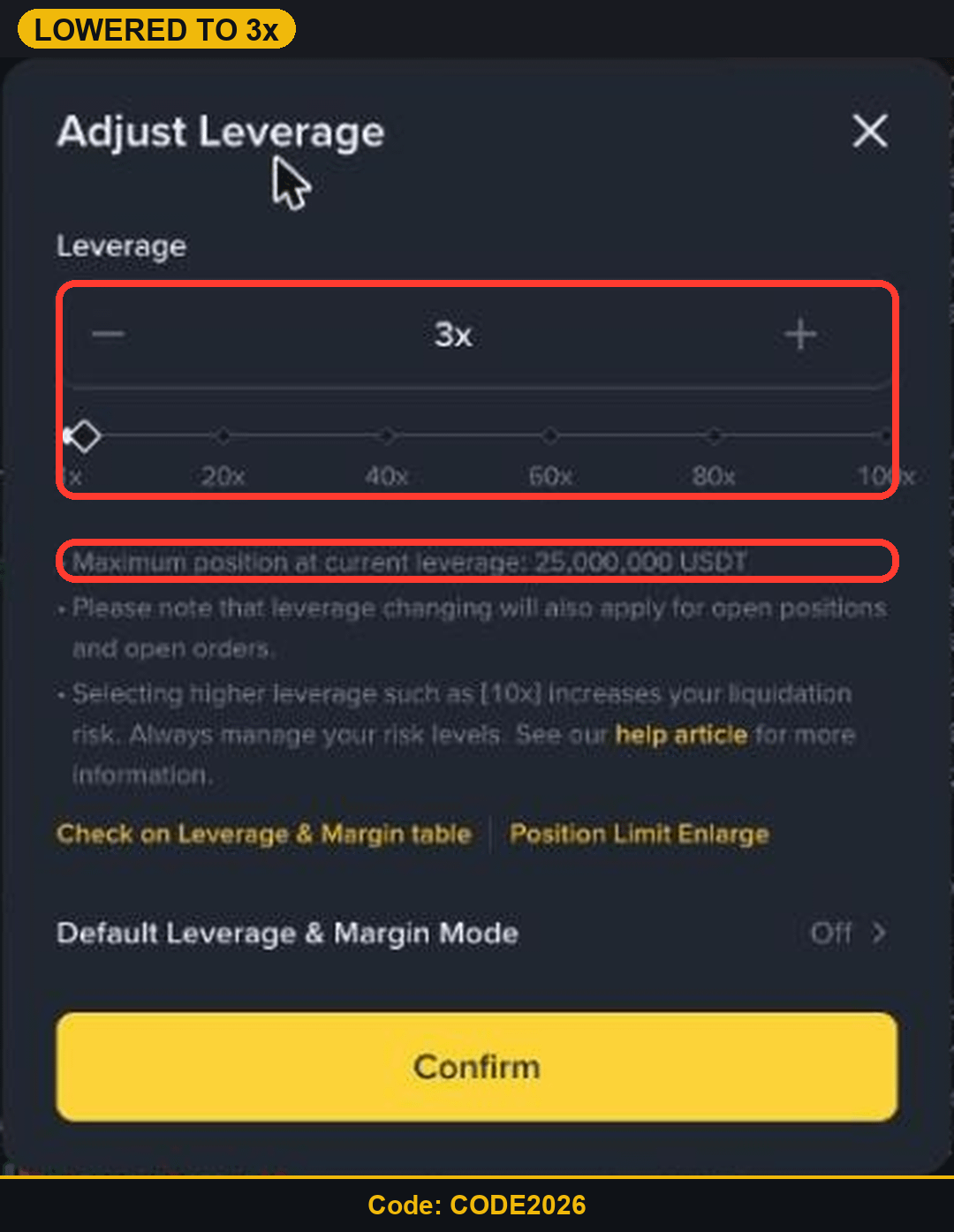
At 3x the maximum position was 25,000,000 USDT.
Both times Binance warned that higher leverage increases liquidation risk.
The position limit is higher at low leverage because Binance sets tiers: the bigger the position, the lower the leverage allowed.
Same 60 USDT Position at 3x and 20x
Margin: about 20 USDT at 3x, about 3 USDT at 20x.
Profit or loss on a 1% move: about 0.60 USDT either way. Leverage doesn't change this.
Distance to liquidation: very roughly 33% at 3x, about 5% at 20x, before maintenance margin and fees.
So leverage doesn't make a trade more profitable; it decides how small a move can wipe out the margin you put in.
Leverage Rules for Beginners
Set leverage before you open a position; the change also applies to open positions.
Pick Isolated margin for first trades so one position can't use the whole balance.
Always set a stop loss well before the liquidation price.
Start with Binance Referral Code CODE2026
Open the CODE2026 sign-up page, keep leverage low and treat your first Futures trades as practice.
Disclosure: CODE2026 is my referral code, and I may earn commission from qualifying activity. This is an independent guide, not an official Binance post. Rewards depend on Binance's terms, your region and your eligibility. Crypto and Futures trading carry high risk, and leverage can wipe out your margin. Not financial advice. DYOR.