

To sign up for Binance, use the official website or app, select a supported registration method, verify your contact details and complete the account setup. Check any referral code in the signup flow, then complete KYC before using services that require verification.
This guide covers creating a personal account. Official instructions checked on November 12, 2026; available methods depend on your region and the current interface.
1. Get ready
Use a contact method you control and prepare an accepted ID. Verify the official site address and local availability. Have a private space for the document and face checks.
2. Follow the website or app signup flow
On the website, select Sign Up. In the official app, tap Sign up and choose Create a Binance Account. Select the correct account type and an available email, phone, Apple or Google registration method.
For email or phone registration, complete the contact verification and password steps shown. Keep verification codes private. Review the referral field before finishing the flow: if using this guide’s code, confirm UAUBG73C and its Linked status. Registration does not confirm a reward or discount.
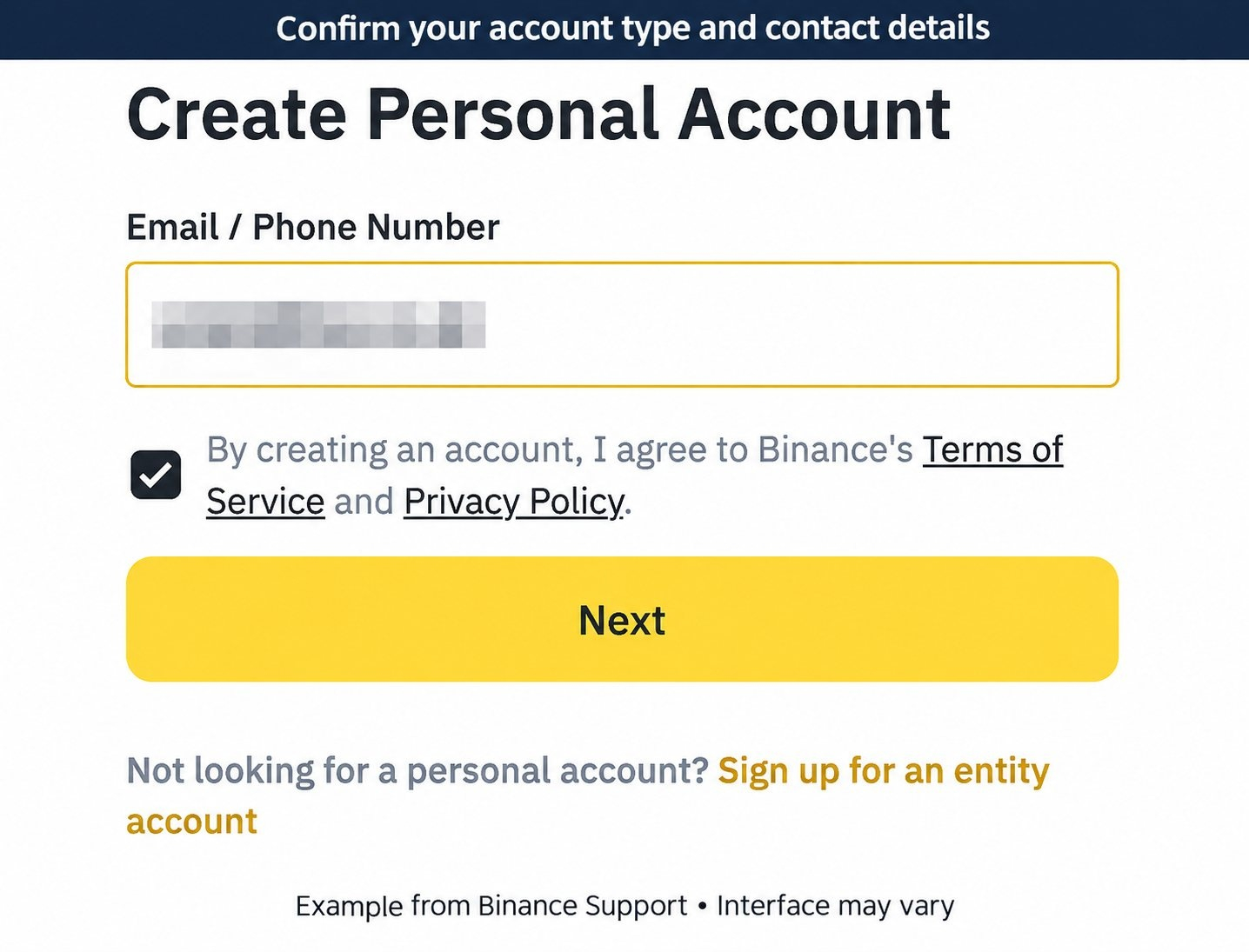
Illustrative Binance Support screenshot with editorial highlighting. Interface and available options may vary. Source: Binance registration guide.
3. Choose the correct KYC details
In Identification, select your actual residence, document-issuing country or region, and an ID type accepted in the flow. Incorrect residence or mismatched details can delay the review.
4. Submit the document and liveness check
Make sure the document is valid and readable. Follow the camera prompts with adequate light and without filters or face coverings where the process requires visibility. Review the information against your ID before confirming.
5. Secure the account
Set a unique password and enable a passkey or authenticator app where available. Check messages and URLs before entering codes; never share verification or recovery details.
6. FAQ
Q1. Are signup and KYC the same?
A1. No. Signup creates the account; KYC verifies identity for product access.
Q2. Where is the referral code entered?
A2. Check the official signup form for the referral field or prefilled code before submitting.
Q3. Can I sign up on the mobile app?
A3. Yes. Start from Sign up in the official Binance app and use an available registration method. Follow the current prompts for your account.
Q4. What if the camera step fails?
A4. Check lighting, permissions and the on-screen instructions, then use official support if needed.
Q5. Does referral apply equally to spot and futures?
A5. Do not assume so; check the current terms for each product.
7. Official Sources and References
Binance app registration instructions
Related referral and KYC guides
For code entry and linked-status checks, read Binance Referral Code UAUBG73C: Where to Enter and Check It.
For document and residence requirements, read Binance KYC guide: documents, verification steps and review time.
Official step-by-step reference: How to Register on Binance.
8. Before You Register
If you choose to sign up, open the Binance signup page and check that referral code UAUBG73C appears with the terms available to your region. A code in a URL alone does not guarantee a rebate, voucher or product access. This article contains a referral link.
#Binance #BinanceSignUp #AccountSecurity