


Crypto market is known for its dramatic price swings. For many, this volatility can be a source of anxiety and for some these are opportunities. But what if you also could harness it to your advantage? What if there was a simple, fee-free way to swap your crypto assets and potentially profit from these market movements?
Enter Binance Convert .
Binance Convert is a powerful and user-friendly tool, usefull for both beginners and pro traders. It allows you to instantly exchange one cryptocurrency for another without the complexities of the traditional trading interface. Think of it as your personal crypto swap on the Go, open 24/7 and with no Hidden fees.
This guide will walk you through everything you need to know about using Binance Convert. We'll cover the basics of how it works and then dive into actionable strategies to help you navigate market volatility and potentially grow your crypto portfolio.
I. Understanding Binance Convert
At its core, Binance Convert is a streamlined service that simplifies the process of buying and selling cryptocurrencies. Instead of navigating the order books and charts of the spot market, you can execute trades with just a few clicks.
Here's why it's a favorite among many Binance users:
Zero Fees: This is a big one. Binance Convert has no trading fees. The price you see quoted is the price you get.
Simplicity: The interface is clean and intuitive, making it perfect for those new to crypto or anyone who prefers a straightforward approach.
Speed: Transactions on Binance Convert are typically instantaneous. You won't have to wait for your orders to be filled.
Wide Selection: You can convert a vast array of cryptocurrencies, from Bitcoin and Ethereum to the latest altcoins.
Accessibility: Whether you're on your desktop or using the Binance app, Convert is easily accessible.
II. How to Use Binance Convert: A Step-by-Step Guide
Before you start, make sure your Spot or Funding Wallet balance is sufficient to cover the order amount. If your balance is insufficient, check out our guides on purchasing, depositing, or receiving crypto.
❍ Navigate to Binance Convert:
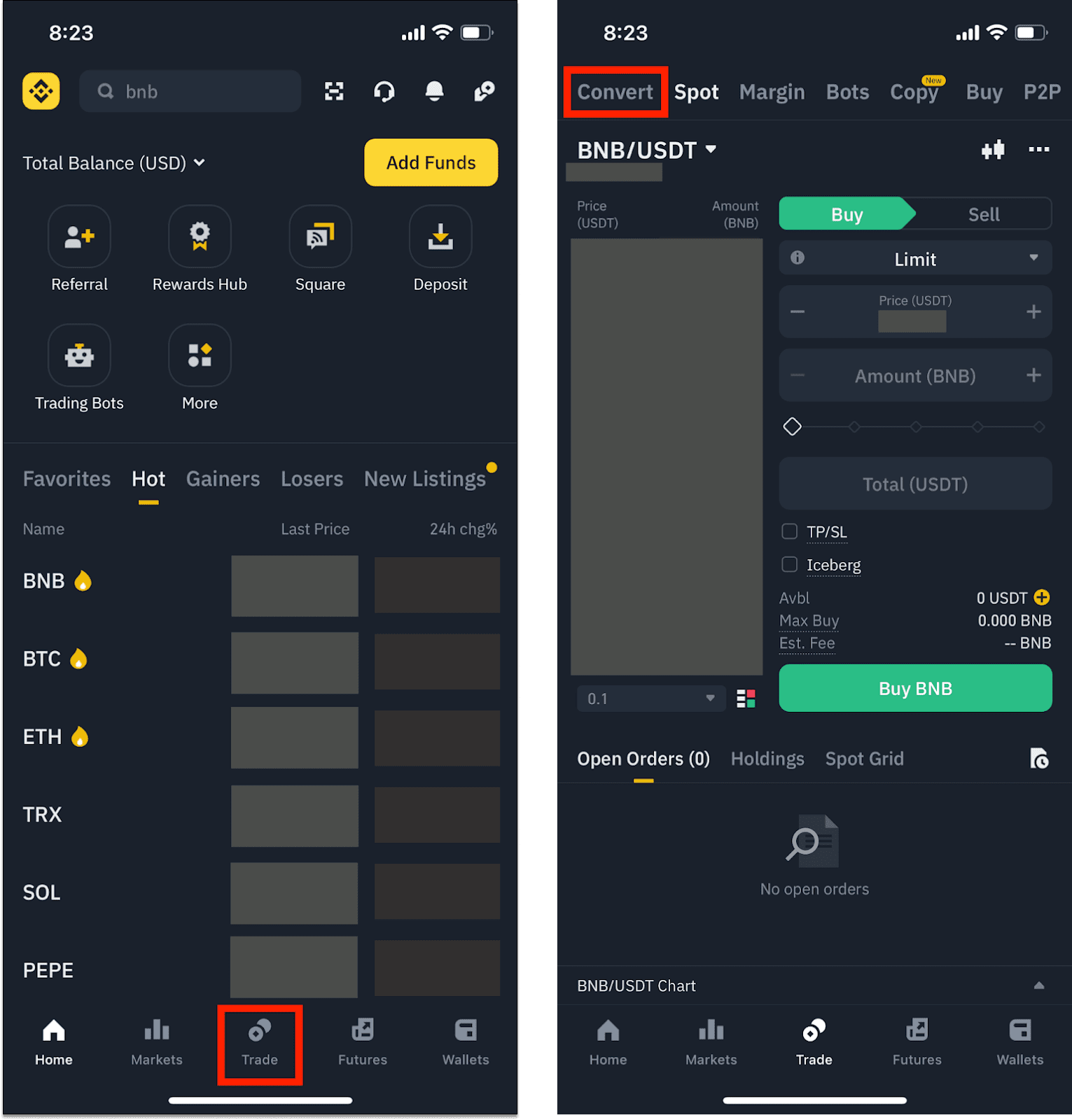
On the Web: Log in to your Binance account, hover over the "Trade" tab, and select "Binance Convert."
On the App: Open your Binance app, tap on "Trade," and then select "Convert" from the top menu.
❍ Choosing Order Types
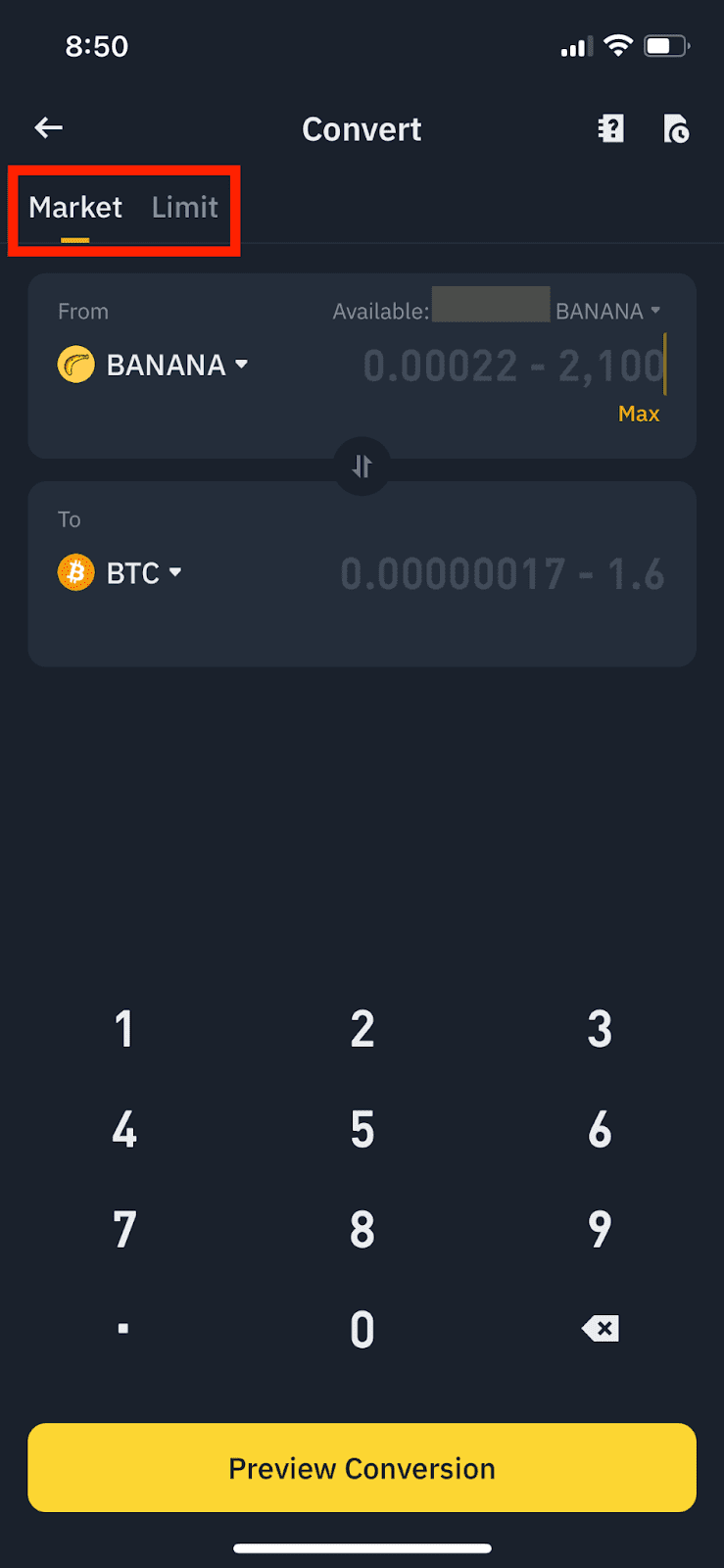
Choose either a market or a limit order to convert your assets.
[Market] executes the conversion at the current market price.
[Limit] executes the conversion at the limit price you set. Please note that even if the limit price is reached, there is no guarantee that your order will be filled.
❍ Choose Your Cryptocurrencies:
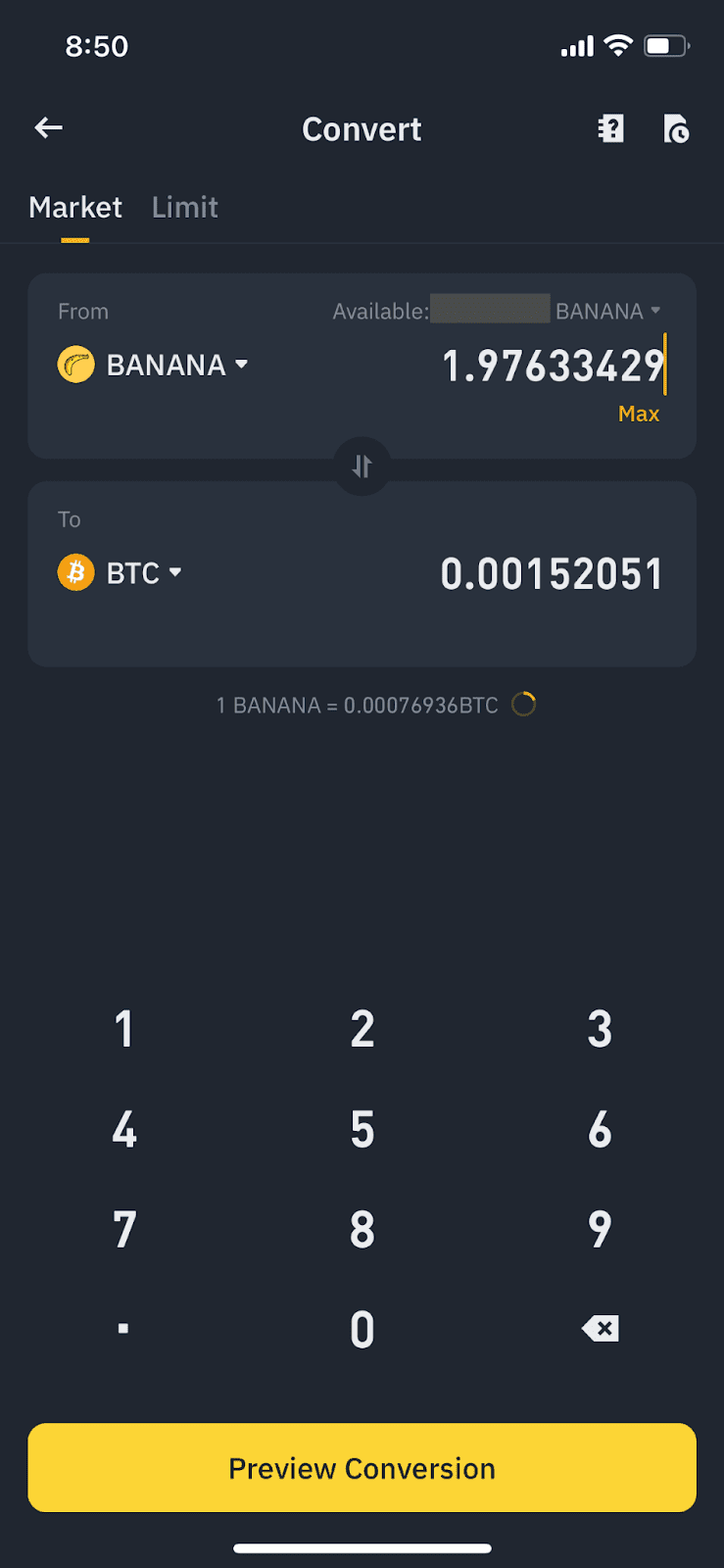
You'll see two fields: "From" and "To." Select the cryptocurrency you want to sell from your Spot or Funding Wallet in the "From" field.
In the "To" field, choose the cryptocurrency you wish to buy.
Enter the Amount:
You can either enter the amount you want to convert in the "From" field or the amount you wish to receive in the "To" field. The system will automatically calculate the corresponding amount for the other currency.
Preview the Conversion:
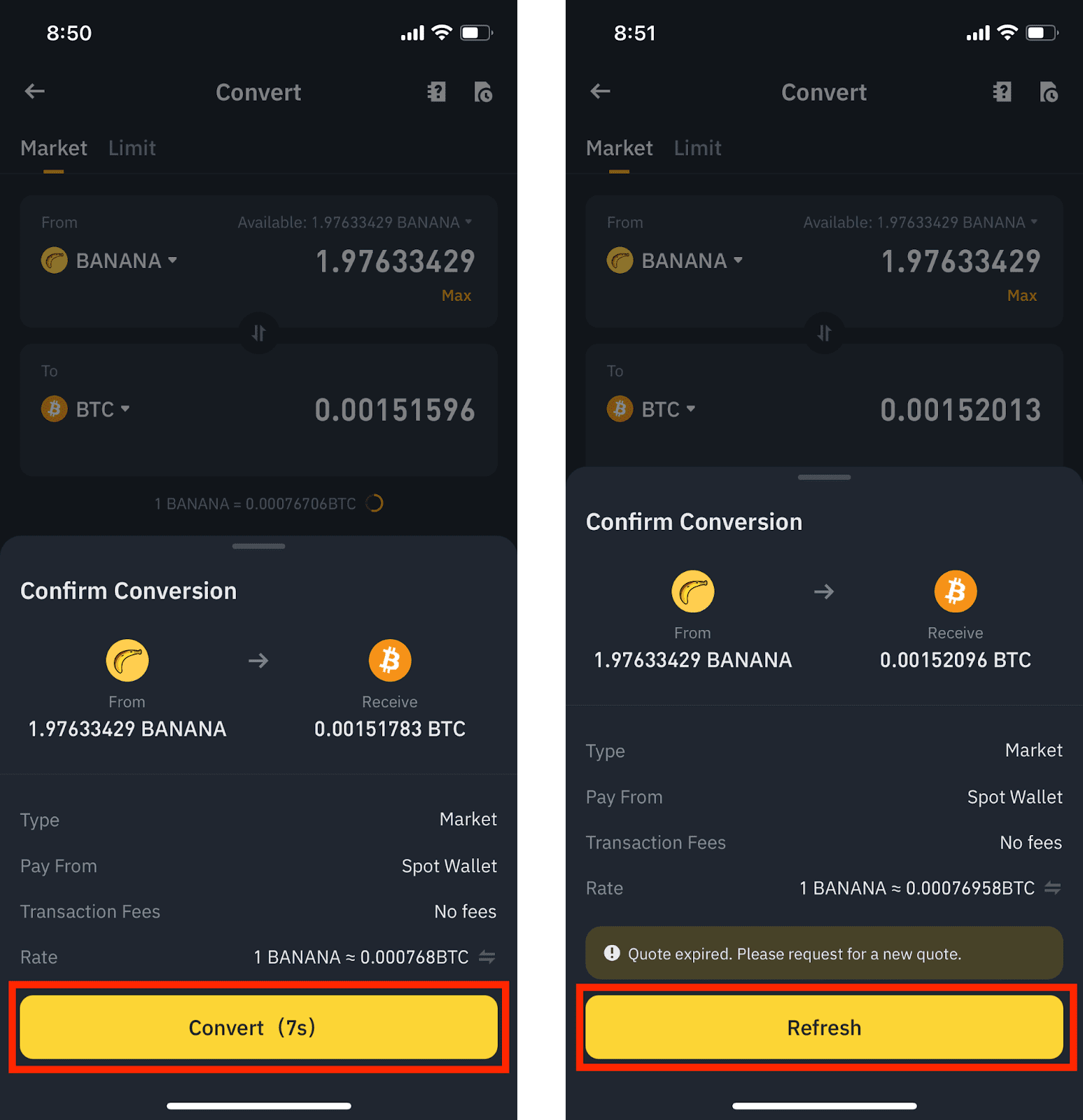
Click on "Preview Conversion." Binance will provide you with a real-time quote. This quote is held for a short period, so you'll have a few seconds to review it.
Confirm the Transaction:
If you're happy with the quote, click "Convert." The transaction will be processed instantly, and your new crypto will appear in your selected wallet.
III. Profiting from Volatility: Strategies for Binance Convert
Now here’s the exciting part. How can you use this simple tool to your advantage during times of market volatility? Here are some strategies you can apply, but keep in mind this is a financial Advice so, Do your Own Research First.
❍ Buy the Dip and Take Profit Strategy with Limit Orders
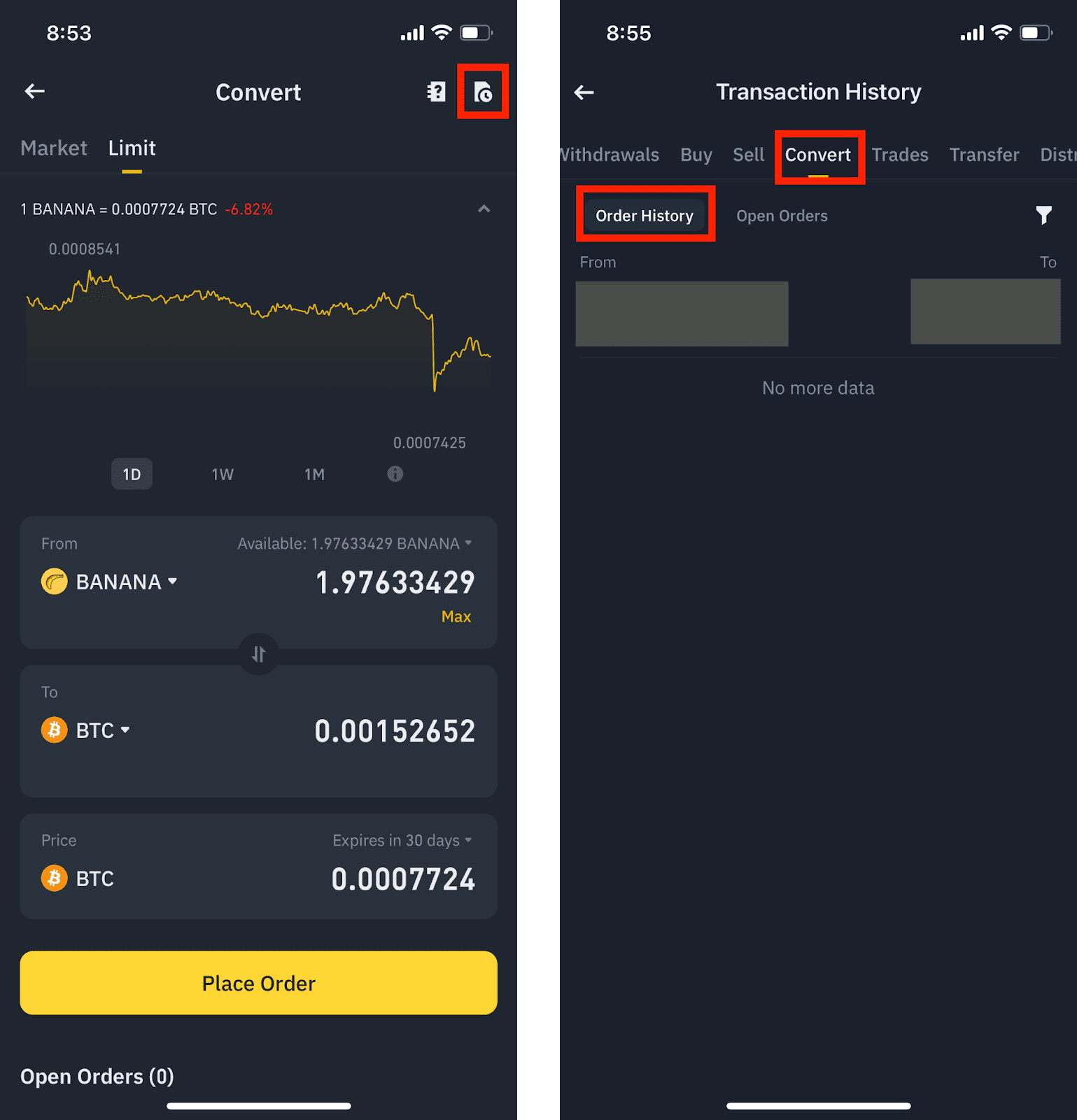
This is where the "Limit" order function on Binance Convert becomes your best friend. While a "Market" order converts your crypto at the current price, a "Limit" order allows you to set a specific price at which you want the conversion to happen.
Buying the Dip: Let's say you believe the price of Bitcoin will drop temporarily before rising again. You can set a Limit order to automatically convert your USDT to BTC when Bitcoin hits your target lower price. This way, you don't have to constantly monitor the charts.
Taking Profits: Conversely, if you're holding a volatile altcoin that has seen significant gains, you can set a Limit order to convert it back to a stablecoin like USDT when it reaches a certain higher price. This locks in your profits before a potential price correction.
❍ Dollar-Cost Averaging Stategy
Volatility can be stressful if you're trying to time the market perfectly. Dollar-Cost Averaging takes the emotion out of investing. The strategy involves investing a fixed amount of money at regular intervals, regardless of the price.
Binance Convert's simplicity makes it ideal for DCA. You can decide to convert, for example, $100 of your stablecoins into Bitcoin every week. By doing this consistently, you'll buy more BTC when the price is low and less when it's high, potentially lowering your average cost over time.
❍ The Safe Side of Stablecoins
During periods of extreme market turbulence, sometimes the smartest move is to take shelter. If you anticipate a market-wide downturn, you can quickly convert your more volatile assets into stablecoins like USDT or USDC using Binance Convert. This helps preserve your capital, and when you feel the market is about to turn, you can just as easily convert your stablecoins back into your desired cryptocurrencies.
❍ Minimizing Slippage on Large Orders
For those looking to make larger trades, "slippage" can be a concern in the spot market. Slippage occurs when the price at which your trade is executed is different from the price you expected. This can happen when there isn't enough liquidity to fill your large order at a single price point.
By using a Limit order on Binance Convert for a large trade, you ensure that your entire order is filled at your desired price or better. This can lead to significant savings compared to a market order on the spot exchange.
While Binance Convert is a fantastic tool, we have to remember that no strategy is foolproof. The crypto market is unpredictable, and it's crucial to do your own research and understand the risks involved.
Never invest more than you can afford to lose, and always have a clear plan. The strategies mentioned above are meant to be tools in your arsenal, not guaranteed paths to riches and glory. The most successful traders often combine smart tools with a deep understanding of the market and a disciplined approach.