

#binanceguide
binanceguide
710,976 views
925 Discussing
Hot
Latest

Article
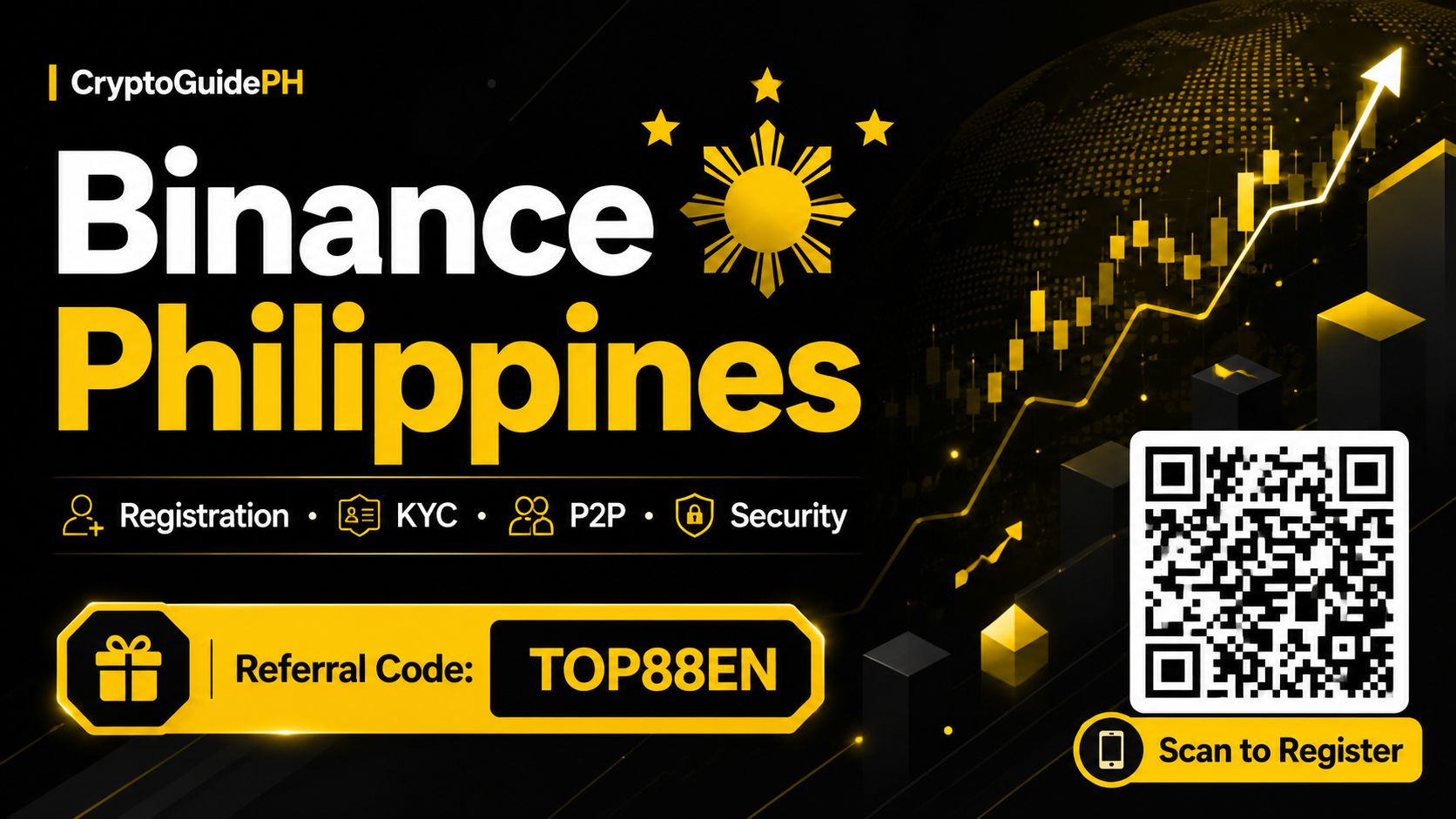
How to Register a Binance Account in the Philippines: A Simple Step-by-Step Guide for Filipino BeginnersIf you've been hearing about crypto from friends, Facebook groups, or the news, chances are you've come across Binance. It's one of the biggest crypto exchanges in the world, and for many Filipino users, it's the first place they explore when they want to buy, sell, or hold digital assets like Bitcoin, Ethereum, or USDT.
The good news? Registering a Binance account in the Philippines is straightforward, even if you're a complete beginner. In this guide, we'll walk you through the whole process in plain English, with practical tips along the way. No jargon overload, no confusing steps — just a friendly walkthrough you can follow at your own pace.
Quick reminder before we start: crypto involves risk, and prices can go up or down quickly. Nothing here is financial advice, and you should always do your own research before investing or trading. Take your time, start small if you're new, and never put in money you can't afford to lose.
**Step 1: Prepare Your Requirements**
Before you sign up, get a few things ready. You'll need a valid email address or mobile number, a strong password, and a government-issued ID for verification later (like a passport, driver's license, or PhilSys ID). Verification is important because it unlocks higher limits and keeps your account secure. It also helps Binance comply with regulations, which protects users in the long run.
**Step 2: Create Your Binance Account**
Go to the Binance registration page and sign up using your email or phone number. You'll be asked to create a password — make it strong and unique. Avoid using your birthday or "password123" because that's the fastest way to get hacked. Once you submit your details, Binance will send a verification code to your email or phone. Enter it, and your account is basically created.
This is also the perfect time to set up Two-Factor Authentication (2FA). You can use Google Authenticator or SMS authentication. It adds an extra layer of security, and honestly, it's one of the smartest habits any Filipino crypto user can build early on.
**Step 3: Complete Identity Verification (KYC)**
Next comes identity verification, often called KYC (Know Your Customer). You'll need to enter your personal details, upload a photo of your ID, and sometimes take a selfie. The process usually takes a few minutes to a few hours, depending on how clear your documents are.
Don't skip this step. Verified accounts enjoy higher deposit and withdrawal limits, access to more features, and better account recovery options. It might feel like a hassle, but it's a normal part of using any regulated crypto platform today.
**Step 4: Fund Your Account**
Once verified, you can add funds. In the Philippines, common options include bank transfers, e-wallets, and peer-to-peer (P2P) trading. P2P is especially popular among Filipino users because it lets you buy crypto directly from other users using pesos, often through local payment methods.
If you're new, start with a small amount — just enough to get familiar with how everything works. Learn how to deposit, check your balance, and place a simple buy order before going bigger.
**Step 5: Explore, Learn, and Stay Safe**
After funding, take time to explore the app. You can buy crypto with a few taps, convert between coins, or try out Binance Earn if you want to learn how staking works. There's also a wealth of educational content on Binance Square itself, where Filipino users share tips, market updates, and personal experiences.
A few safety reminders: never share your password or 2FA codes with anyone, be careful of phishing links, and only use official Binance channels. Scammers often pretend to be "support agents" on social media — don't fall for it.
**Tips for Filipino Beginners**
Start with well-known coins like Bitcoin or USDT while you're learning. Keep records of your transactions for your own tracking. Follow trusted Filipino crypto communities to stay updated on local news and regulations. And most importantly, treat crypto as a long-term learning journey, not a get-rich-quick scheme.
**Final Thoughts**
Registering a Binance account in the Philippines is one of the easiest first steps into the crypto world. With a valid ID, a secure password, and a bit of patience, you can be up and running in less than an hour. Just remember to do your own research, manage your risk, and never invest more than you're comfortable losing. Crypto can be exciting, but smart, informed decisions always come first.
Binance registration link:
https://www.bsmkweb.cc/register?ref=TOP88EN
Referral code:
TOP88EN
#BinancePhilippines
#CryptoPhilippines
#BinanceGuide
How to Register a Binance Account in the Philippines: A Simple Step-by-Step Guide for Filipino Beginners
If you've been hearing about crypto from friends, Facebook groups, or the news, chances are you've come across Binance. It's one of the biggest crypto exchanges in the world, and for many Filipino users, it's the first place they explore when they want to buy, sell, or hold digital assets like Bitcoin, Ethereum, or USDT.
The good news? Registering a Binance account in the Philippines is straightforward, even if you're a complete beginner. In this guide, we'll walk you through the whole process in plain English, with practical tips along the way. No jargon overload, no confusing steps — just a friendly walkthrough you can follow at your own pace.
Quick reminder before we start: crypto involves risk, and prices can go up or down quickly. Nothing here is financial advice, and you should always do your own research before investing or trading. Take your time, start small if you're new, and never put in money you can't afford to lose.
**Step 1: Prepare Your Requirements**
Before you sign up, get a few things ready. You'll need a valid email address or mobile number, a strong password, and a government-issued ID for verification later (like a passport, driver's license, or PhilSys ID). Verification is important because it unlocks higher limits and keeps your account secure. It also helps Binance comply with regulations, which protects users in the long run.
**Step 2: Create Your Binance Account**
Go to the Binance registration page and sign up using your email or phone number. You'll be asked to create a password — make it strong and unique. Avoid using your birthday or "password123" because that's the fastest way to get hacked. Once you submit your details, Binance will send a verification code to your email or phone. Enter it, and your account is basically created.
This is also the perfect time to set up Two-Factor Authentication (2FA). You can use Google Authenticator or SMS authentication. It adds an extra layer of security, and honestly, it's one of the smartest habits any Filipino crypto user can build early on.
**Step 3: Complete Identity Verification (KYC)**
Next comes identity verification, often called KYC (Know Your Customer). You'll need to enter your personal details, upload a photo of your ID, and sometimes take a selfie. The process usually takes a few minutes to a few hours, depending on how clear your documents are.
Don't skip this step. Verified accounts enjoy higher deposit and withdrawal limits, access to more features, and better account recovery options. It might feel like a hassle, but it's a normal part of using any regulated crypto platform today.
**Step 4: Fund Your Account**
Once verified, you can add funds. In the Philippines, common options include bank transfers, e-wallets, and peer-to-peer (P2P) trading. P2P is especially popular among Filipino users because it lets you buy crypto directly from other users using pesos, often through local payment methods.
If you're new, start with a small amount — just enough to get familiar with how everything works. Learn how to deposit, check your balance, and place a simple buy order before going bigger.
**Step 5: Explore, Learn, and Stay Safe**
After funding, take time to explore the app. You can buy crypto with a few taps, convert between coins, or try out Binance Earn if you want to learn how staking works. There's also a wealth of educational content on Binance Square itself, where Filipino users share tips, market updates, and personal experiences.
A few safety reminders: never share your password or 2FA codes with anyone, be careful of phishing links, and only use official Binance channels. Scammers often pretend to be "support agents" on social media — don't fall for it.
**Tips for Filipino Beginners**
Start with well-known coins like Bitcoin or USDT while you're learning. Keep records of your transactions for your own tracking. Follow trusted Filipino crypto communities to stay updated on local news and regulations. And most importantly, treat crypto as a long-term learning journey, not a get-rich-quick scheme.
**Final Thoughts**
Registering a Binance account in the Philippines is one of the easiest first steps into the crypto world. With a valid ID, a secure password, and a bit of patience, you can be up and running in less than an hour. Just remember to do your own research, manage your risk, and never invest more than you're comfortable losing. Crypto can be exciting, but smart, informed decisions always come first.
Binance registration link:
https://www.bsmkweb.cc/register?ref=TOP88EN
Referral code:
TOP88EN
#BinancePhilippines
#CryptoPhilippines
#BinanceGuide
The good news? Registering a Binance account in the Philippines is straightforward, even if you're a complete beginner. In this guide, we'll walk you through the whole process in plain English, with practical tips along the way. No jargon overload, no confusing steps — just a friendly walkthrough you can follow at your own pace.
Quick reminder before we start: crypto involves risk, and prices can go up or down quickly. Nothing here is financial advice, and you should always do your own research before investing or trading. Take your time, start small if you're new, and never put in money you can't afford to lose.
**Step 1: Prepare Your Requirements**
Before you sign up, get a few things ready. You'll need a valid email address or mobile number, a strong password, and a government-issued ID for verification later (like a passport, driver's license, or PhilSys ID). Verification is important because it unlocks higher limits and keeps your account secure. It also helps Binance comply with regulations, which protects users in the long run.
**Step 2: Create Your Binance Account**
Go to the Binance registration page and sign up using your email or phone number. You'll be asked to create a password — make it strong and unique. Avoid using your birthday or "password123" because that's the fastest way to get hacked. Once you submit your details, Binance will send a verification code to your email or phone. Enter it, and your account is basically created.
This is also the perfect time to set up Two-Factor Authentication (2FA). You can use Google Authenticator or SMS authentication. It adds an extra layer of security, and honestly, it's one of the smartest habits any Filipino crypto user can build early on.
**Step 3: Complete Identity Verification (KYC)**
Next comes identity verification, often called KYC (Know Your Customer). You'll need to enter your personal details, upload a photo of your ID, and sometimes take a selfie. The process usually takes a few minutes to a few hours, depending on how clear your documents are.
Don't skip this step. Verified accounts enjoy higher deposit and withdrawal limits, access to more features, and better account recovery options. It might feel like a hassle, but it's a normal part of using any regulated crypto platform today.
**Step 4: Fund Your Account**
Once verified, you can add funds. In the Philippines, common options include bank transfers, e-wallets, and peer-to-peer (P2P) trading. P2P is especially popular among Filipino users because it lets you buy crypto directly from other users using pesos, often through local payment methods.
If you're new, start with a small amount — just enough to get familiar with how everything works. Learn how to deposit, check your balance, and place a simple buy order before going bigger.
**Step 5: Explore, Learn, and Stay Safe**
After funding, take time to explore the app. You can buy crypto with a few taps, convert between coins, or try out Binance Earn if you want to learn how staking works. There's also a wealth of educational content on Binance Square itself, where Filipino users share tips, market updates, and personal experiences.
A few safety reminders: never share your password or 2FA codes with anyone, be careful of phishing links, and only use official Binance channels. Scammers often pretend to be "support agents" on social media — don't fall for it.
**Tips for Filipino Beginners**
Start with well-known coins like Bitcoin or USDT while you're learning. Keep records of your transactions for your own tracking. Follow trusted Filipino crypto communities to stay updated on local news and regulations. And most importantly, treat crypto as a long-term learning journey, not a get-rich-quick scheme.
**Final Thoughts**
Registering a Binance account in the Philippines is one of the easiest first steps into the crypto world. With a valid ID, a secure password, and a bit of patience, you can be up and running in less than an hour. Just remember to do your own research, manage your risk, and never invest more than you're comfortable losing. Crypto can be exciting, but smart, informed decisions always come first.
Binance registration link:
https://www.bsmkweb.cc/register?ref=TOP88EN
Referral code:
TOP88EN
#BinancePhilippines
#CryptoPhilippines
#BinanceGuide
84
Article
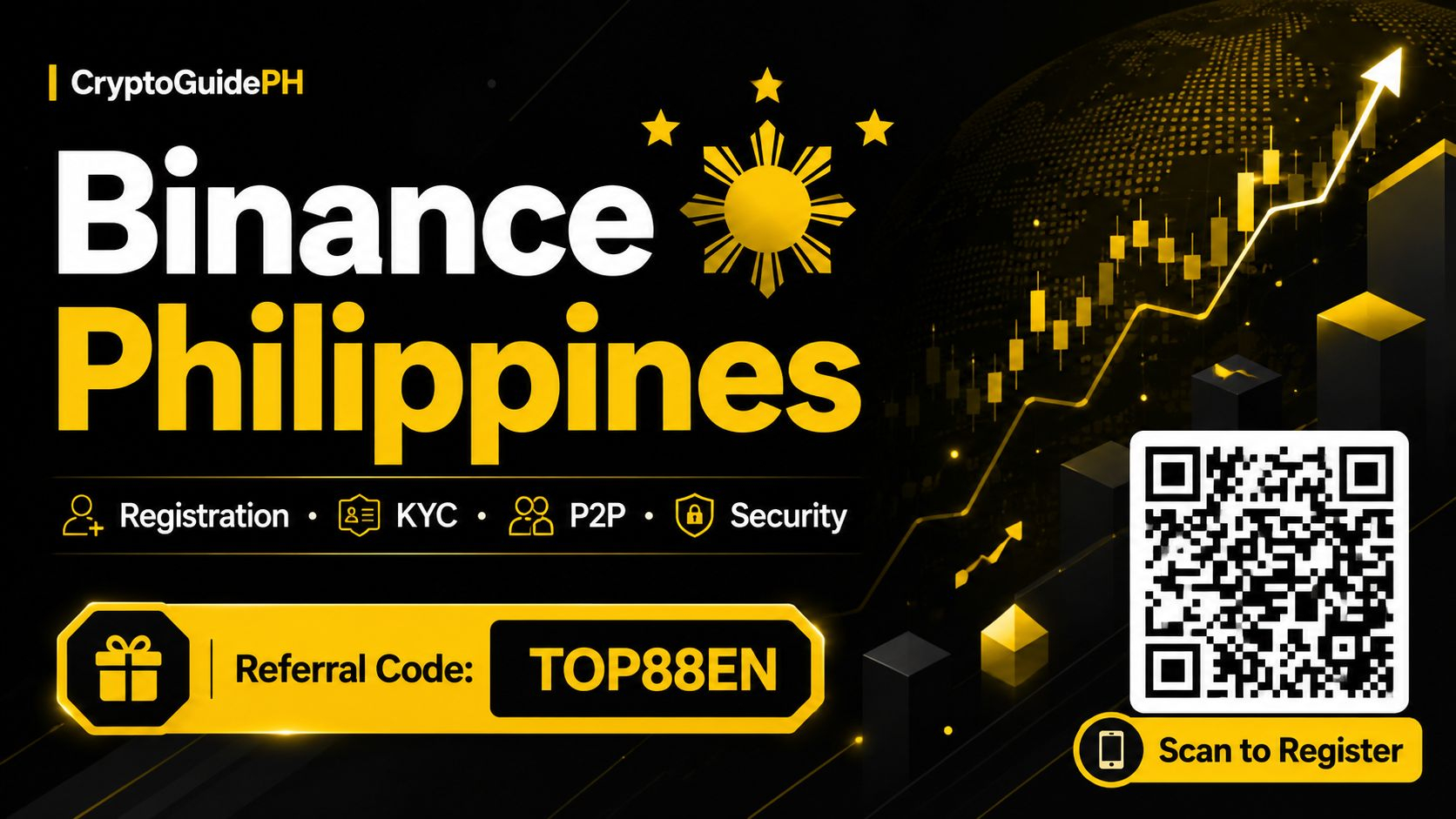
Binance App Guide Philippines for New Users: Your Step-by-Step Starter GuideIf you’re a Filipino who’s been curious about crypto but not sure where to begin, you’re not alone. Thousands of new users in the Philippines download the Binance app every month, and for good reason—it’s one of the most widely used crypto platforms in the world. But let’s be honest: opening the app for the first time can feel a little overwhelming. So many buttons, so many coins, so many charts. This guide is here to help you get started the practical way, step by step, without the jargon overload.
First things first: what exactly is Binance? Simply put, it’s a platform where you can buy, sell, and hold different cryptocurrencies like Bitcoin, Ethereum, and many others. Think of it like a digital marketplace for crypto. You can use it on your phone through the Binance app, which is available for both Android and iOS. For many Filipino users, the app is the go-to option because it’s convenient—you can check prices, make trades, and manage your account anytime, anywhere, as long as you have data or Wi-Fi.
Before you dive in, it helps to understand that crypto is not a get-rich-quick scheme. Prices go up and down, sometimes dramatically. This article is not financial advice, and nothing here promises profits. The goal is simply to help you navigate the app as a new user in the Philippines. Always do your own research and never invest more than you can afford to lose.
**Step 1: Download the App and Create Your Account**
Start by downloading the Binance app from the official app store on your phone. Once installed, open it and tap on “Register.” You’ll be asked for your email address or mobile number and a password. Use a strong password—something you don’t use on other sites. After signing up, you’ll receive a verification code. Enter it to confirm your account.
**Step 2: Complete Identity Verification (KYC)**
This is a crucial step for Filipino users. Binance requires identity verification, often called KYC (Know Your Customer), to comply with regulations and to unlock full features. You’ll need a valid government-issued ID, like a Philippine passport, driver’s license, or national ID. The app will ask you to take a selfie and a photo of your ID. It usually takes a few minutes to a few hours for approval. Don’t skip this—without verification, you won’t be able to deposit or trade.
**Step 3: Secure Your Account**
Security is a big deal in crypto. Once your account is verified, set up two-factor authentication (2FA). You can use an authenticator app like Google Authenticator or Authy. This adds an extra layer of protection every time you log in or withdraw funds. Also, never share your password or 2FA codes with anyone. Binance support will never ask for them.
**Step 4: Fund Your Account**
Now comes the part everyone asks about: how do you actually put money in? In the Philippines, Binance offers several options. You can use peer-to-peer (P2P) trading, where you buy crypto directly from other users using local payment methods like GCash, Maya, or bank transfer. It’s popular because it’s flexible and often fast. Alternatively, you can deposit via bank transfer or supported payment channels, depending on what’s available in the app. Start with a small amount—something you’re comfortable experimenting with.
**Step 5: Make Your First Buy**
Once your account has funds, you can buy crypto. The easiest way for beginners is the “Buy Crypto” feature. You can choose a coin like Bitcoin or Ethereum, enter the amount you want to spend in Philippine pesos, and confirm the transaction. If you prefer more control, you can use the spot market to place a buy order at a specific price. For your first time, the simple “Buy Crypto” option is usually the least intimidating.
**Step 6: Explore the App Safely**
After your first purchase, take time to explore. Check the “Wallet” tab to see your holdings. Look at the “Markets” tab to see price movements. You’ll notice charts and numbers—don’t stress about understanding everything at once. Many Filipino users start by just buying and holding a small amount while they learn. Avoid jumping into complicated features like futures or margin trading until you have a solid grasp of the basics. Those carry higher risk.
**Step 7: Withdrawing Funds**
When you’re ready to cash out or move funds, you can sell your crypto for Philippine pesos via P2P or convert it and withdraw to your bank or e-wallet. Again, start small to get familiar with the process. Double-check wallet addresses and payment details—crypto transactions can’t be reversed.
**A Few Practical Tips for Filipino Users**
- Keep records of your transactions for your own tracking.
- Be wary of scams. If someone promises guaranteed returns, it’s a red flag.
- Join Filipino crypto communities online to learn from others, but always verify information.
- The crypto space moves fast, so keep learning at your own pace.
Binance can be a useful tool for buying and selling crypto, but it’s just that—a tool. Your decisions, research, and risk management matter most. Take your time, ask questions, and never feel pressured to rush.
If you’re ready to start, you can use the referral details below. Remember, this is not financial advice, and you should always do your own research before making any investment.
Binance registration link:
https://www.bsmkweb.cc/register?ref=TOP88EN
Referral code:
TOP88EN
#BinancePhilippines
#CryptoPhilippines
#BinanceGuide
Binance App Guide Philippines for New Users: Your Step-by-Step Starter Guide
If you’re a Filipino who’s been curious about crypto but not sure where to begin, you’re not alone. Thousands of new users in the Philippines download the Binance app every month, and for good reason—it’s one of the most widely used crypto platforms in the world. But let’s be honest: opening the app for the first time can feel a little overwhelming. So many buttons, so many coins, so many charts. This guide is here to help you get started the practical way, step by step, without the jargon overload.
First things first: what exactly is Binance? Simply put, it’s a platform where you can buy, sell, and hold different cryptocurrencies like Bitcoin, Ethereum, and many others. Think of it like a digital marketplace for crypto. You can use it on your phone through the Binance app, which is available for both Android and iOS. For many Filipino users, the app is the go-to option because it’s convenient—you can check prices, make trades, and manage your account anytime, anywhere, as long as you have data or Wi-Fi.
Before you dive in, it helps to understand that crypto is not a get-rich-quick scheme. Prices go up and down, sometimes dramatically. This article is not financial advice, and nothing here promises profits. The goal is simply to help you navigate the app as a new user in the Philippines. Always do your own research and never invest more than you can afford to lose.
**Step 1: Download the App and Create Your Account**
Start by downloading the Binance app from the official app store on your phone. Once installed, open it and tap on “Register.” You’ll be asked for your email address or mobile number and a password. Use a strong password—something you don’t use on other sites. After signing up, you’ll receive a verification code. Enter it to confirm your account.
**Step 2: Complete Identity Verification (KYC)**
This is a crucial step for Filipino users. Binance requires identity verification, often called KYC (Know Your Customer), to comply with regulations and to unlock full features. You’ll need a valid government-issued ID, like a Philippine passport, driver’s license, or national ID. The app will ask you to take a selfie and a photo of your ID. It usually takes a few minutes to a few hours for approval. Don’t skip this—without verification, you won’t be able to deposit or trade.
**Step 3: Secure Your Account**
Security is a big deal in crypto. Once your account is verified, set up two-factor authentication (2FA). You can use an authenticator app like Google Authenticator or Authy. This adds an extra layer of protection every time you log in or withdraw funds. Also, never share your password or 2FA codes with anyone. Binance support will never ask for them.
**Step 4: Fund Your Account**
Now comes the part everyone asks about: how do you actually put money in? In the Philippines, Binance offers several options. You can use peer-to-peer (P2P) trading, where you buy crypto directly from other users using local payment methods like GCash, Maya, or bank transfer. It’s popular because it’s flexible and often fast. Alternatively, you can deposit via bank transfer or supported payment channels, depending on what’s available in the app. Start with a small amount—something you’re comfortable experimenting with.
**Step 5: Make Your First Buy**
Once your account has funds, you can buy crypto. The easiest way for beginners is the “Buy Crypto” feature. You can choose a coin like Bitcoin or Ethereum, enter the amount you want to spend in Philippine pesos, and confirm the transaction. If you prefer more control, you can use the spot market to place a buy order at a specific price. For your first time, the simple “Buy Crypto” option is usually the least intimidating.
**Step 6: Explore the App Safely**
After your first purchase, take time to explore. Check the “Wallet” tab to see your holdings. Look at the “Markets” tab to see price movements. You’ll notice charts and numbers—don’t stress about understanding everything at once. Many Filipino users start by just buying and holding a small amount while they learn. Avoid jumping into complicated features like futures or margin trading until you have a solid grasp of the basics. Those carry higher risk.
**Step 7: Withdrawing Funds**
When you’re ready to cash out or move funds, you can sell your crypto for Philippine pesos via P2P or convert it and withdraw to your bank or e-wallet. Again, start small to get familiar with the process. Double-check wallet addresses and payment details—crypto transactions can’t be reversed.
**A Few Practical Tips for Filipino Users**
- Keep records of your transactions for your own tracking.
- Be wary of scams. If someone promises guaranteed returns, it’s a red flag.
- Join Filipino crypto communities online to learn from others, but always verify information.
- The crypto space moves fast, so keep learning at your own pace.
Binance can be a useful tool for buying and selling crypto, but it’s just that—a tool. Your decisions, research, and risk management matter most. Take your time, ask questions, and never feel pressured to rush.
If you’re ready to start, you can use the referral details below. Remember, this is not financial advice, and you should always do your own research before making any investment.
Binance registration link:
https://www.bsmkweb.cc/register?ref=TOP88EN
Referral code:
TOP88EN
#BinancePhilippines
#CryptoPhilippines
#BinanceGuide
First things first: what exactly is Binance? Simply put, it’s a platform where you can buy, sell, and hold different cryptocurrencies like Bitcoin, Ethereum, and many others. Think of it like a digital marketplace for crypto. You can use it on your phone through the Binance app, which is available for both Android and iOS. For many Filipino users, the app is the go-to option because it’s convenient—you can check prices, make trades, and manage your account anytime, anywhere, as long as you have data or Wi-Fi.
Before you dive in, it helps to understand that crypto is not a get-rich-quick scheme. Prices go up and down, sometimes dramatically. This article is not financial advice, and nothing here promises profits. The goal is simply to help you navigate the app as a new user in the Philippines. Always do your own research and never invest more than you can afford to lose.
**Step 1: Download the App and Create Your Account**
Start by downloading the Binance app from the official app store on your phone. Once installed, open it and tap on “Register.” You’ll be asked for your email address or mobile number and a password. Use a strong password—something you don’t use on other sites. After signing up, you’ll receive a verification code. Enter it to confirm your account.
**Step 2: Complete Identity Verification (KYC)**
This is a crucial step for Filipino users. Binance requires identity verification, often called KYC (Know Your Customer), to comply with regulations and to unlock full features. You’ll need a valid government-issued ID, like a Philippine passport, driver’s license, or national ID. The app will ask you to take a selfie and a photo of your ID. It usually takes a few minutes to a few hours for approval. Don’t skip this—without verification, you won’t be able to deposit or trade.
**Step 3: Secure Your Account**
Security is a big deal in crypto. Once your account is verified, set up two-factor authentication (2FA). You can use an authenticator app like Google Authenticator or Authy. This adds an extra layer of protection every time you log in or withdraw funds. Also, never share your password or 2FA codes with anyone. Binance support will never ask for them.
**Step 4: Fund Your Account**
Now comes the part everyone asks about: how do you actually put money in? In the Philippines, Binance offers several options. You can use peer-to-peer (P2P) trading, where you buy crypto directly from other users using local payment methods like GCash, Maya, or bank transfer. It’s popular because it’s flexible and often fast. Alternatively, you can deposit via bank transfer or supported payment channels, depending on what’s available in the app. Start with a small amount—something you’re comfortable experimenting with.
**Step 5: Make Your First Buy**
Once your account has funds, you can buy crypto. The easiest way for beginners is the “Buy Crypto” feature. You can choose a coin like Bitcoin or Ethereum, enter the amount you want to spend in Philippine pesos, and confirm the transaction. If you prefer more control, you can use the spot market to place a buy order at a specific price. For your first time, the simple “Buy Crypto” option is usually the least intimidating.
**Step 6: Explore the App Safely**
After your first purchase, take time to explore. Check the “Wallet” tab to see your holdings. Look at the “Markets” tab to see price movements. You’ll notice charts and numbers—don’t stress about understanding everything at once. Many Filipino users start by just buying and holding a small amount while they learn. Avoid jumping into complicated features like futures or margin trading until you have a solid grasp of the basics. Those carry higher risk.
**Step 7: Withdrawing Funds**
When you’re ready to cash out or move funds, you can sell your crypto for Philippine pesos via P2P or convert it and withdraw to your bank or e-wallet. Again, start small to get familiar with the process. Double-check wallet addresses and payment details—crypto transactions can’t be reversed.
**A Few Practical Tips for Filipino Users**
- Keep records of your transactions for your own tracking.
- Be wary of scams. If someone promises guaranteed returns, it’s a red flag.
- Join Filipino crypto communities online to learn from others, but always verify information.
- The crypto space moves fast, so keep learning at your own pace.
Binance can be a useful tool for buying and selling crypto, but it’s just that—a tool. Your decisions, research, and risk management matter most. Take your time, ask questions, and never feel pressured to rush.
If you’re ready to start, you can use the referral details below. Remember, this is not financial advice, and you should always do your own research before making any investment.
Binance registration link:
https://www.bsmkweb.cc/register?ref=TOP88EN
Referral code:
TOP88EN
#BinancePhilippines
#CryptoPhilippines
#BinanceGuide
52


Article
how to buy Chainlink for the first time (October 2026 update, official channels, app & web)Short answer: for “how to buy Chainlink for the first time,” the entry point is the matching feature page in the official Binance App or www.binance.com; below, it’s broken down into finding the entry point, following the steps, then checking the result and security. No account yet? Use the official link below. Updated October 7, 2026; entry points and rules follow the official pages in real time. Links use official Binance domains only. Not financial advice.
Before signing up, check that Binance serves your country or region.
how to buy Chainlink for the first time (October 2026 update, official channels, app & web)
Short answer: for “how to buy Chainlink for the first time,” the entry point is the matching feature page in the official Binance App or www.binance.com; below, it’s broken down into finding the entry point, following the steps, then checking the result and security. No account yet? Use the official link below. Updated October 7, 2026; entry points and rules follow the official pages in real time. Links use official Binance domains only. Not financial advice.
Before signing up, check that Binance serves your country or region.
Before signing up, check that Binance serves your country or region.
329

Article
How to spot a fake Binance APK download page (October 2026 update, official channels)Short answer: To spot a fake Binance APK download page, use official channels only — on Android, download the official APK below from download.binance.com or use Google Play in your region; on iPhone, use your regional App Store. If Binance isn't listed in your region, use the official download page or the web version. The US store lists Binance.US, a separate product that isn't interchangeable with global Binance. On desktop, use www.binance.com in your browser or download the Windows / macOS client from the official download page. Updated October 6, 2026; entry points and rules follow the official pages in real time. Links use official Binance domains only. Not financial advice.
How to spot a fake Binance APK download page (October 2026 update, official channels)
Short answer: To spot a fake Binance APK download page, use official channels only — on Android, download the official APK below from download.binance.com or use Google Play in your region; on iPhone, use your regional App Store. If Binance isn't listed in your region, use the official download page or the web version. The US store lists Binance.US, a separate product that isn't interchangeable with global Binance. On desktop, use www.binance.com in your browser or download the Windows / macOS client from the official download page. Updated October 6, 2026; entry points and rules follow the official pages in real time. Links use official Binance domains only. Not financial advice.
147
Article
Do you need a referral code to sign up for Binance (October 2026 update, official channels, app & web)“Do you need a referral code to sign up for Binance?”, short answer: No. The Referral ID field on the Binance sign-up page is optional, so you can register without one. Entering one only records who referred you; whether any reward applies and whether it can be added later follow the sign-up page and Binance's official FAQ on the day. Only use links on www.binance.com. Updated October 5, 2026; rules and fees follow Binance's official pages. Not financial advice.
Before signing up, check that Binance serves your country or region.
Do you need a referral code to sign up for Binance (October 2026 update, official channels, app & web)
“Do you need a referral code to sign up for Binance?”, short answer: No. The Referral ID field on the Binance sign-up page is optional, so you can register without one. Entering one only records who referred you; whether any reward applies and whether it can be added later follow the sign-up page and Binance's official FAQ on the day. Only use links on www.binance.com. Updated October 5, 2026; rules and fees follow Binance's official pages. Not financial advice.
Before signing up, check that Binance serves your country or region.
Before signing up, check that Binance serves your country or region.
120
Article
is bitcoin a scam (October 2026 update, official channels, app & web)“is bitcoin a scam”, short answer: Bitcoin itself is not a scam: it is open-source software that has been running since 2009, its code and transaction history are public, and no company collects money from holders or promises returns. It is highly volatile and nobody backs its price. The scams are schemes that borrow Bitcoin’s name: guaranteed returns, recruitment bonuses, or requests to send coins to someone’s address. Updated October 4, 2026; rules and fees follow Binance’s official pages. Not financial advice.
is bitcoin a scam (October 2026 update, official channels, app & web)
“is bitcoin a scam”, short answer: Bitcoin itself is not a scam: it is open-source software that has been running since 2009, its code and transaction history are public, and no company collects money from holders or promises returns. It is highly volatile and nobody backs its price. The scams are schemes that borrow Bitcoin’s name: guaranteed returns, recruitment bonuses, or requests to send coins to someone’s address. Updated October 4, 2026; rules and fees follow Binance’s official pages. Not financial advice.
111
Article
what is Binance and how does it work (October 2026 update, official channels, app & web)“what is Binance and how does it work”, short answer: Binance is a centralized crypto exchange founded in 2017. You create an account, verify your identity, and trade coins on its spot market, where buy and sell orders are matched in an order book. Binance holds the assets in your account (custody), charges trading fees, and publishes Proof of Reserves; availability depends on your country or region. Updated October 4, 2026; rules and fees follow Binance's official pages. Not financial advice.
what is Binance and how does it work (October 2026 update, official channels, app & web)
“what is Binance and how does it work”, short answer: Binance is a centralized crypto exchange founded in 2017. You create an account, verify your identity, and trade coins on its spot market, where buy and sell orders are matched in an order book. Binance holds the assets in your account (custody), charges trading fees, and publishes Proof of Reserves; availability depends on your country or region. Updated October 4, 2026; rules and fees follow Binance's official pages. Not financial advice.
1
415
·
--
🔄 Binance Is Changing How Your Funding Account Works
If you use Binance regularly, there’s a change you should know about.
Binance has started moving crypto assets from the Funding Account → Spot Account.
And the Funding Account is being transitioned into a Stocks Account for stock and stock-option activity.
What does this mean for regular users? 👇
🟢 Your crypto isn't disappearing
🟢 Crypto deposits/withdrawals will be handled through Spot
🟢 The reworked account will focus on stocks & stock options
🟢 The migration is being carried out gradually
The change started on September 29 and is expected to continue into January 2027.
So if you open Binance and notice your account structure looking a little different, don't panic.
👀 Have you already noticed this change in your Binance app?
#Binance #Crypto #BinanceGuide #stocks
$NVDA.US $BTC $BNB
🔄 Binance Is Changing How Your Funding Account Works
If you use Binance regularly, there’s a change you should know about.
Binance has started moving crypto assets from the Funding Account → Spot Account.
And the Funding Account is being transitioned into a Stocks Account for stock and stock-option activity.
What does this mean for regular users? 👇
🟢 Your crypto isn't disappearing
🟢 Crypto deposits/withdrawals will be handled through Spot
🟢 The reworked account will focus on stocks & stock options
🟢 The migration is being carried out gradually
The change started on September 29 and is expected to continue into January 2027.
So if you open Binance and notice your account structure looking a little different, don't panic.
👀 Have you already noticed this change in your Binance app?
#Binance #Crypto #BinanceGuide #stocks
$NVDA.US $BTC $BNB
If you use Binance regularly, there’s a change you should know about.
Binance has started moving crypto assets from the Funding Account → Spot Account.
And the Funding Account is being transitioned into a Stocks Account for stock and stock-option activity.
What does this mean for regular users? 👇
🟢 Your crypto isn't disappearing
🟢 Crypto deposits/withdrawals will be handled through Spot
🟢 The reworked account will focus on stocks & stock options
🟢 The migration is being carried out gradually
The change started on September 29 and is expected to continue into January 2027.
So if you open Binance and notice your account structure looking a little different, don't panic.
👀 Have you already noticed this change in your Binance app?
#Binance #Crypto #BinanceGuide #stocks
$NVDA.US $BTC $BNB
BTC-2.35%
NVDAUS+0.00%
95

·
--
Article
can I trade crypto without reading charts (October 2026 update, official channels, app & web)「Can I trade crypto without reading charts」, short answer: you can buy, but you should not trade often while you cannot read charts. Without chart skills you can still buy major coins on spot and hold, or buy in steps; short-term trading and futures depend heavily on judgment, and beginners who jump in without it usually lose. Start with small spot buys and learn the basics as you go. Updated October 2, 2026; rules and fees follow Binance's official pages. Not financial advice.
Before signing up, check that Binance serves your country or region.
can I trade crypto without reading charts (October 2026 update, official channels, app & web)
「Can I trade crypto without reading charts」, short answer: you can buy, but you should not trade often while you cannot read charts. Without chart skills you can still buy major coins on spot and hold, or buy in steps; short-term trading and futures depend heavily on judgment, and beginners who jump in without it usually lose. Start with small spot buys and learn the basics as you go. Updated October 2, 2026; rules and fees follow Binance's official pages. Not financial advice.
Before signing up, check that Binance serves your country or region.
Before signing up, check that Binance serves your country or region.
166
Article
is it too late to buy bitcoin (October 2026 update, official channels, app & web)“Is it too late to buy bitcoin?”, short answer: nobody can tell you, because nobody can predict the next price. Instead of guessing tops and bottoms, answer three questions: would losing this money hurt your daily life, how long do you plan to hold, and can you sit through a sharp drop? Beginners usually buy small amounts in steps with spare money rather than going all in at once. Updated October 2, 2026; rules and fees follow Binance's official pages. Not financial advice.
Before signing up, check that Binance serves your country or region.
is it too late to buy bitcoin (October 2026 update, official channels, app & web)
“Is it too late to buy bitcoin?”, short answer: nobody can tell you, because nobody can predict the next price. Instead of guessing tops and bottoms, answer three questions: would losing this money hurt your daily life, how long do you plan to hold, and can you sit through a sharp drop? Beginners usually buy small amounts in steps with spare money rather than going all in at once. Updated October 2, 2026; rules and fees follow Binance's official pages. Not financial advice.
Before signing up, check that Binance serves your country or region.
Before signing up, check that Binance serves your country or region.
92
Article
what is spot trading in crypto (October 2026 update, official channels, app & web)「what is spot trading in crypto」, short answer: spot trading means buying or selling a crypto asset at the current market price and settling right away: you pay, for example, USDT and the coin lands in your account as your own asset. There is no borrowing, no leverage and no expiry date, so the most you can lose is what you put in, although the price can still move a lot. Updated October 2, 2026; rules and fees follow Binance's official pages. Not financial advice.
Before signing up, check that Binance serves your country or region.
what is spot trading in crypto (October 2026 update, official channels, app & web)
「what is spot trading in crypto」, short answer: spot trading means buying or selling a crypto asset at the current market price and settling right away: you pay, for example, USDT and the coin lands in your account as your own asset. There is no borrowing, no leverage and no expiry date, so the most you can lose is what you put in, although the price can still move a lot. Updated October 2, 2026; rules and fees follow Binance's official pages. Not financial advice.
Before signing up, check that Binance serves your country or region.
Before signing up, check that Binance serves your country or region.
1
202
Article
bitcoin DCA for beginners (October 2026 update, official channels, app & web)“bitcoin DCA for beginners”, short answer: dollar-cost averaging (DCA) means buying a fixed amount of Bitcoin on a fixed schedule, for example weekly or monthly, whatever the price. It spreads your entry over time and suits beginners who will hold long term and cannot watch charts, but DCA does not guarantee profit; a long decline still means losses. Updated October 1, 2026; rules and fees follow Binance's official pages. Not financial advice.
Before signing up, check that Binance serves your country or region.
bitcoin DCA for beginners (October 2026 update, official channels, app & web)
“bitcoin DCA for beginners”, short answer: dollar-cost averaging (DCA) means buying a fixed amount of Bitcoin on a fixed schedule, for example weekly or monthly, whatever the price. It spreads your entry over time and suits beginners who will hold long term and cannot watch charts, but DCA does not guarantee profit; a long decline still means losses. Updated October 1, 2026; rules and fees follow Binance's official pages. Not financial advice.
Before signing up, check that Binance serves your country or region.
Before signing up, check that Binance serves your country or region.
227
Article
is Binance sign up free (October 2026 update, official channels, app & web)「is Binance sign up free」, short answer: yes, signing up is free. Creating a Binance account and completing identity verification cost nothing; there is no opening, activation or membership fee. Costs only come later as trading fees and network fees on withdrawals, at the rates on Binance's official fee page. Anyone asking you to pay an "opening fee" or "activation deposit" first is running a scam. Updated October 1, 2026; rules and fees follow Binance's official pages. Not financial advice.
is Binance sign up free (October 2026 update, official channels, app & web)
「is Binance sign up free」, short answer: yes, signing up is free. Creating a Binance account and completing identity verification cost nothing; there is no opening, activation or membership fee. Costs only come later as trading fees and network fees on withdrawals, at the rates on Binance's official fee page. Anyone asking you to pay an "opening fee" or "activation deposit" first is running a scam. Updated October 1, 2026; rules and fees follow Binance's official pages. Not financial advice.
150
·
--

Article
how much money do you need to start crypto trading (September 2026 update, official channels, app & web)「how much money do you need to start crypto trading」, short answer: there is no single minimum; each pair has its own minimum order size shown on the order page, and it is usually small. The better question is how much you can afford to lose: start with an amount that would not affect your life if it went to zero. Updated September 30, 2026; rules and fees follow Binance's official pages. Not financial advice.
Before signing up, check that Binance serves your country or region.
Register:
https://www.binance.com/zh-CN/join?ref=BNAPP
how much money do you need to start crypto trading (September 2026 update, official channels, app & web)
「how much money do you need to start crypto trading」, short answer: there is no single minimum; each pair has its own minimum order size shown on the order page, and it is usually small. The better question is how much you can afford to lose: start with an amount that would not affect your life if it went to zero. Updated September 30, 2026; rules and fees follow Binance's official pages. Not financial advice.
Before signing up, check that Binance serves your country or region.
Register:
https://www.binance.com/zh-CN/join?ref=BNAPP
Before signing up, check that Binance serves your country or region.
Register:
https://www.binance.com/zh-CN/join?ref=BNAPP
126
·
--
Article
Does Binance have a customer service phone number (September 2026 update, official channels, app & web)“Does Binance have a customer service phone number”, short answer: Binance support is reached through live chat in the app and in the Help Center on www.binance.com. Binance does not cold-call you, ask for verification codes, or ask you to transfer funds. Treat any “Binance support phone number” found online, and any “support agent” who messages you first, as a scam until checked in Binance Verify. Updated September 29, 2026; rules and fees follow Binance's official pages. Not financial advice.
Does Binance have a customer service phone number (September 2026 update, official channels, app & web)
“Does Binance have a customer service phone number”, short answer: Binance support is reached through live chat in the app and in the Help Center on www.binance.com. Binance does not cold-call you, ask for verification codes, or ask you to transfer funds. Treat any “Binance support phone number” found online, and any “support agent” who messages you first, as a scam until checked in Binance Verify. Updated September 29, 2026; rules and fees follow Binance's official pages. Not financial advice.
144

Article
How to tell the real Binance website from a fake one (September 2026 update, official channels, app & web)「How to tell the real Binance website from a fake one」, short answer: the official Binance website is www.binance.com. Check it in three steps: the address bar must match exactly (watch for extra or missing letters and swapped endings); look up any suspicious URL, email or account in Binance Verify, the official verification channel; and bookmark the real site and only enter from the bookmark, never from SMS or DM links. Updated September 29, 2026; rules and fees follow Binance's official pages. Not financial advice.
How to tell the real Binance website from a fake one (September 2026 update, official channels, app & web)
「How to tell the real Binance website from a fake one」, short answer: the official Binance website is www.binance.com. Check it in three steps: the address bar must match exactly (watch for extra or missing letters and swapped endings); look up any suspicious URL, email or account in Binance Verify, the official verification channel; and bookmark the real site and only enter from the bookmark, never from SMS or DM links. Updated September 29, 2026; rules and fees follow Binance's official pages. Not financial advice.
164
·
--

Article
What to do if you entered your Binance password on a fake site (September 2026 update, official channels, app & web)「What to do if you entered your Binance password on a fake site」, short answer: act now: change your password and reset 2FA in the official app or on www.binance.com; open device management and login history, remove unknown devices and temporarily freeze the account if anything looks wrong; then contact in-app support. If you also typed a verification code on the fake site, move even faster. Updated September 28, 2026; rules and fees follow Binance's official pages. Not financial advice.
Before signing up, check that Binance serves your country or region.
What to do if you entered your Binance password on a fake site (September 2026 update, official channels, app & web)
「What to do if you entered your Binance password on a fake site」, short answer: act now: change your password and reset 2FA in the official app or on www.binance.com; open device management and login history, remove unknown devices and temporarily freeze the account if anything looks wrong; then contact in-app support. If you also typed a verification code on the fake site, move even faster. Updated September 28, 2026; rules and fees follow Binance's official pages. Not financial advice.
Before signing up, check that Binance serves your country or region.
Before signing up, check that Binance serves your country or region.
118
Article
how to buy bitcoin for the first time (September 2026 update, official channels, app & web)「how to buy bitcoin for the first time」, short answer: On Binance, a first Bitcoin purchase usually takes four steps: sign up through the official link and complete KYC; add funds with an option Binance shows for your region, or buy USDT first; search BTC on spot and place an order on BTC/USDT; then turn on 2FA and check your funding history. Bitcoin prices swing hard and nobody can promise a rise, so only use money you can afford to lose, with no borrowing or leverage. Updated September 28, 2026; rules and fees follow Binance's official pages. Not financial advice.
how to buy bitcoin for the first time (September 2026 update, official channels, app & web)
「how to buy bitcoin for the first time」, short answer: On Binance, a first Bitcoin purchase usually takes four steps: sign up through the official link and complete KYC; add funds with an option Binance shows for your region, or buy USDT first; search BTC on spot and place an order on BTC/USDT; then turn on 2FA and check your funding history. Bitcoin prices swing hard and nobody can promise a rise, so only use money you can afford to lose, with no borrowing or leverage. Updated September 28, 2026; rules and fees follow Binance's official pages. Not financial advice.
229

Article
Binance sign up verification code not received fix (September 2026 update, official channels, app & web)Short answer: for 「Binance sign up verification code not received fix」 the official flow is usually 4 steps — open the official sign-up page (link below, www.binance.com) → set a password with email or phone → enter the verification code → complete identity verification (KYC) before depositing. App and web sign-up create the same account; availability depends on your region. Updated September 27, 2026; entry points and rules follow the official pages in real time. Links use official Binance domains only. Not financial advice.
Binance sign up verification code not received fix (September 2026 update, official channels, app & web)
Short answer: for 「Binance sign up verification code not received fix」 the official flow is usually 4 steps — open the official sign-up page (link below, www.binance.com) → set a password with email or phone → enter the verification code → complete identity verification (KYC) before depositing. App and web sign-up create the same account; availability depends on your region. Updated September 27, 2026; entry points and rules follow the official pages in real time. Links use official Binance domains only. Not financial advice.
423
Article
Binance app download and install guide for beginners 2026For 「Binance app download and install guide for beginners」, use official channels only: on Android, install the official APK from this account below (download.binance.com), then follow the steps to install and sign up. Updated September 26, 2026; entry points follow the official pages in real time.
Android APK (this account):
https://download.binance.com/pack/BNApp_F0000680.apk
Register:
https://www.binance.com/zh-CN/join?ref=BNAPP
◆ Comparison table: official download channels
・Official Android APK: source download.binance.com / works on phones without Google services / allow unknown sources for this file only
Binance app download and install guide for beginners 2026
For 「Binance app download and install guide for beginners」, use official channels only: on Android, install the official APK from this account below (download.binance.com), then follow the steps to install and sign up. Updated September 26, 2026; entry points follow the official pages in real time.
Android APK (this account):
https://download.binance.com/pack/BNApp_F0000680.apk
Register:
https://www.binance.com/zh-CN/join?ref=BNAPP
◆ Comparison table: official download channels
・Official Android APK: source download.binance.com / works on phones without Google services / allow unknown sources for this file only
Android APK (this account):
https://download.binance.com/pack/BNApp_F0000680.apk
Register:
https://www.binance.com/zh-CN/join?ref=BNAPP
◆ Comparison table: official download channels
・Official Android APK: source download.binance.com / works on phones without Google services / allow unknown sources for this file only
451
Log in to explore more content
Join global crypto users on Binance Square
⚡️ Get latest and useful information about crypto.
💬 Trusted by the world’s largest crypto exchange.
👍 Discover real insights from verified creators.
Email / Phone number
Trending Topics
1
#BinanceLaunchesBinanceIntelligence
747,110 views
4,641 Discussing
2
#BTCFallsBelow$84K
32,974 views
111 Discussing
3
#DubaiVARAIssuesReserveAssetAuditCircular
8,360 views
367 Discussing
4
#SECApproves3XBitcoinETF
7,902 views
307 Discussing
5
#WinklevossFilesSpotZcashETFApplication
18,188 views
427 Discussing
6
#SouthKoreaAITradeLiftsWorldcoinTo$7.41B
2,192 views
39 Discussing
7
#StrategyEstimates$4.1BIncomeTaxBenefit
1,444 views
22 Discussing
8
#IglooShutsDownAbstractBlockchain
7,352 views
224 Discussing
9
#StrategyMarketCapSurpassesRumble
48,468 views
945 Discussing
10
#StriveBuys2000BTCFor$169M
18,788 views
163 Discussing