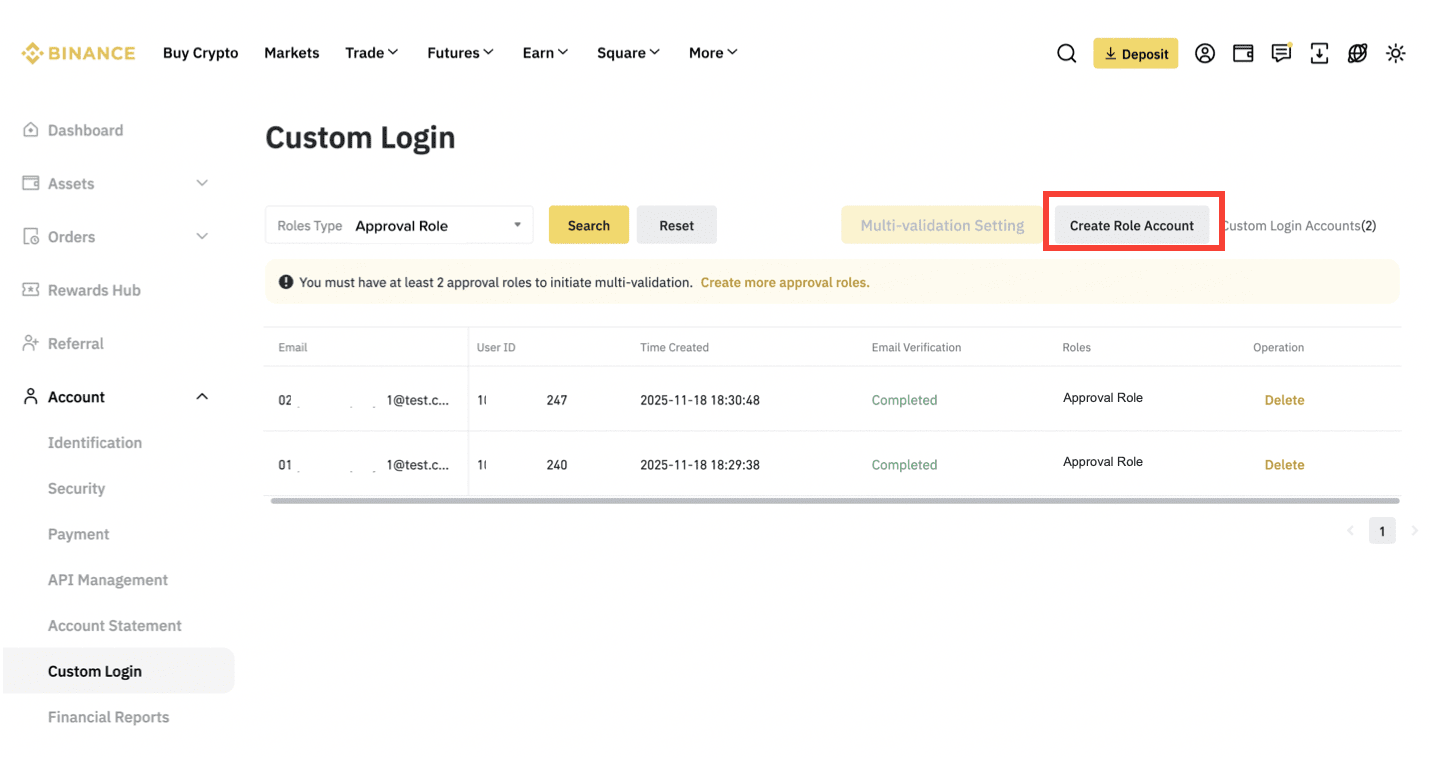
1. On the Custom Login page, click [Create Role Account].
Please note:
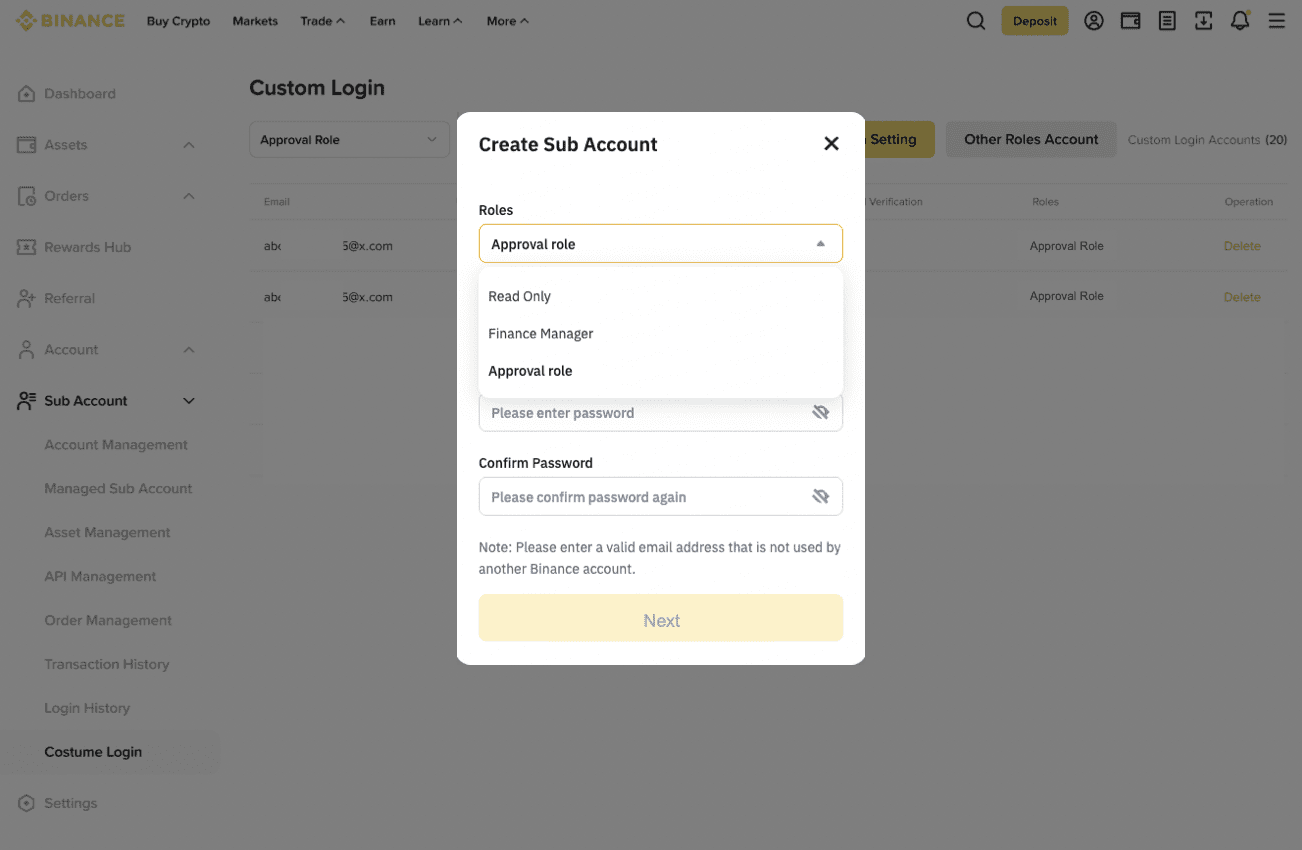
2. Select a role for the account and enter a password. Click [Next].
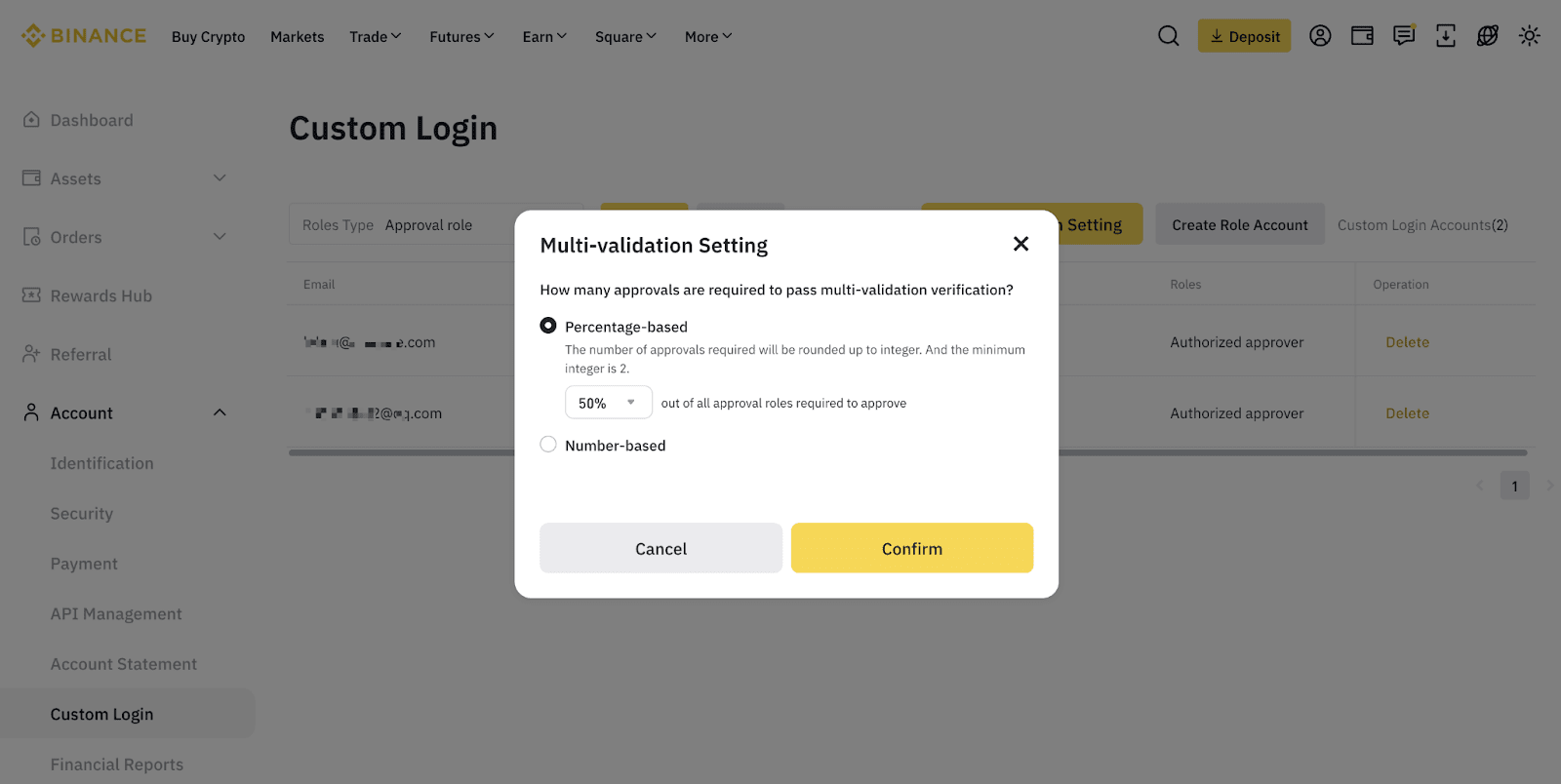
3. You can adjust the multi-validator setting if needed. Click [Multi-validation Setting].
Please note: The setting is available only after you have at least 2 approval role accounts.
Users can use multi-validator as verification method for the following requests:
For the request initiator:
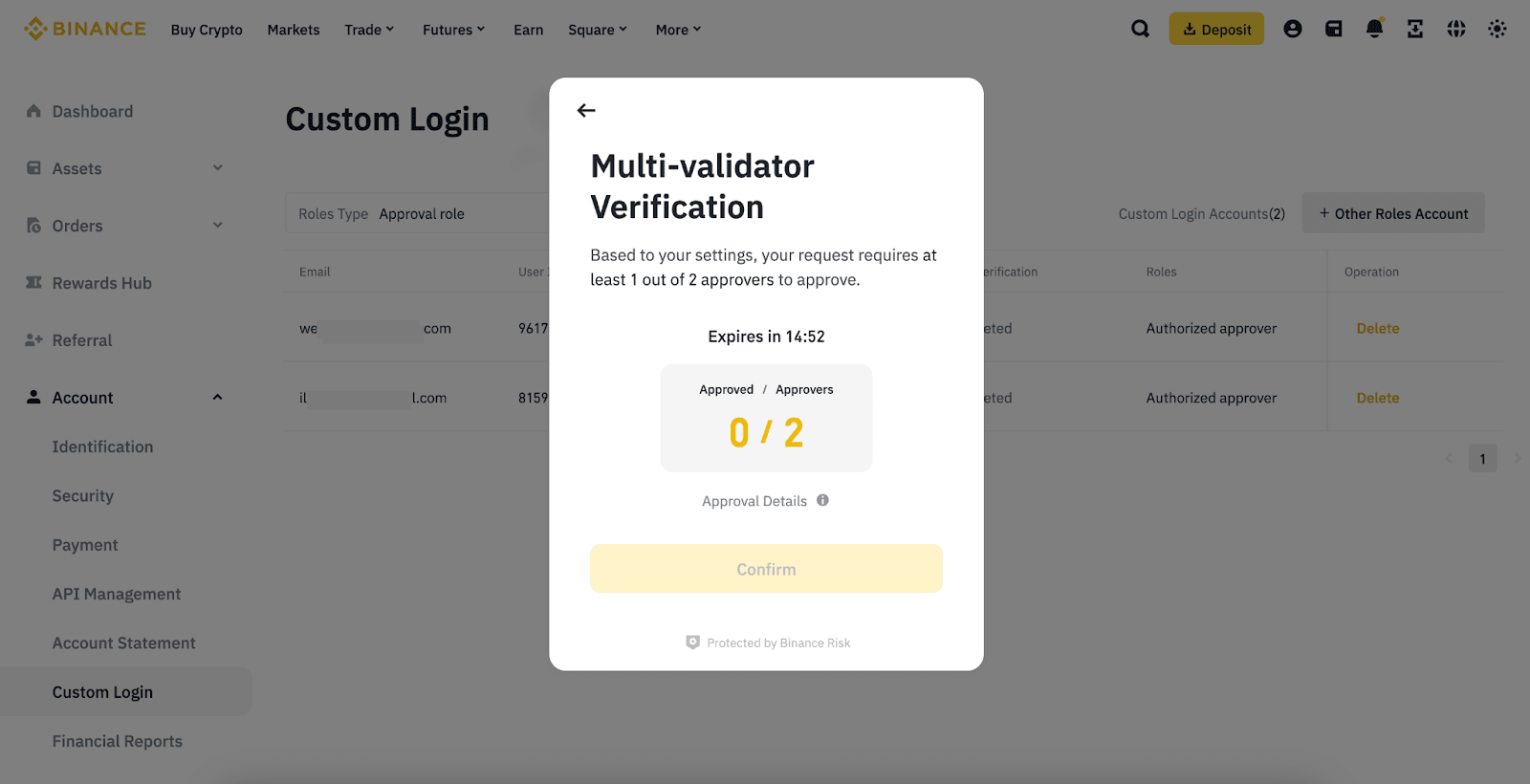
1. After a request has been initiated, you’ll see a Security Verification Requirements pop-up. Click [Multi-validator Verification].
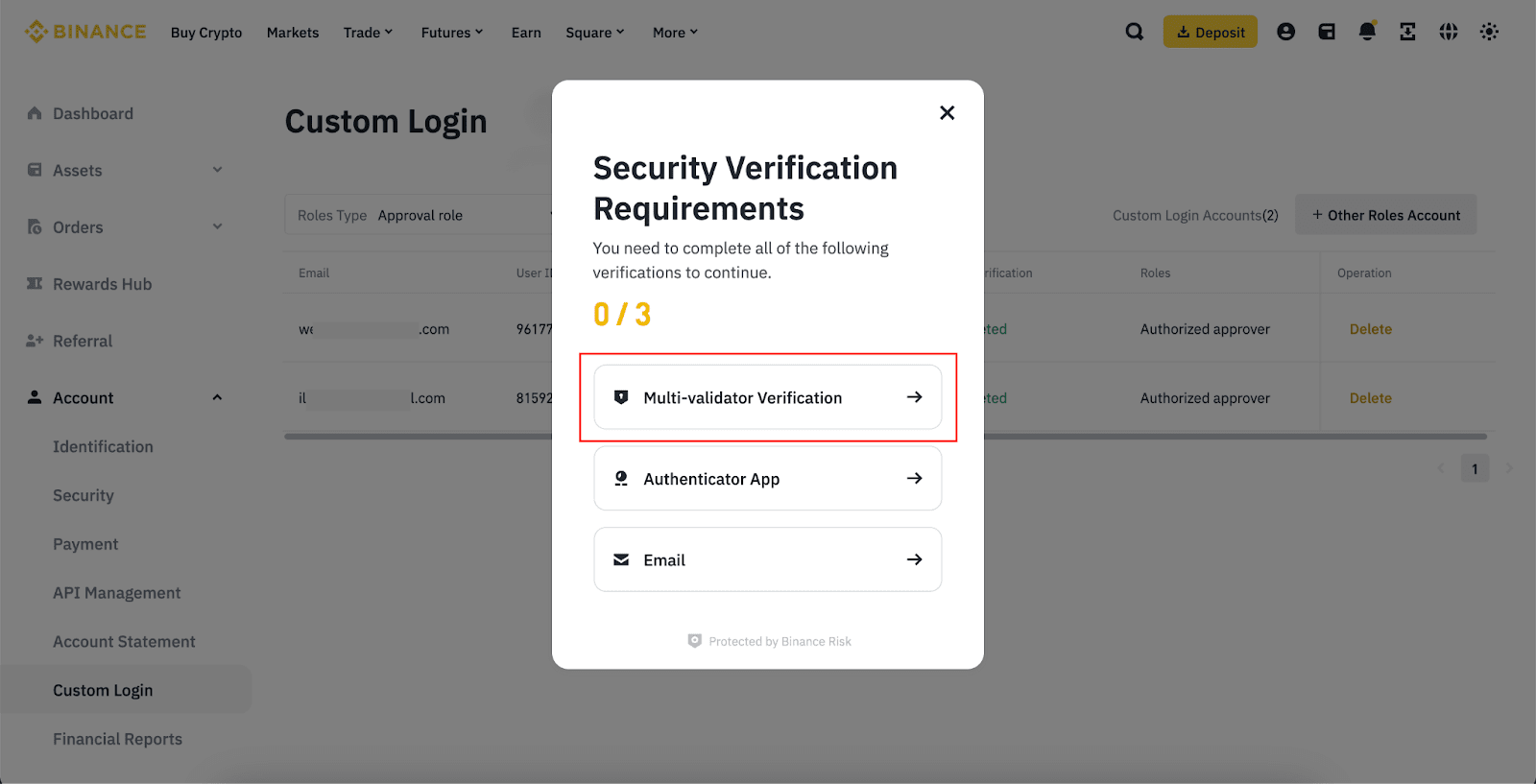
2. Wait for the approvers to approve your request. After the minimum required approvals have been met, click [Confirm] to continue.
For the approver:
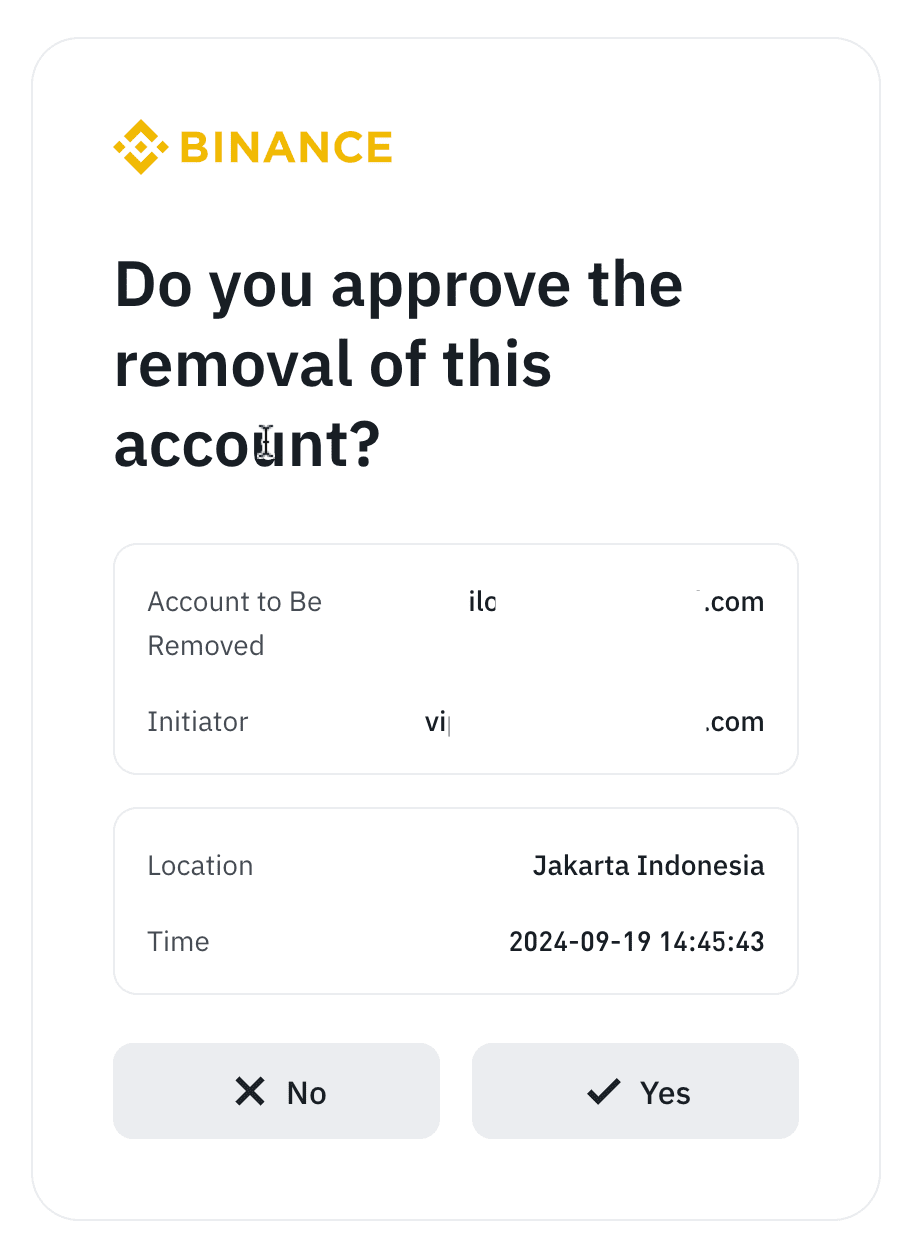
All approvers will receive a push notification on their Binance App once a request is initiated. If you recognize the request, tap [Yes] to approve.
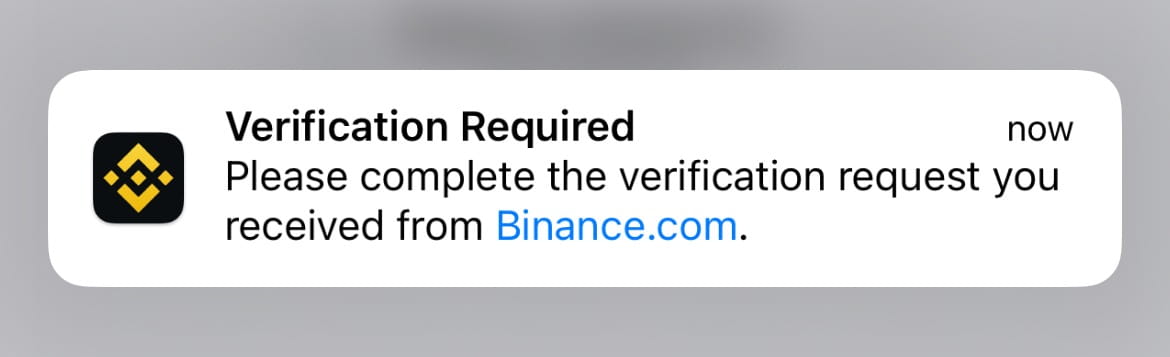
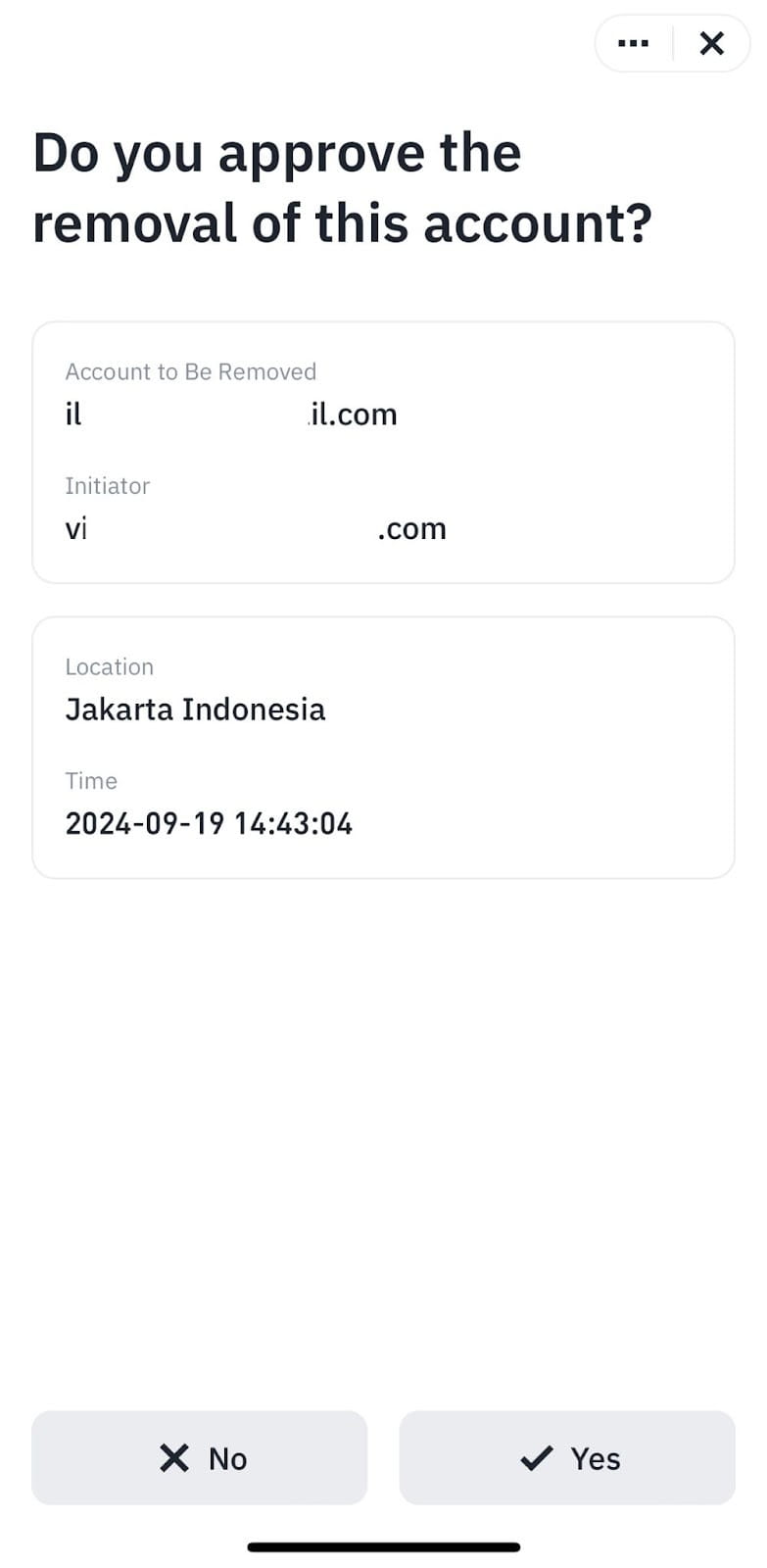
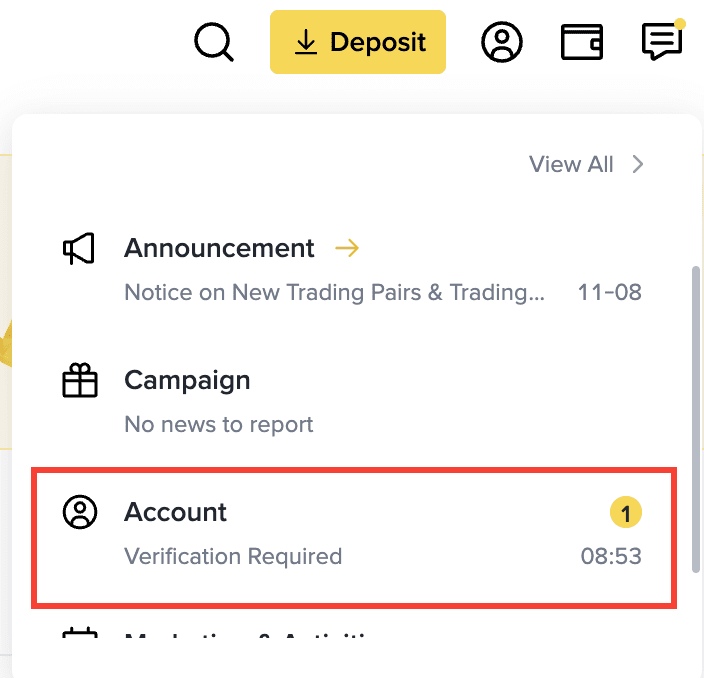
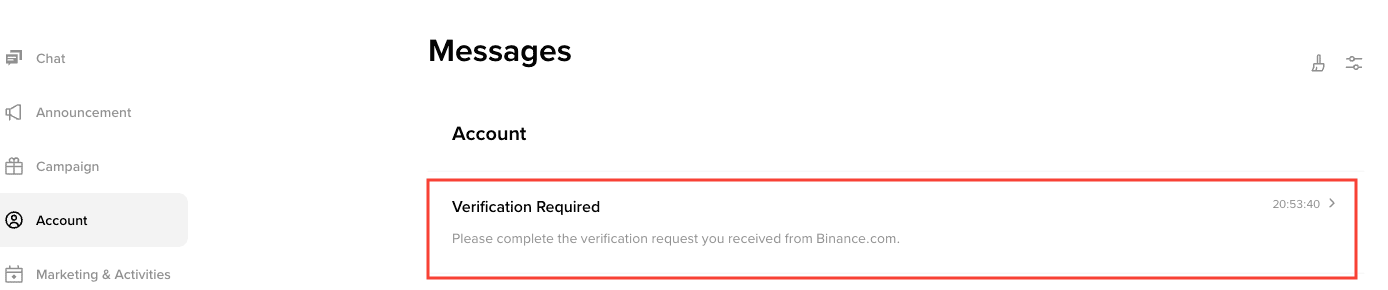
If that push notification does not pop up, go to the [Notification Center] and find the verification request in the [Account] section.

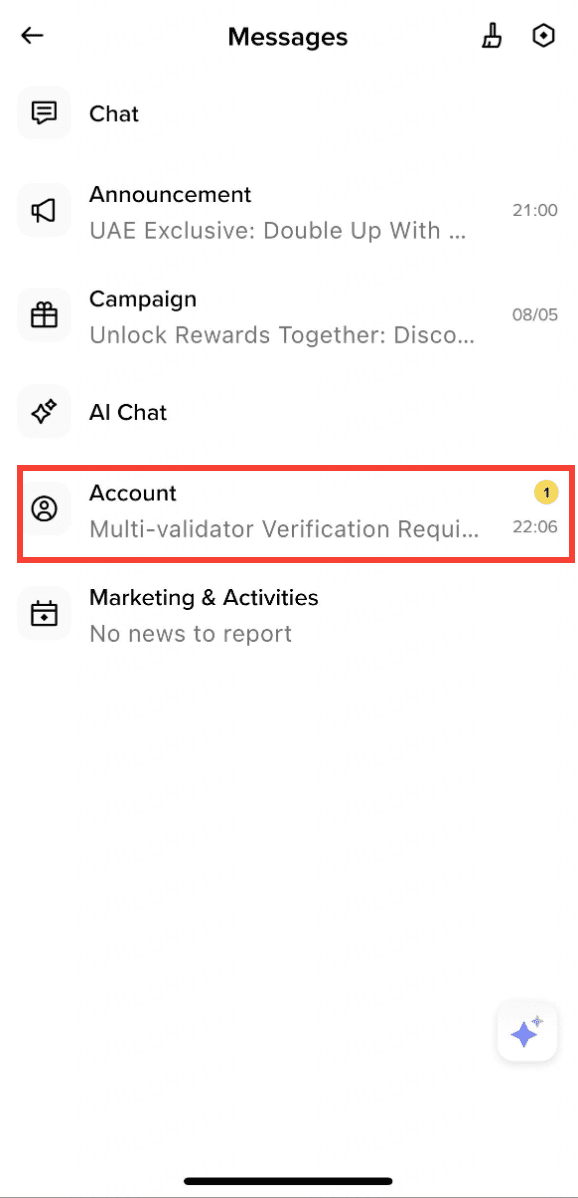
Go to the [Notification Center] and find the verification request in the [Account] section. You’ll find a [Verification Required] message, if you recognize the request, click [Yes] to approve.
To learn more about Binance VIP accounts, visit the VIP FAQs page.
