
#biyapay
biyapay
641,354 Aufrufe
3,501 Kommentare
Hot
Zuletzt

·
--
Artikel
Was zahlen Sie tatsächlich, um USDT auf ein Bankkonto zu überweisen?Hinweis: Dies ist keine Finanzberatung
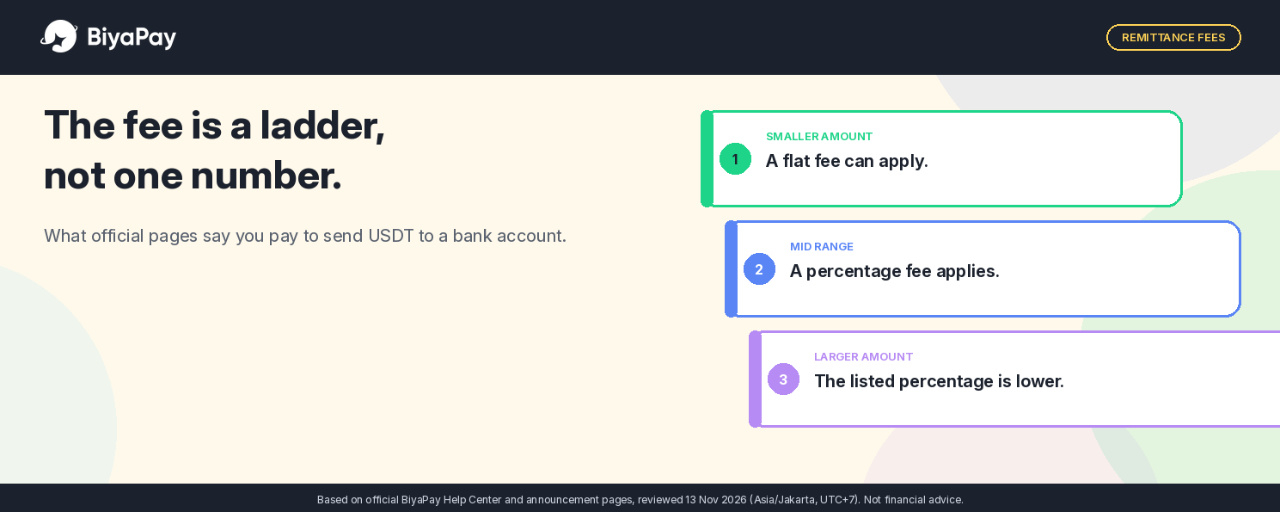
Eine kurze Aussage zu einer Überweisungsgebühr kann den Eindruck erwecken, dass es sich um einen festen Betrag handelt. Auf den offiziellen BiyaPay-Seiten ist jedoch von etwas anderem die Rede: einer gestaffelten Gebühr, die sich mit der Höhe der Überweisung ändert.
Dies ist keine Empfehlung, Geld zu überweisen. Es handelt sich um eine Auswertung dessen, was im offiziellen Hilfecenter und in einer Mitteilung zu Überweisungsgebühren tatsächlich steht, sowie dessen, was ich vor der Bestätigung prüfen würde.
Zwei offizielle Wege, und laut Beschreibung wird bei beiden derselbe Betrag ausgezahlt
Laut einem Leitfaden im BiyaPay-Hilfecenter vom 28. Februar 2026 gibt es zwei Möglichkeiten, Fiatwährungen abzuheben, und bei beiden Methoden sind die Auszahlungsbeträge gleich. Das Beispiel auf dieser Seite bezieht sich auf eine Auszahlung in USD.
Was zahlen Sie tatsächlich, um USDT auf ein Bankkonto zu überweisen?
Hinweis: Dies ist keine Finanzberatung
Eine kurze Aussage zu einer Überweisungsgebühr kann den Eindruck erwecken, dass es sich um einen festen Betrag handelt. Auf den offiziellen BiyaPay-Seiten ist jedoch von etwas anderem die Rede: einer gestaffelten Gebühr, die sich mit der Höhe der Überweisung ändert.
Dies ist keine Empfehlung, Geld zu überweisen. Es handelt sich um eine Auswertung dessen, was im offiziellen Hilfecenter und in einer Mitteilung zu Überweisungsgebühren tatsächlich steht, sowie dessen, was ich vor der Bestätigung prüfen würde.
Zwei offizielle Wege, und laut Beschreibung wird bei beiden derselbe Betrag ausgezahlt
Laut einem Leitfaden im BiyaPay-Hilfecenter vom 28. Februar 2026 gibt es zwei Möglichkeiten, Fiatwährungen abzuheben, und bei beiden Methoden sind die Auszahlungsbeträge gleich. Das Beispiel auf dieser Seite bezieht sich auf eine Auszahlung in USD.
Eine kurze Aussage zu einer Überweisungsgebühr kann den Eindruck erwecken, dass es sich um einen festen Betrag handelt. Auf den offiziellen BiyaPay-Seiten ist jedoch von etwas anderem die Rede: einer gestaffelten Gebühr, die sich mit der Höhe der Überweisung ändert.
Dies ist keine Empfehlung, Geld zu überweisen. Es handelt sich um eine Auswertung dessen, was im offiziellen Hilfecenter und in einer Mitteilung zu Überweisungsgebühren tatsächlich steht, sowie dessen, was ich vor der Bestätigung prüfen würde.
Zwei offizielle Wege, und laut Beschreibung wird bei beiden derselbe Betrag ausgezahlt
Laut einem Leitfaden im BiyaPay-Hilfecenter vom 28. Februar 2026 gibt es zwei Möglichkeiten, Fiatwährungen abzuheben, und bei beiden Methoden sind die Auszahlungsbeträge gleich. Das Beispiel auf dieser Seite bezieht sich auf eine Auszahlung in USD.
302
·
--
Verifiziert
Artikel
Was halten Sie tatsächlich: die US-Aktie oder den unbefristeten Aktienkontrakt?Hinweis: Dies ist keine Finanzberatung.
Ein vertrautes Tickersymbol kann bei mehr als einem Produkt auftauchen. Das bedeutet nicht, dass Sie dasselbe halten.
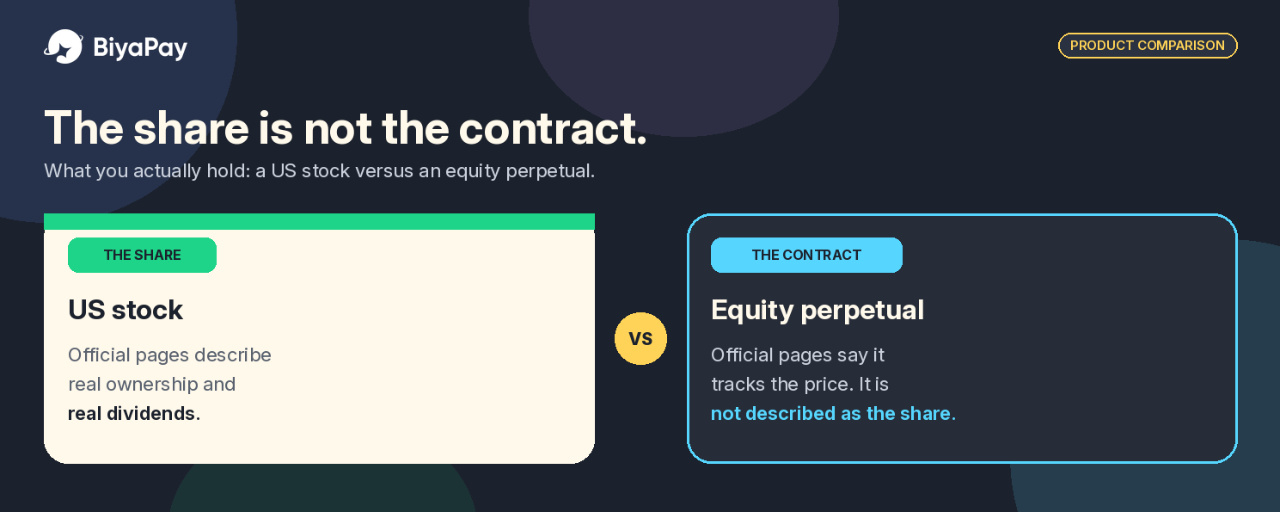
Auf BiyaPay können Sie eine US-Aktie kaufen und außerdem einen unbefristeten Aktienkontrakt handeln, der den Kurs dieser Aktie abbildet. Die Darstellung mag ähnlich aussehen. Was Sie tatsächlich halten, ist jedoch nicht dasselbe.
Ich würde diese Produkte voneinander unterscheiden, bevor ich entscheide, welches der Absicht entspricht. Das ist keine Empfehlung, eines von beiden zu nutzen. Es ist eine Wiedergabe dessen, was auf den offiziellen Seiten tatsächlich dazu steht, was Sie halten, und was dort nicht steht.
Was halten Sie tatsächlich: die US-Aktie oder den unbefristeten Aktienkontrakt?
Hinweis: Dies ist keine Finanzberatung.
Ein vertrautes Tickersymbol kann bei mehr als einem Produkt auftauchen. Das bedeutet nicht, dass Sie dasselbe halten.
Auf BiyaPay können Sie eine US-Aktie kaufen und außerdem einen unbefristeten Aktienkontrakt handeln, der den Kurs dieser Aktie abbildet. Die Darstellung mag ähnlich aussehen. Was Sie tatsächlich halten, ist jedoch nicht dasselbe.
Ich würde diese Produkte voneinander unterscheiden, bevor ich entscheide, welches der Absicht entspricht. Das ist keine Empfehlung, eines von beiden zu nutzen. Es ist eine Wiedergabe dessen, was auf den offiziellen Seiten tatsächlich dazu steht, was Sie halten, und was dort nicht steht.
Ein vertrautes Tickersymbol kann bei mehr als einem Produkt auftauchen. Das bedeutet nicht, dass Sie dasselbe halten.
Auf BiyaPay können Sie eine US-Aktie kaufen und außerdem einen unbefristeten Aktienkontrakt handeln, der den Kurs dieser Aktie abbildet. Die Darstellung mag ähnlich aussehen. Was Sie tatsächlich halten, ist jedoch nicht dasselbe.
Ich würde diese Produkte voneinander unterscheiden, bevor ich entscheide, welches der Absicht entspricht. Das ist keine Empfehlung, eines von beiden zu nutzen. Es ist eine Wiedergabe dessen, was auf den offiziellen Seiten tatsächlich dazu steht, was Sie halten, und was dort nicht steht.
1
1.1k
·
--
Artikel
Übersetzung ansehen
Crypto Withdrawal Checklist on BiyaPay: Networks, MEMO Tags, Fees and Review TimeDisclosure: It is not financial advice
The 1 USDT versus 10 USDT withdrawal fee can look like the whole decision. In my view, it is not.
Official BiyaPay Help Center examples put the on-chain fee for USDT at 1 USDT on TRC20 and 10 USDT on ERC20. That is a 9 USDT gap, and it is easy to treat the cheaper figure as the default. The same Help Center also says that if the network does not match the receiving side, or if a required MEMO or tag is missing, the currency will be lost.
This is not a recommendation to withdraw. It is my reading of those official pages, and of which mistake actually costs more once you run the numbers.
The fee gap is real. The loss from a mismatch is larger.
Take the official examples first, and treat them as examples, because the Help Center notes that on-chain fees can change with network congestion.
On a 50 USDT withdrawal, a 1 USDT TRC20 fee is 2 percent of the amount. A 10 USDT ERC20 fee is 20 percent.
On 100 USDT, the same fees are 1 percent and 10 percent. On 1,000 USDT, they are 0.1 percent and 1 percent.
The 9 USDT difference does not grow with the size of the transfer, in these examples. The percentage shrinks as the amount gets larger, which makes the fee look cheaper, but a smaller percentage does not make the network choice safer.
If the receiving wallet or exchange only accepts USDT on ERC20, and the withdrawal is sent on TRC20 to "save" 9 USDT, the Help Center's wording is not that you pay a higher fee. It is that the currency will be lost. On a 1,000 USDT withdrawal, that is the entire 1,000, not the 9 you were trying to keep.
That is why, in my view, the most expensive withdrawal mistake is not paying the higher network fee. It is treating the cheaper network as a default before checking what the receiving side actually supports.
When paying the higher fee is the right call, and when it is not
If the receiving side supports both TRC20 and ERC20, I would pick the cheaper network it officially lists, after opening its deposit page and reading the network it shows. In the Help Center examples, that would be TRC20 at 1 USDT rather than ERC20 at 10 USDT.
If it only lists ERC20, I would pay the 10 USDT example fee, or I would not send, rather than choose TRC20 because it is cheaper. The 9 USDT "saving" is not a saving if the funds do not arrive.
The order matters. I would let the receiving side tell me the network first, for example TRC20 or ERC20, and only then choose the exact same network on BiyaPay's On-chain Withdrawal page. The Help Center's own example is USDT-TRC20 on both sides, and it says the two networks must be consistent.
A MEMO is not a fee problem. It is the same kind of total-loss problem.
The Help Center gives XRP and EOS as examples of coins that need more than an address. A label (MEMO) is shown above the withdrawal address, usually a string of numbers, and you must fill in both the address and the label, otherwise the currency will be lost.
There is no 1 USDT or 10 USDT figure attached to a missing MEMO. The official cost is the whole transfer. I would copy the MEMO, tag, or similar field at the same time as the address and treat both as one unit. If the receiving side shows a MEMO and I do not have it, I would not submit.
A cheaper route exists, but only for a different destination.
The Help Center lists three withdrawal methods: on-chain withdrawal, for sending cryptocurrency to an external wallet or exchange; fiat remittance, for sending fiat currency out to a bank account; and email account transfer, for moving funds to another BiyaPay account using its registered email.
If the person I am paying also uses BiyaPay and the transfer is fiat, an email account transfer may make more sense than going on-chain. The Help Center states there is no handling fee for transferring fiat currency between BiyaPay wallets through a registered email. Next to a 1 USDT or 10 USDT on-chain fee, that is a different cost entirely. It only applies to that route, and only to fiat between BiyaPay wallets. It is not a reason to skip the network check on an on-chain withdrawal to an outside wallet.
I would also check the minimum withdrawal amount on the day itself, on the On-chain Withdrawal page. Minimums differ by currency and by protocol, and they can change with the coin price or network congestion. A small withdrawal and a large one are not the same decision: 10 USDT is 20 percent of 50 USDT, and only 1 percent of 1,000 USDT. I would look at that percentage and at the live minimum together, and I would not assume the 1 USDT TRC20 example applies to a destination that does not support TRC20.
A second withdrawal, sent too early, can double the cost.
The official web flow asks you to check the address and amount again before Submit, then enter an email verification code or a Biya verification code. I would treat that code step as a last checkpoint, not a formality. If the network, the MEMO, or the amount feels off, that is the time to stop.
The Help Center says a crypto withdrawal goes through a review that takes from a few minutes to half an hour, and the arrival time after approval depends on the protocol and network congestion. If a withdrawal is pending for more than 30 minutes, it says you should contact support.
In my view, a withdrawal that has been pending for ten minutes is not a reason to submit a second one. On a 100 USDT send, a duplicate would not be a 1 USDT or 10 USDT question. It would be another 100 USDT, plus another fee, sitting in a window the Help Center describes as normal. Past 30 minutes, I would contact support through the official channels on the BiyaPay site, and I would not send a duplicate in the meantime.
Support for a coin or network can change, so I would treat the app screen on the day as the source of truth. BiyaPay says it supports withdrawal of over 200 cryptocurrencies including USDT, subject to what the app displays or what customer service announces.
What I would actually do
My takeaway is simple. I would rather pay the higher official fee on a network the receiver supports than try to keep 9 USDT on a network it does not. The fee in the Help Center examples is visible and bounded: 1 USDT or 10 USDT, subject to change with congestion. A mismatch or a missing MEMO is described as a loss of the currency itself.
A short list I would keep in front of me:
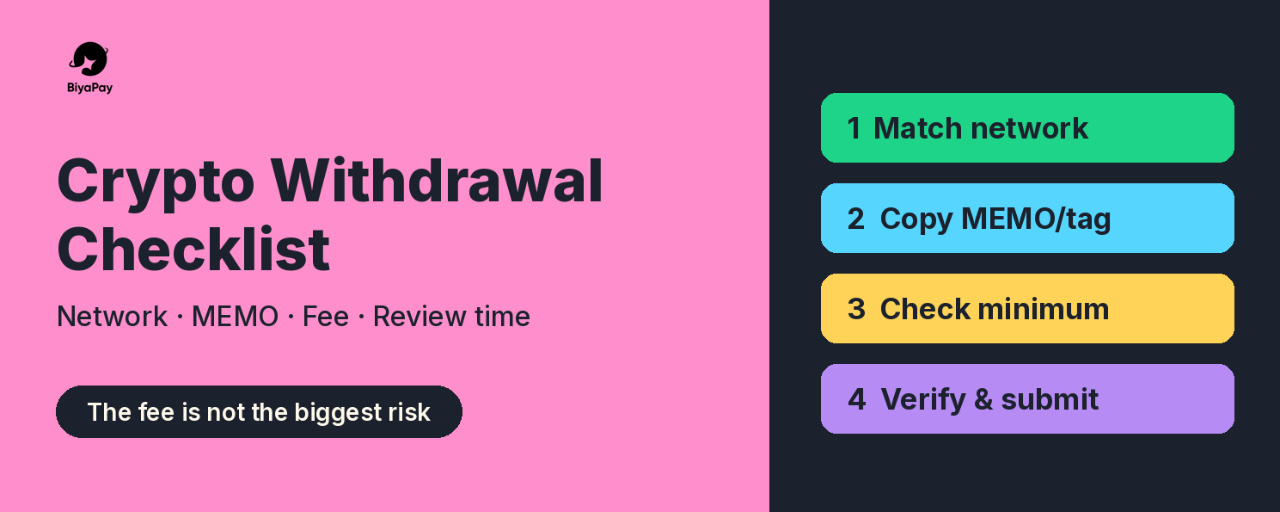
Decide the route first: on-chain, fiat remittance, or email transfer. Fiat between BiyaPay wallets via registered email has no handling fee.Let the receiving side tell you the network, then match it exactly. Only compare fees among networks that side supports.Copy any MEMO or tag together with the address. No MEMO, no submit.Check the current minimum and the live fee on the On-chain Withdrawal page, and look at the fee as a percentage of this amount, not only as a flat number.Re-check address and amount, then complete the verification code step.Expect review of a few minutes up to about 30 minutes. Contact support if it goes longer, and do not submit a second withdrawal while the first is still inside that window.
None of this is a recommendation to withdraw. Official fees, minimums, and supported networks can change. I would re-read the Help Center and the withdrawal page in the app before sending.
Source: BiyaPay Help Center, Withdrawal and Wallet sections, checked on November 9, 2026.
#BiyaPay #CryptoWithdrawal #USDT #CryptoSafety
Crypto Withdrawal Checklist on BiyaPay: Networks, MEMO Tags, Fees and Review Time
Disclosure: It is not financial advice
The 1 USDT versus 10 USDT withdrawal fee can look like the whole decision. In my view, it is not.
Official BiyaPay Help Center examples put the on-chain fee for USDT at 1 USDT on TRC20 and 10 USDT on ERC20. That is a 9 USDT gap, and it is easy to treat the cheaper figure as the default. The same Help Center also says that if the network does not match the receiving side, or if a required MEMO or tag is missing, the currency will be lost.
This is not a recommendation to withdraw. It is my reading of those official pages, and of which mistake actually costs more once you run the numbers.
The fee gap is real. The loss from a mismatch is larger.
Take the official examples first, and treat them as examples, because the Help Center notes that on-chain fees can change with network congestion.
On a 50 USDT withdrawal, a 1 USDT TRC20 fee is 2 percent of the amount. A 10 USDT ERC20 fee is 20 percent.
On 100 USDT, the same fees are 1 percent and 10 percent. On 1,000 USDT, they are 0.1 percent and 1 percent.
The 9 USDT difference does not grow with the size of the transfer, in these examples. The percentage shrinks as the amount gets larger, which makes the fee look cheaper, but a smaller percentage does not make the network choice safer.
If the receiving wallet or exchange only accepts USDT on ERC20, and the withdrawal is sent on TRC20 to "save" 9 USDT, the Help Center's wording is not that you pay a higher fee. It is that the currency will be lost. On a 1,000 USDT withdrawal, that is the entire 1,000, not the 9 you were trying to keep.
That is why, in my view, the most expensive withdrawal mistake is not paying the higher network fee. It is treating the cheaper network as a default before checking what the receiving side actually supports.
When paying the higher fee is the right call, and when it is not
If the receiving side supports both TRC20 and ERC20, I would pick the cheaper network it officially lists, after opening its deposit page and reading the network it shows. In the Help Center examples, that would be TRC20 at 1 USDT rather than ERC20 at 10 USDT.
If it only lists ERC20, I would pay the 10 USDT example fee, or I would not send, rather than choose TRC20 because it is cheaper. The 9 USDT "saving" is not a saving if the funds do not arrive.
The order matters. I would let the receiving side tell me the network first, for example TRC20 or ERC20, and only then choose the exact same network on BiyaPay's On-chain Withdrawal page. The Help Center's own example is USDT-TRC20 on both sides, and it says the two networks must be consistent.
A MEMO is not a fee problem. It is the same kind of total-loss problem.
The Help Center gives XRP and EOS as examples of coins that need more than an address. A label (MEMO) is shown above the withdrawal address, usually a string of numbers, and you must fill in both the address and the label, otherwise the currency will be lost.
There is no 1 USDT or 10 USDT figure attached to a missing MEMO. The official cost is the whole transfer. I would copy the MEMO, tag, or similar field at the same time as the address and treat both as one unit. If the receiving side shows a MEMO and I do not have it, I would not submit.
A cheaper route exists, but only for a different destination.
The Help Center lists three withdrawal methods: on-chain withdrawal, for sending cryptocurrency to an external wallet or exchange; fiat remittance, for sending fiat currency out to a bank account; and email account transfer, for moving funds to another BiyaPay account using its registered email.
If the person I am paying also uses BiyaPay and the transfer is fiat, an email account transfer may make more sense than going on-chain. The Help Center states there is no handling fee for transferring fiat currency between BiyaPay wallets through a registered email. Next to a 1 USDT or 10 USDT on-chain fee, that is a different cost entirely. It only applies to that route, and only to fiat between BiyaPay wallets. It is not a reason to skip the network check on an on-chain withdrawal to an outside wallet.
I would also check the minimum withdrawal amount on the day itself, on the On-chain Withdrawal page. Minimums differ by currency and by protocol, and they can change with the coin price or network congestion. A small withdrawal and a large one are not the same decision: 10 USDT is 20 percent of 50 USDT, and only 1 percent of 1,000 USDT. I would look at that percentage and at the live minimum together, and I would not assume the 1 USDT TRC20 example applies to a destination that does not support TRC20.
A second withdrawal, sent too early, can double the cost.
The official web flow asks you to check the address and amount again before Submit, then enter an email verification code or a Biya verification code. I would treat that code step as a last checkpoint, not a formality. If the network, the MEMO, or the amount feels off, that is the time to stop.
The Help Center says a crypto withdrawal goes through a review that takes from a few minutes to half an hour, and the arrival time after approval depends on the protocol and network congestion. If a withdrawal is pending for more than 30 minutes, it says you should contact support.
In my view, a withdrawal that has been pending for ten minutes is not a reason to submit a second one. On a 100 USDT send, a duplicate would not be a 1 USDT or 10 USDT question. It would be another 100 USDT, plus another fee, sitting in a window the Help Center describes as normal. Past 30 minutes, I would contact support through the official channels on the BiyaPay site, and I would not send a duplicate in the meantime.
Support for a coin or network can change, so I would treat the app screen on the day as the source of truth. BiyaPay says it supports withdrawal of over 200 cryptocurrencies including USDT, subject to what the app displays or what customer service announces.
What I would actually do
My takeaway is simple. I would rather pay the higher official fee on a network the receiver supports than try to keep 9 USDT on a network it does not. The fee in the Help Center examples is visible and bounded: 1 USDT or 10 USDT, subject to change with congestion. A mismatch or a missing MEMO is described as a loss of the currency itself.
A short list I would keep in front of me:
Decide the route first: on-chain, fiat remittance, or email transfer. Fiat between BiyaPay wallets via registered email has no handling fee.Let the receiving side tell you the network, then match it exactly. Only compare fees among networks that side supports.Copy any MEMO or tag together with the address. No MEMO, no submit.Check the current minimum and the live fee on the On-chain Withdrawal page, and look at the fee as a percentage of this amount, not only as a flat number.Re-check address and amount, then complete the verification code step.Expect review of a few minutes up to about 30 minutes. Contact support if it goes longer, and do not submit a second withdrawal while the first is still inside that window.
None of this is a recommendation to withdraw. Official fees, minimums, and supported networks can change. I would re-read the Help Center and the withdrawal page in the app before sending.
Source: BiyaPay Help Center, Withdrawal and Wallet sections, checked on November 9, 2026.
#BiyaPay #CryptoWithdrawal #USDT #CryptoSafety
The 1 USDT versus 10 USDT withdrawal fee can look like the whole decision. In my view, it is not.
Official BiyaPay Help Center examples put the on-chain fee for USDT at 1 USDT on TRC20 and 10 USDT on ERC20. That is a 9 USDT gap, and it is easy to treat the cheaper figure as the default. The same Help Center also says that if the network does not match the receiving side, or if a required MEMO or tag is missing, the currency will be lost.
This is not a recommendation to withdraw. It is my reading of those official pages, and of which mistake actually costs more once you run the numbers.
The fee gap is real. The loss from a mismatch is larger.
Take the official examples first, and treat them as examples, because the Help Center notes that on-chain fees can change with network congestion.
On a 50 USDT withdrawal, a 1 USDT TRC20 fee is 2 percent of the amount. A 10 USDT ERC20 fee is 20 percent.
On 100 USDT, the same fees are 1 percent and 10 percent. On 1,000 USDT, they are 0.1 percent and 1 percent.
The 9 USDT difference does not grow with the size of the transfer, in these examples. The percentage shrinks as the amount gets larger, which makes the fee look cheaper, but a smaller percentage does not make the network choice safer.
If the receiving wallet or exchange only accepts USDT on ERC20, and the withdrawal is sent on TRC20 to "save" 9 USDT, the Help Center's wording is not that you pay a higher fee. It is that the currency will be lost. On a 1,000 USDT withdrawal, that is the entire 1,000, not the 9 you were trying to keep.
That is why, in my view, the most expensive withdrawal mistake is not paying the higher network fee. It is treating the cheaper network as a default before checking what the receiving side actually supports.
When paying the higher fee is the right call, and when it is not
If the receiving side supports both TRC20 and ERC20, I would pick the cheaper network it officially lists, after opening its deposit page and reading the network it shows. In the Help Center examples, that would be TRC20 at 1 USDT rather than ERC20 at 10 USDT.
If it only lists ERC20, I would pay the 10 USDT example fee, or I would not send, rather than choose TRC20 because it is cheaper. The 9 USDT "saving" is not a saving if the funds do not arrive.
The order matters. I would let the receiving side tell me the network first, for example TRC20 or ERC20, and only then choose the exact same network on BiyaPay's On-chain Withdrawal page. The Help Center's own example is USDT-TRC20 on both sides, and it says the two networks must be consistent.
A MEMO is not a fee problem. It is the same kind of total-loss problem.
The Help Center gives XRP and EOS as examples of coins that need more than an address. A label (MEMO) is shown above the withdrawal address, usually a string of numbers, and you must fill in both the address and the label, otherwise the currency will be lost.
There is no 1 USDT or 10 USDT figure attached to a missing MEMO. The official cost is the whole transfer. I would copy the MEMO, tag, or similar field at the same time as the address and treat both as one unit. If the receiving side shows a MEMO and I do not have it, I would not submit.
A cheaper route exists, but only for a different destination.
The Help Center lists three withdrawal methods: on-chain withdrawal, for sending cryptocurrency to an external wallet or exchange; fiat remittance, for sending fiat currency out to a bank account; and email account transfer, for moving funds to another BiyaPay account using its registered email.
If the person I am paying also uses BiyaPay and the transfer is fiat, an email account transfer may make more sense than going on-chain. The Help Center states there is no handling fee for transferring fiat currency between BiyaPay wallets through a registered email. Next to a 1 USDT or 10 USDT on-chain fee, that is a different cost entirely. It only applies to that route, and only to fiat between BiyaPay wallets. It is not a reason to skip the network check on an on-chain withdrawal to an outside wallet.
I would also check the minimum withdrawal amount on the day itself, on the On-chain Withdrawal page. Minimums differ by currency and by protocol, and they can change with the coin price or network congestion. A small withdrawal and a large one are not the same decision: 10 USDT is 20 percent of 50 USDT, and only 1 percent of 1,000 USDT. I would look at that percentage and at the live minimum together, and I would not assume the 1 USDT TRC20 example applies to a destination that does not support TRC20.
A second withdrawal, sent too early, can double the cost.
The official web flow asks you to check the address and amount again before Submit, then enter an email verification code or a Biya verification code. I would treat that code step as a last checkpoint, not a formality. If the network, the MEMO, or the amount feels off, that is the time to stop.
The Help Center says a crypto withdrawal goes through a review that takes from a few minutes to half an hour, and the arrival time after approval depends on the protocol and network congestion. If a withdrawal is pending for more than 30 minutes, it says you should contact support.
In my view, a withdrawal that has been pending for ten minutes is not a reason to submit a second one. On a 100 USDT send, a duplicate would not be a 1 USDT or 10 USDT question. It would be another 100 USDT, plus another fee, sitting in a window the Help Center describes as normal. Past 30 minutes, I would contact support through the official channels on the BiyaPay site, and I would not send a duplicate in the meantime.
Support for a coin or network can change, so I would treat the app screen on the day as the source of truth. BiyaPay says it supports withdrawal of over 200 cryptocurrencies including USDT, subject to what the app displays or what customer service announces.
What I would actually do
My takeaway is simple. I would rather pay the higher official fee on a network the receiver supports than try to keep 9 USDT on a network it does not. The fee in the Help Center examples is visible and bounded: 1 USDT or 10 USDT, subject to change with congestion. A mismatch or a missing MEMO is described as a loss of the currency itself.
A short list I would keep in front of me:
Decide the route first: on-chain, fiat remittance, or email transfer. Fiat between BiyaPay wallets via registered email has no handling fee.Let the receiving side tell you the network, then match it exactly. Only compare fees among networks that side supports.Copy any MEMO or tag together with the address. No MEMO, no submit.Check the current minimum and the live fee on the On-chain Withdrawal page, and look at the fee as a percentage of this amount, not only as a flat number.Re-check address and amount, then complete the verification code step.Expect review of a few minutes up to about 30 minutes. Contact support if it goes longer, and do not submit a second withdrawal while the first is still inside that window.
None of this is a recommendation to withdraw. Official fees, minimums, and supported networks can change. I would re-read the Help Center and the withdrawal page in the app before sending.
Source: BiyaPay Help Center, Withdrawal and Wallet sections, checked on November 9, 2026.
#BiyaPay #CryptoWithdrawal #USDT #CryptoSafety
335
·
--
Artikel
Übersetzung ansehen
Before You Paste a USDT Address: My Network Checklist for BiyaPay DepositsDisclosure: It is not financial advice
In crypto circles in Indonesia, moving USDT between platforms feels routine. Copy, paste, confirm, done. But some of the most expensive mistakes in crypto have nothing to do with price moves. They come from a deposit sent on the wrong network, or a missing memo tag.
This article is not a story about a transfer I made. It is my reading of BiyaPay's Help Center articles on crypto deposits, turned into a checklist I would want in front of me before sending anything.
The one rule BiyaPay repeats
BiyaPay guide on on-chain deposits describes the flow on the App like this:
Open the homepage and tap Deposit, then On-chain Deposit (Cryptocurrency), and pick a currency such as USDT.Select the deposit network, for example USDT-TRC20, and get the deposit address.Paste that address into the other platform or wallet and complete the withdrawal there.Use the deposit record icon in the upper right corner of the address page to view the order details.
On Web, the path starts from My Assets, then Funds, then Deposit, with the same network step.
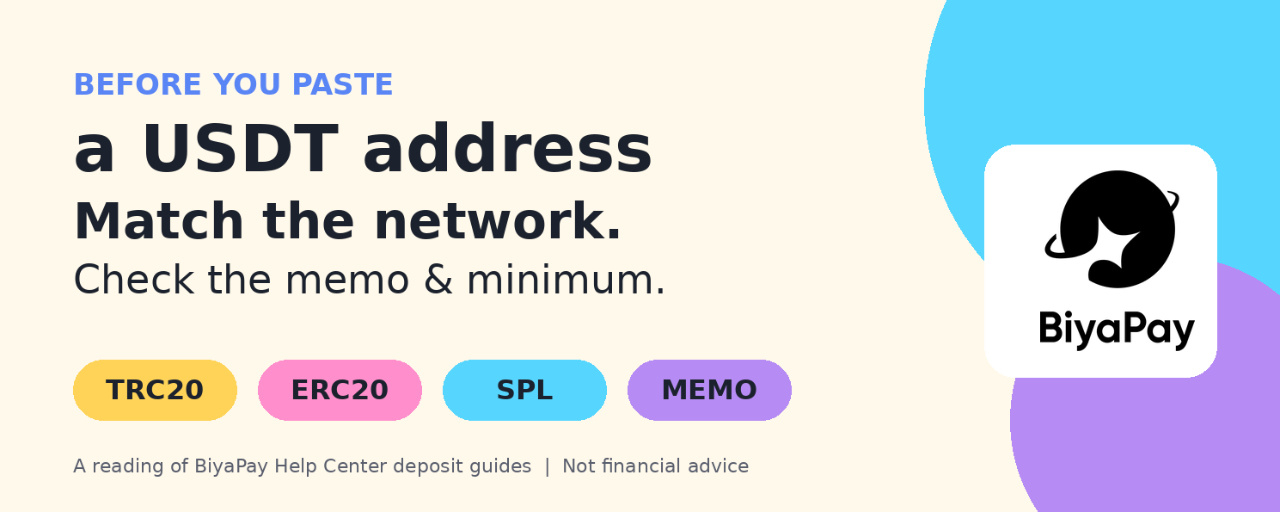
The note attached to step 2 is the part I would read twice. The withdrawal network on the other exchange or wallet must match the BiyaPay deposit network, for example both USDT-TRC20. The Help Center says plainly that otherwise the coins will be lost.
In my opinion, that sentence matters more than any speed or fee comparison. The same token name, USDT, exists on several blockchains, so "USDT" alone is not enough information.
Memo tags are the second trap
The same guide adds that some currencies require a tag, with XRP and EOS given as examples. The tag, or MEMO, is shown above the deposit address and is usually a string of numbers. For those currencies, both the address and the tag must be filled in, otherwise the coins will be lost.
People used to USDT may never have needed a memo, so it is easy to skip the field the first time they move a different coin.
What changes between networks
BiyaPay article on deposit times explains that USDT runs on multiple blockchains and gives general characteristics for each:
Ethereum (ERC-20): usually 15 seconds to several minutes to confirm, depending on congestion and gas fees paidBitcoin (Omni Layer): about 10 minutes per block, and multiple confirmations may take more timeTron (TRC-20): block time of about 3 seconds, usually confirmed within a few minutesSolana (SPL): usually confirmed within seconds
The article also lists other factors: BiyaPay own confirmation requirements (shown on the network selection page), network congestion, transaction fees, and internal processing time at exchanges and wallets. I read these as general blockchain descriptions, not a promise of how fast any single deposit will land.
Minimums differ by network
According to BiyaPay FAQ on minimum deposits, amounts vary by currency and protocol. The examples given:
USDT on TRC20: minimum 1USDT on ERC20: minimum 10
The FAQ notes these can change and that the amount displayed in the app is what counts. For small test transfers, I think this detail is easy to miss. Sending less than the minimum for the chosen network is a question worth checking in the app before, not after.
Fees: whose fee is it?
BiyaPay Help Center states that it does not charge fees for depositing cryptocurrency to BiyaPay. My personal note here: that covers the receiving side. The platform or wallet you send from may still charge its own withdrawal fee, and the blockchain itself has network costs. So "free deposit" and "free transfer" are not the same thing.
If a deposit does not arrive
BiyaPay has a separate article for this, and its first advice is not to panic. The suggested order is roughly:
Check the transaction status on a blockchain explorer using the transaction hash, or in the sending platform's withdrawal records.Confirm the address was correct, ideally copied and pasted, with each character checked.Allow for network confirmation time, which can be longer during congestion.If the chain shows the transaction confirmed but the balance has not updated, contact BiyaPay support.
For that support request, the article lists useful information: transaction hash, registered email, currency name, deposit protocol type, deposit address, transaction time, and any screenshots or proof. I like that this list exists, because gathering it before contacting support saves a lot of back and forth.
My intended checklist before any USDT deposit
Pick the network on BiyaPay first, then match the exact same network on the sending side.Check whether the coin needs a memo tag. If yes, fill in both address and tag.Check the minimum deposit for that network on the network selection page.Check the confirmation requirement shown in the app, and do not plan around best-case timing.Check the sending platform's withdrawal fee separately.Copy and paste the address, then verify the first and last characters.Save the transaction hash until the balance shows up.
Final thoughts
Choosing a network can sound like a technical detail, but BiyaPay own documentation treats it as the difference between a deposit arriving and coins being lost. None of this guarantees a smooth transfer. Chains get congested, and platforms have their own processing steps.
What I take from the Help Center is simple: match the network, respect the memo, check the minimum, and keep the hash. That is my reading of the official guides, not a recommendation to use any particular chain.
#BiyaPay #USDT #CryptoDeposit #Blockchain #CryptoSafety
Before You Paste a USDT Address: My Network Checklist for BiyaPay Deposits
Disclosure: It is not financial advice
In crypto circles in Indonesia, moving USDT between platforms feels routine. Copy, paste, confirm, done. But some of the most expensive mistakes in crypto have nothing to do with price moves. They come from a deposit sent on the wrong network, or a missing memo tag.
This article is not a story about a transfer I made. It is my reading of BiyaPay's Help Center articles on crypto deposits, turned into a checklist I would want in front of me before sending anything.
The one rule BiyaPay repeats
BiyaPay guide on on-chain deposits describes the flow on the App like this:
Open the homepage and tap Deposit, then On-chain Deposit (Cryptocurrency), and pick a currency such as USDT.Select the deposit network, for example USDT-TRC20, and get the deposit address.Paste that address into the other platform or wallet and complete the withdrawal there.Use the deposit record icon in the upper right corner of the address page to view the order details.
On Web, the path starts from My Assets, then Funds, then Deposit, with the same network step.
The note attached to step 2 is the part I would read twice. The withdrawal network on the other exchange or wallet must match the BiyaPay deposit network, for example both USDT-TRC20. The Help Center says plainly that otherwise the coins will be lost.
In my opinion, that sentence matters more than any speed or fee comparison. The same token name, USDT, exists on several blockchains, so "USDT" alone is not enough information.
Memo tags are the second trap
The same guide adds that some currencies require a tag, with XRP and EOS given as examples. The tag, or MEMO, is shown above the deposit address and is usually a string of numbers. For those currencies, both the address and the tag must be filled in, otherwise the coins will be lost.
People used to USDT may never have needed a memo, so it is easy to skip the field the first time they move a different coin.
What changes between networks
BiyaPay article on deposit times explains that USDT runs on multiple blockchains and gives general characteristics for each:
Ethereum (ERC-20): usually 15 seconds to several minutes to confirm, depending on congestion and gas fees paidBitcoin (Omni Layer): about 10 minutes per block, and multiple confirmations may take more timeTron (TRC-20): block time of about 3 seconds, usually confirmed within a few minutesSolana (SPL): usually confirmed within seconds
The article also lists other factors: BiyaPay own confirmation requirements (shown on the network selection page), network congestion, transaction fees, and internal processing time at exchanges and wallets. I read these as general blockchain descriptions, not a promise of how fast any single deposit will land.
Minimums differ by network
According to BiyaPay FAQ on minimum deposits, amounts vary by currency and protocol. The examples given:
USDT on TRC20: minimum 1USDT on ERC20: minimum 10
The FAQ notes these can change and that the amount displayed in the app is what counts. For small test transfers, I think this detail is easy to miss. Sending less than the minimum for the chosen network is a question worth checking in the app before, not after.
Fees: whose fee is it?
BiyaPay Help Center states that it does not charge fees for depositing cryptocurrency to BiyaPay. My personal note here: that covers the receiving side. The platform or wallet you send from may still charge its own withdrawal fee, and the blockchain itself has network costs. So "free deposit" and "free transfer" are not the same thing.
If a deposit does not arrive
BiyaPay has a separate article for this, and its first advice is not to panic. The suggested order is roughly:
Check the transaction status on a blockchain explorer using the transaction hash, or in the sending platform's withdrawal records.Confirm the address was correct, ideally copied and pasted, with each character checked.Allow for network confirmation time, which can be longer during congestion.If the chain shows the transaction confirmed but the balance has not updated, contact BiyaPay support.
For that support request, the article lists useful information: transaction hash, registered email, currency name, deposit protocol type, deposit address, transaction time, and any screenshots or proof. I like that this list exists, because gathering it before contacting support saves a lot of back and forth.
My intended checklist before any USDT deposit
Pick the network on BiyaPay first, then match the exact same network on the sending side.Check whether the coin needs a memo tag. If yes, fill in both address and tag.Check the minimum deposit for that network on the network selection page.Check the confirmation requirement shown in the app, and do not plan around best-case timing.Check the sending platform's withdrawal fee separately.Copy and paste the address, then verify the first and last characters.Save the transaction hash until the balance shows up.
Final thoughts
Choosing a network can sound like a technical detail, but BiyaPay own documentation treats it as the difference between a deposit arriving and coins being lost. None of this guarantees a smooth transfer. Chains get congested, and platforms have their own processing steps.
What I take from the Help Center is simple: match the network, respect the memo, check the minimum, and keep the hash. That is my reading of the official guides, not a recommendation to use any particular chain.
#BiyaPay #USDT #CryptoDeposit #Blockchain #CryptoSafety
In crypto circles in Indonesia, moving USDT between platforms feels routine. Copy, paste, confirm, done. But some of the most expensive mistakes in crypto have nothing to do with price moves. They come from a deposit sent on the wrong network, or a missing memo tag.
This article is not a story about a transfer I made. It is my reading of BiyaPay's Help Center articles on crypto deposits, turned into a checklist I would want in front of me before sending anything.
The one rule BiyaPay repeats
BiyaPay guide on on-chain deposits describes the flow on the App like this:
Open the homepage and tap Deposit, then On-chain Deposit (Cryptocurrency), and pick a currency such as USDT.Select the deposit network, for example USDT-TRC20, and get the deposit address.Paste that address into the other platform or wallet and complete the withdrawal there.Use the deposit record icon in the upper right corner of the address page to view the order details.
On Web, the path starts from My Assets, then Funds, then Deposit, with the same network step.
The note attached to step 2 is the part I would read twice. The withdrawal network on the other exchange or wallet must match the BiyaPay deposit network, for example both USDT-TRC20. The Help Center says plainly that otherwise the coins will be lost.
In my opinion, that sentence matters more than any speed or fee comparison. The same token name, USDT, exists on several blockchains, so "USDT" alone is not enough information.
Memo tags are the second trap
The same guide adds that some currencies require a tag, with XRP and EOS given as examples. The tag, or MEMO, is shown above the deposit address and is usually a string of numbers. For those currencies, both the address and the tag must be filled in, otherwise the coins will be lost.
People used to USDT may never have needed a memo, so it is easy to skip the field the first time they move a different coin.
What changes between networks
BiyaPay article on deposit times explains that USDT runs on multiple blockchains and gives general characteristics for each:
Ethereum (ERC-20): usually 15 seconds to several minutes to confirm, depending on congestion and gas fees paidBitcoin (Omni Layer): about 10 minutes per block, and multiple confirmations may take more timeTron (TRC-20): block time of about 3 seconds, usually confirmed within a few minutesSolana (SPL): usually confirmed within seconds
The article also lists other factors: BiyaPay own confirmation requirements (shown on the network selection page), network congestion, transaction fees, and internal processing time at exchanges and wallets. I read these as general blockchain descriptions, not a promise of how fast any single deposit will land.
Minimums differ by network
According to BiyaPay FAQ on minimum deposits, amounts vary by currency and protocol. The examples given:
USDT on TRC20: minimum 1USDT on ERC20: minimum 10
The FAQ notes these can change and that the amount displayed in the app is what counts. For small test transfers, I think this detail is easy to miss. Sending less than the minimum for the chosen network is a question worth checking in the app before, not after.
Fees: whose fee is it?
BiyaPay Help Center states that it does not charge fees for depositing cryptocurrency to BiyaPay. My personal note here: that covers the receiving side. The platform or wallet you send from may still charge its own withdrawal fee, and the blockchain itself has network costs. So "free deposit" and "free transfer" are not the same thing.
If a deposit does not arrive
BiyaPay has a separate article for this, and its first advice is not to panic. The suggested order is roughly:
Check the transaction status on a blockchain explorer using the transaction hash, or in the sending platform's withdrawal records.Confirm the address was correct, ideally copied and pasted, with each character checked.Allow for network confirmation time, which can be longer during congestion.If the chain shows the transaction confirmed but the balance has not updated, contact BiyaPay support.
For that support request, the article lists useful information: transaction hash, registered email, currency name, deposit protocol type, deposit address, transaction time, and any screenshots or proof. I like that this list exists, because gathering it before contacting support saves a lot of back and forth.
My intended checklist before any USDT deposit
Pick the network on BiyaPay first, then match the exact same network on the sending side.Check whether the coin needs a memo tag. If yes, fill in both address and tag.Check the minimum deposit for that network on the network selection page.Check the confirmation requirement shown in the app, and do not plan around best-case timing.Check the sending platform's withdrawal fee separately.Copy and paste the address, then verify the first and last characters.Save the transaction hash until the balance shows up.
Final thoughts
Choosing a network can sound like a technical detail, but BiyaPay own documentation treats it as the difference between a deposit arriving and coins being lost. None of this guarantees a smooth transfer. Chains get congested, and platforms have their own processing steps.
What I take from the Help Center is simple: match the network, respect the memo, check the minimum, and keep the hash. That is my reading of the official guides, not a recommendation to use any particular chain.
#BiyaPay #USDT #CryptoDeposit #Blockchain #CryptoSafety
120
·
--
Artikel
Übersetzung ansehen
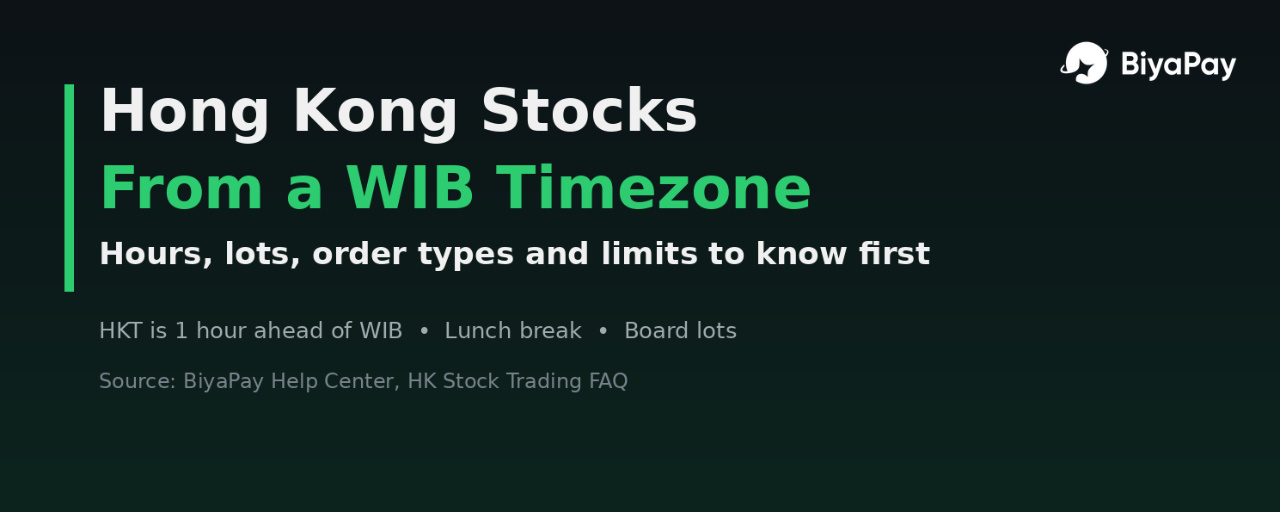
Hong Kong Stocks From a WIB Timezone: Hours, Lots and Limits I Would Read FirstDisclosure: It is not financial advice
Most crypto people in Indonesia who look at stocks think of the US first. That makes sense: big tech names, long overnight sessions, lots of news. But for a WIB timezone, Hong Kong is arguably the more convenient market on the clock. It trades during our morning and early afternoon, not at midnight.
This article is not a trading diary. I am not describing orders I placed. It is my reading of BiyaPay's Hong Kong stock FAQ, plus the questions I think are worth answering before anyone treats HK stocks as "just like US stocks, but earlier."
Why the clock is friendlier
Hong Kong Time is UTC+8. WIB is UTC+7. Neither observes daylight saving time, so the gap stays at one hour all year. That is a nice contrast with the US, where the WIB mapping shifts twice a year.
According to BiyaPay Help Center, HK stock trading hours are:
Morning session: 09:30–12:00 HKT, which is 08:30–11:00 WIBLunch break: 12:00–13:00 HKT, which is 11:00–12:00 WIBAfternoon session: 13:00–16:00 HKT, which is 12:00–15:00 WIB
In my opinion, the lunch break is the detail that surprises people coming from US stocks, where the regular session runs continuously. An order plan made at 10:55 WIB may not behave the way someone expects if they forget the market pauses for an hour.
These are generic exchange hours. Market holidays exist, and what is available in the app on a given day is the final reference.
The board lot rule
This is the one I would read twice. BiyaPay's FAQ says the minimum trading unit for HK stocks is 1 lot, and the number of shares per lot varies by stock.
In practice that means:
The smallest order is not "1 share" like many people assume from US-stock habitsTwo stocks with similar share prices can need very different minimum amounts, because their lot sizes differBefore sizing anything, it makes sense to check the lot size shown for that specific stock
For small budgets, I think this matters more than the share price itself. A cheap-looking stock can still require a meaningful amount per lot.
What BiyaPay says is supported
From the same Help Center section:
All Hong Kong stocks, including ETFs, can be traded, along with margin tradingShort selling for HK stocks is supportedTrading is T+0, so shares bought today can be sold the same dayThere are no daily price limits in the HK market, and the FAQ itself notes that investors need to manage risks
And what is not supported:
WarrantsCallable bull/bear contracts (CBBCs)
I like that the FAQ states the exclusions directly. Warrants and CBBCs are a big part of Hong Kong market chatter, so knowing they are out of scope avoids a wasted search.
Order types
BiyaPay lists five order types for HK stocks: limit order, market order, stop-loss/take-profit, two-way stop-loss/take-profit, and trailing stop-loss/take-profit.
My personal view on them is cautious:
A limit order is the clearest way to state the price you are willing to acceptA market order prioritizes execution, not priceStop and take-profit orders are triggers, not promises of an exact exit price, especially when a stock moves quickly with no daily limit to slow it down
Margin and short selling: opinion first
The FAQ says margin trading and short selling are supported for HK stocks. Supported does not mean suitable. Leverage amplifies losses as well as gains, and short positions can lose more than the starting amount if a price keeps rising. Combined with no daily price limits, I would treat both features as advanced tools, not a starting point.
Fees are their own topic
Hong Kong fee structures are different from US stock fees. BiyaPay's own blog makes the same point: do not apply one market's fee rules to another product. Instead of guessing, I would open the Cost Center and the order page for the exact HK stock before deciding anything. The fee details shown on the order page should be the final reference.
Funding and withdrawals
According to the FAQ, funds can be withdrawn after closing HK stock positions, and if USDT is used for deposits and withdrawals, funds can arrive within minutes. I read "can" carefully here. Network choice, verification status and platform processing can all affect timing, so I would not plan around a best-case number.
My intended checklist before a first HK order
Convert the session times to WIB and remember the 11:00–12:00 WIB lunch break.Check the lot size of the specific stock and calculate the minimum amount per lot.Confirm the product is a regular stock or ETF, not a warrant or CBBC.Choose an order type I can explain in one sentence, defaulting to limit when unsure.Skip margin and short selling unless I fully understand the downside.Check the Cost Center and the order page for HK fees.Check for market holidays and in-app availability on the day.
Final thoughts
For someone in WIB, Hong Kong may be the most time-friendly major stock market: one fixed hour of difference, morning trading, and no seasonal clock shift. But the rules are genuinely different from the US. Board lots, a lunch break, no daily limits and a separate fee structure all deserve attention before anything else.
That is my reading of the official FAQ, not a recommendation to buy any Hong Kong stock. Read the rules, check the app, and decide at your own pace.
#BiyaPay #HKStocks #HongKong #StockMarket #CryptoInvesting
Hong Kong Stocks From a WIB Timezone: Hours, Lots and Limits I Would Read First
Disclosure: It is not financial advice
Most crypto people in Indonesia who look at stocks think of the US first. That makes sense: big tech names, long overnight sessions, lots of news. But for a WIB timezone, Hong Kong is arguably the more convenient market on the clock. It trades during our morning and early afternoon, not at midnight.
This article is not a trading diary. I am not describing orders I placed. It is my reading of BiyaPay's Hong Kong stock FAQ, plus the questions I think are worth answering before anyone treats HK stocks as "just like US stocks, but earlier."
Why the clock is friendlier
Hong Kong Time is UTC+8. WIB is UTC+7. Neither observes daylight saving time, so the gap stays at one hour all year. That is a nice contrast with the US, where the WIB mapping shifts twice a year.
According to BiyaPay Help Center, HK stock trading hours are:
Morning session: 09:30–12:00 HKT, which is 08:30–11:00 WIBLunch break: 12:00–13:00 HKT, which is 11:00–12:00 WIBAfternoon session: 13:00–16:00 HKT, which is 12:00–15:00 WIB
In my opinion, the lunch break is the detail that surprises people coming from US stocks, where the regular session runs continuously. An order plan made at 10:55 WIB may not behave the way someone expects if they forget the market pauses for an hour.
These are generic exchange hours. Market holidays exist, and what is available in the app on a given day is the final reference.
The board lot rule
This is the one I would read twice. BiyaPay's FAQ says the minimum trading unit for HK stocks is 1 lot, and the number of shares per lot varies by stock.
In practice that means:
The smallest order is not "1 share" like many people assume from US-stock habitsTwo stocks with similar share prices can need very different minimum amounts, because their lot sizes differBefore sizing anything, it makes sense to check the lot size shown for that specific stock
For small budgets, I think this matters more than the share price itself. A cheap-looking stock can still require a meaningful amount per lot.
What BiyaPay says is supported
From the same Help Center section:
All Hong Kong stocks, including ETFs, can be traded, along with margin tradingShort selling for HK stocks is supportedTrading is T+0, so shares bought today can be sold the same dayThere are no daily price limits in the HK market, and the FAQ itself notes that investors need to manage risks
And what is not supported:
WarrantsCallable bull/bear contracts (CBBCs)
I like that the FAQ states the exclusions directly. Warrants and CBBCs are a big part of Hong Kong market chatter, so knowing they are out of scope avoids a wasted search.
Order types
BiyaPay lists five order types for HK stocks: limit order, market order, stop-loss/take-profit, two-way stop-loss/take-profit, and trailing stop-loss/take-profit.
My personal view on them is cautious:
A limit order is the clearest way to state the price you are willing to acceptA market order prioritizes execution, not priceStop and take-profit orders are triggers, not promises of an exact exit price, especially when a stock moves quickly with no daily limit to slow it down
Margin and short selling: opinion first
The FAQ says margin trading and short selling are supported for HK stocks. Supported does not mean suitable. Leverage amplifies losses as well as gains, and short positions can lose more than the starting amount if a price keeps rising. Combined with no daily price limits, I would treat both features as advanced tools, not a starting point.
Fees are their own topic
Hong Kong fee structures are different from US stock fees. BiyaPay's own blog makes the same point: do not apply one market's fee rules to another product. Instead of guessing, I would open the Cost Center and the order page for the exact HK stock before deciding anything. The fee details shown on the order page should be the final reference.
Funding and withdrawals
According to the FAQ, funds can be withdrawn after closing HK stock positions, and if USDT is used for deposits and withdrawals, funds can arrive within minutes. I read "can" carefully here. Network choice, verification status and platform processing can all affect timing, so I would not plan around a best-case number.
My intended checklist before a first HK order
Convert the session times to WIB and remember the 11:00–12:00 WIB lunch break.Check the lot size of the specific stock and calculate the minimum amount per lot.Confirm the product is a regular stock or ETF, not a warrant or CBBC.Choose an order type I can explain in one sentence, defaulting to limit when unsure.Skip margin and short selling unless I fully understand the downside.Check the Cost Center and the order page for HK fees.Check for market holidays and in-app availability on the day.
Final thoughts
For someone in WIB, Hong Kong may be the most time-friendly major stock market: one fixed hour of difference, morning trading, and no seasonal clock shift. But the rules are genuinely different from the US. Board lots, a lunch break, no daily limits and a separate fee structure all deserve attention before anything else.
That is my reading of the official FAQ, not a recommendation to buy any Hong Kong stock. Read the rules, check the app, and decide at your own pace.
#BiyaPay #HKStocks #HongKong #StockMarket #CryptoInvesting
Most crypto people in Indonesia who look at stocks think of the US first. That makes sense: big tech names, long overnight sessions, lots of news. But for a WIB timezone, Hong Kong is arguably the more convenient market on the clock. It trades during our morning and early afternoon, not at midnight.
This article is not a trading diary. I am not describing orders I placed. It is my reading of BiyaPay's Hong Kong stock FAQ, plus the questions I think are worth answering before anyone treats HK stocks as "just like US stocks, but earlier."
Why the clock is friendlier
Hong Kong Time is UTC+8. WIB is UTC+7. Neither observes daylight saving time, so the gap stays at one hour all year. That is a nice contrast with the US, where the WIB mapping shifts twice a year.
According to BiyaPay Help Center, HK stock trading hours are:
Morning session: 09:30–12:00 HKT, which is 08:30–11:00 WIBLunch break: 12:00–13:00 HKT, which is 11:00–12:00 WIBAfternoon session: 13:00–16:00 HKT, which is 12:00–15:00 WIB
In my opinion, the lunch break is the detail that surprises people coming from US stocks, where the regular session runs continuously. An order plan made at 10:55 WIB may not behave the way someone expects if they forget the market pauses for an hour.
These are generic exchange hours. Market holidays exist, and what is available in the app on a given day is the final reference.
The board lot rule
This is the one I would read twice. BiyaPay's FAQ says the minimum trading unit for HK stocks is 1 lot, and the number of shares per lot varies by stock.
In practice that means:
The smallest order is not "1 share" like many people assume from US-stock habitsTwo stocks with similar share prices can need very different minimum amounts, because their lot sizes differBefore sizing anything, it makes sense to check the lot size shown for that specific stock
For small budgets, I think this matters more than the share price itself. A cheap-looking stock can still require a meaningful amount per lot.
What BiyaPay says is supported
From the same Help Center section:
All Hong Kong stocks, including ETFs, can be traded, along with margin tradingShort selling for HK stocks is supportedTrading is T+0, so shares bought today can be sold the same dayThere are no daily price limits in the HK market, and the FAQ itself notes that investors need to manage risks
And what is not supported:
WarrantsCallable bull/bear contracts (CBBCs)
I like that the FAQ states the exclusions directly. Warrants and CBBCs are a big part of Hong Kong market chatter, so knowing they are out of scope avoids a wasted search.
Order types
BiyaPay lists five order types for HK stocks: limit order, market order, stop-loss/take-profit, two-way stop-loss/take-profit, and trailing stop-loss/take-profit.
My personal view on them is cautious:
A limit order is the clearest way to state the price you are willing to acceptA market order prioritizes execution, not priceStop and take-profit orders are triggers, not promises of an exact exit price, especially when a stock moves quickly with no daily limit to slow it down
Margin and short selling: opinion first
The FAQ says margin trading and short selling are supported for HK stocks. Supported does not mean suitable. Leverage amplifies losses as well as gains, and short positions can lose more than the starting amount if a price keeps rising. Combined with no daily price limits, I would treat both features as advanced tools, not a starting point.
Fees are their own topic
Hong Kong fee structures are different from US stock fees. BiyaPay's own blog makes the same point: do not apply one market's fee rules to another product. Instead of guessing, I would open the Cost Center and the order page for the exact HK stock before deciding anything. The fee details shown on the order page should be the final reference.
Funding and withdrawals
According to the FAQ, funds can be withdrawn after closing HK stock positions, and if USDT is used for deposits and withdrawals, funds can arrive within minutes. I read "can" carefully here. Network choice, verification status and platform processing can all affect timing, so I would not plan around a best-case number.
My intended checklist before a first HK order
Convert the session times to WIB and remember the 11:00–12:00 WIB lunch break.Check the lot size of the specific stock and calculate the minimum amount per lot.Confirm the product is a regular stock or ETF, not a warrant or CBBC.Choose an order type I can explain in one sentence, defaulting to limit when unsure.Skip margin and short selling unless I fully understand the downside.Check the Cost Center and the order page for HK fees.Check for market holidays and in-app availability on the day.
Final thoughts
For someone in WIB, Hong Kong may be the most time-friendly major stock market: one fixed hour of difference, morning trading, and no seasonal clock shift. But the rules are genuinely different from the US. Board lots, a lunch break, no daily limits and a separate fee structure all deserve attention before anything else.
That is my reading of the official FAQ, not a recommendation to buy any Hong Kong stock. Read the rules, check the app, and decide at your own pace.
#BiyaPay #HKStocks #HongKong #StockMarket #CryptoInvesting
1
150
·
--
Verifiziert
Artikel
Übersetzung ansehen
US Markets Just Shifted One Hour: A WIB Checklist for Sessions and Order TypesDisclosure: It is not financial advice
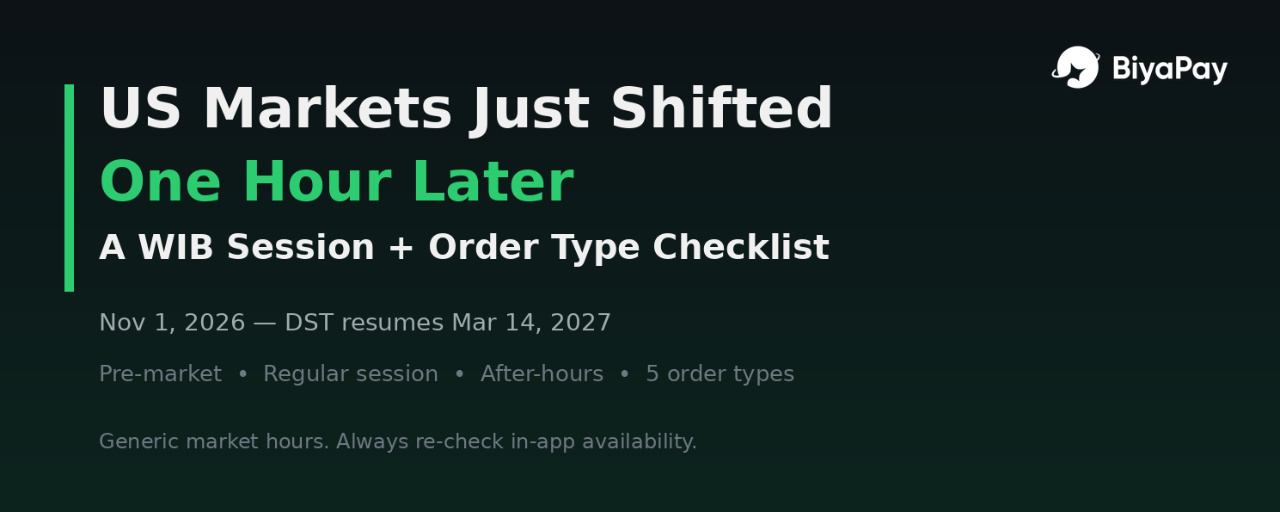
If you follow US stocks from Indonesia, November brings a calendar change worth checking before opening an order ticket. The United States is back on Standard Time. The regular session still opens at 09:30 and closes at 16:00 Eastern Time, but its WIB equivalent moves one hour later than during Daylight Saving Time.
After looking at trading fees, I think the next useful question is about timing: when does each session happen in Indonesia, and what kind of order makes sense for the conditions?
BiyaPay trading hours reminder and US stock Help Center provide a starting point. My focus here is translating those details into a practical WIB checklist, not recommending a stock or promising a particular trading result.
Why the clock feels different in WIB
Eastern Time is UTC-4 during Daylight Saving Time and UTC-5 during Standard Time. WIB stays at UTC+7, so the time difference changes.
During Daylight Saving Time, regular trading maps to 20:30–03:00 WIB. During Standard Time, the same session maps to 21:30–04:00 WIB.
BiyaPay announcement center reminded users that Standard Time began on November 1, 2026. Daylight Saving Time resumes on March 14, 2027. For now, the later WIB schedule is the one to check against.
For Indonesian readers, that affects more than the opening bell. It also changes when pre-market starts and when after-hours ends. An old reminder can be one hour out even though the US exchange has not changed its local opening time.
The three sessions in WIB
BiyaPay Help Center lists support for night, pre-market, intraday, and after-hours trading. The following card covers the three conventional US stock sessions during Standard Time; it is not a complete overnight-session timetable.
Pre-market
Eastern Time: 04:00–09:30WIB: 16:00–21:30Generally thinner liquidity and wider spreads than regular trading
Regular session
Eastern Time: 09:30–16:00WIB: 21:30–04:00 the following dayGenerally the most liquid session
After-hours
Eastern Time: 16:00–20:00WIB: 04:00–08:00 the following dayCan react to earnings announcements, but liquidity can still be thin
These are general market hours, not a guarantee that every security or order type is available in every session on BiyaPay. Before placing anything, I would check the symbol, eligible session, and available order options inside the app.
Holidays and early closes matter too. A schedule card is useful, but it cannot replace checking whether the US market is actually open that day.
Five order types listed by BiyaPay
The US Stock Trading FAQ lists five order types:
Limit OrderMarket OrderTake Profit / Stop LossBidirectional Take Profit / Stop LossTrailing Stop
Here is how I think about the differences.
Limit Order
A limit order sets the maximum price I am willing to pay when buying, or the minimum I am willing to accept when selling. That price control is useful when the spread looks wide. The trade-off is that the order might not fill.
Market Order
A market order prioritizes execution at available prices rather than a specific price. The last traded price is not a promise of the next fill. I would be especially cautious about assuming a market order is suitable outside a liquid regular session, and would first check whether it is supported.
Take Profit / Stop Loss
These orders help define an exit condition. But a trigger price is not necessarily the final execution price. Gaps and fast moves can produce a different result, so a stop should not be mistaken for guaranteed protection.
Bidirectional Take Profit / Stop Loss
This provides a way to define both a profit-taking condition and a loss-control condition. Before relying on it, I would read how the app handles the paired instructions, including their validity and session restrictions.
Trailing Stop
A trailing stop adjusts its trigger as the price moves favorably, according to the selected distance. It can help structure an exit, but it does not remove gap risk or guarantee that a position closes at the displayed stop level.
Why extended hours deserve a separate decision
More trading hours do not automatically mean better trading conditions.
Outside the regular session, fewer buyers and sellers can mean wider spreads and less depth. A quote may look attractive without enough volume available at that price. Earnings news can also move prices sharply while liquidity is limited.
For me, the useful distinction is between access and execution quality. Being able to submit an order is different from getting the result I expected.
My pre-order checklist
Before considering a US stock order from Indonesia, these are the checks I would make:
Confirm Standard Time or Daylight Saving Time. The current regular-session opening is 21:30 WIB.Confirm the trading calendar. Check for holidays, early closes, and any relevant market notices.Confirm the intended session. Check whether that session is available for the selected security in the app.Understand the order instruction. Know whether the priority is price control, execution, or an exit trigger.Read the order preview. Check quantity, buying power, estimated costs, validity, and session settings.Accept the possibility of a different outcome. A limit order might not fill. A stop might execute away from its trigger. A thin market can increase slippage.
Final thoughts
The one hour shift is easy to overlook because the US market's local schedule stays the same. What changes is the translation into our evening in Indonesia.
BiyaPay official reminders and order documentation are useful references, but the final check should still happen in the app before confirming an order.
My takeaway is simple: check the clock, check the session, and understand the order. None of those steps guarantees a good trade, but they help separate a market decision from an avoidable timing mistake.
#BiyaPay #USStocks #TradingHours #OrderTypes #StandardTime
US Markets Just Shifted One Hour: A WIB Checklist for Sessions and Order Types
Disclosure: It is not financial advice
If you follow US stocks from Indonesia, November brings a calendar change worth checking before opening an order ticket. The United States is back on Standard Time. The regular session still opens at 09:30 and closes at 16:00 Eastern Time, but its WIB equivalent moves one hour later than during Daylight Saving Time.
After looking at trading fees, I think the next useful question is about timing: when does each session happen in Indonesia, and what kind of order makes sense for the conditions?
BiyaPay trading hours reminder and US stock Help Center provide a starting point. My focus here is translating those details into a practical WIB checklist, not recommending a stock or promising a particular trading result.
Why the clock feels different in WIB
Eastern Time is UTC-4 during Daylight Saving Time and UTC-5 during Standard Time. WIB stays at UTC+7, so the time difference changes.
During Daylight Saving Time, regular trading maps to 20:30–03:00 WIB. During Standard Time, the same session maps to 21:30–04:00 WIB.
BiyaPay announcement center reminded users that Standard Time began on November 1, 2026. Daylight Saving Time resumes on March 14, 2027. For now, the later WIB schedule is the one to check against.
For Indonesian readers, that affects more than the opening bell. It also changes when pre-market starts and when after-hours ends. An old reminder can be one hour out even though the US exchange has not changed its local opening time.
The three sessions in WIB
BiyaPay Help Center lists support for night, pre-market, intraday, and after-hours trading. The following card covers the three conventional US stock sessions during Standard Time; it is not a complete overnight-session timetable.
Pre-market
Eastern Time: 04:00–09:30WIB: 16:00–21:30Generally thinner liquidity and wider spreads than regular trading
Regular session
Eastern Time: 09:30–16:00WIB: 21:30–04:00 the following dayGenerally the most liquid session
After-hours
Eastern Time: 16:00–20:00WIB: 04:00–08:00 the following dayCan react to earnings announcements, but liquidity can still be thin
These are general market hours, not a guarantee that every security or order type is available in every session on BiyaPay. Before placing anything, I would check the symbol, eligible session, and available order options inside the app.
Holidays and early closes matter too. A schedule card is useful, but it cannot replace checking whether the US market is actually open that day.
Five order types listed by BiyaPay
The US Stock Trading FAQ lists five order types:
Limit OrderMarket OrderTake Profit / Stop LossBidirectional Take Profit / Stop LossTrailing Stop
Here is how I think about the differences.
Limit Order
A limit order sets the maximum price I am willing to pay when buying, or the minimum I am willing to accept when selling. That price control is useful when the spread looks wide. The trade-off is that the order might not fill.
Market Order
A market order prioritizes execution at available prices rather than a specific price. The last traded price is not a promise of the next fill. I would be especially cautious about assuming a market order is suitable outside a liquid regular session, and would first check whether it is supported.
Take Profit / Stop Loss
These orders help define an exit condition. But a trigger price is not necessarily the final execution price. Gaps and fast moves can produce a different result, so a stop should not be mistaken for guaranteed protection.
Bidirectional Take Profit / Stop Loss
This provides a way to define both a profit-taking condition and a loss-control condition. Before relying on it, I would read how the app handles the paired instructions, including their validity and session restrictions.
Trailing Stop
A trailing stop adjusts its trigger as the price moves favorably, according to the selected distance. It can help structure an exit, but it does not remove gap risk or guarantee that a position closes at the displayed stop level.
Why extended hours deserve a separate decision
More trading hours do not automatically mean better trading conditions.
Outside the regular session, fewer buyers and sellers can mean wider spreads and less depth. A quote may look attractive without enough volume available at that price. Earnings news can also move prices sharply while liquidity is limited.
For me, the useful distinction is between access and execution quality. Being able to submit an order is different from getting the result I expected.
My pre-order checklist
Before considering a US stock order from Indonesia, these are the checks I would make:
Confirm Standard Time or Daylight Saving Time. The current regular-session opening is 21:30 WIB.Confirm the trading calendar. Check for holidays, early closes, and any relevant market notices.Confirm the intended session. Check whether that session is available for the selected security in the app.Understand the order instruction. Know whether the priority is price control, execution, or an exit trigger.Read the order preview. Check quantity, buying power, estimated costs, validity, and session settings.Accept the possibility of a different outcome. A limit order might not fill. A stop might execute away from its trigger. A thin market can increase slippage.
Final thoughts
The one hour shift is easy to overlook because the US market's local schedule stays the same. What changes is the translation into our evening in Indonesia.
BiyaPay official reminders and order documentation are useful references, but the final check should still happen in the app before confirming an order.
My takeaway is simple: check the clock, check the session, and understand the order. None of those steps guarantees a good trade, but they help separate a market decision from an avoidable timing mistake.
#BiyaPay #USStocks #TradingHours #OrderTypes #StandardTime
If you follow US stocks from Indonesia, November brings a calendar change worth checking before opening an order ticket. The United States is back on Standard Time. The regular session still opens at 09:30 and closes at 16:00 Eastern Time, but its WIB equivalent moves one hour later than during Daylight Saving Time.
After looking at trading fees, I think the next useful question is about timing: when does each session happen in Indonesia, and what kind of order makes sense for the conditions?
BiyaPay trading hours reminder and US stock Help Center provide a starting point. My focus here is translating those details into a practical WIB checklist, not recommending a stock or promising a particular trading result.
Why the clock feels different in WIB
Eastern Time is UTC-4 during Daylight Saving Time and UTC-5 during Standard Time. WIB stays at UTC+7, so the time difference changes.
During Daylight Saving Time, regular trading maps to 20:30–03:00 WIB. During Standard Time, the same session maps to 21:30–04:00 WIB.
BiyaPay announcement center reminded users that Standard Time began on November 1, 2026. Daylight Saving Time resumes on March 14, 2027. For now, the later WIB schedule is the one to check against.
For Indonesian readers, that affects more than the opening bell. It also changes when pre-market starts and when after-hours ends. An old reminder can be one hour out even though the US exchange has not changed its local opening time.
The three sessions in WIB
BiyaPay Help Center lists support for night, pre-market, intraday, and after-hours trading. The following card covers the three conventional US stock sessions during Standard Time; it is not a complete overnight-session timetable.
Pre-market
Eastern Time: 04:00–09:30WIB: 16:00–21:30Generally thinner liquidity and wider spreads than regular trading
Regular session
Eastern Time: 09:30–16:00WIB: 21:30–04:00 the following dayGenerally the most liquid session
After-hours
Eastern Time: 16:00–20:00WIB: 04:00–08:00 the following dayCan react to earnings announcements, but liquidity can still be thin
These are general market hours, not a guarantee that every security or order type is available in every session on BiyaPay. Before placing anything, I would check the symbol, eligible session, and available order options inside the app.
Holidays and early closes matter too. A schedule card is useful, but it cannot replace checking whether the US market is actually open that day.
Five order types listed by BiyaPay
The US Stock Trading FAQ lists five order types:
Limit OrderMarket OrderTake Profit / Stop LossBidirectional Take Profit / Stop LossTrailing Stop
Here is how I think about the differences.
Limit Order
A limit order sets the maximum price I am willing to pay when buying, or the minimum I am willing to accept when selling. That price control is useful when the spread looks wide. The trade-off is that the order might not fill.
Market Order
A market order prioritizes execution at available prices rather than a specific price. The last traded price is not a promise of the next fill. I would be especially cautious about assuming a market order is suitable outside a liquid regular session, and would first check whether it is supported.
Take Profit / Stop Loss
These orders help define an exit condition. But a trigger price is not necessarily the final execution price. Gaps and fast moves can produce a different result, so a stop should not be mistaken for guaranteed protection.
Bidirectional Take Profit / Stop Loss
This provides a way to define both a profit-taking condition and a loss-control condition. Before relying on it, I would read how the app handles the paired instructions, including their validity and session restrictions.
Trailing Stop
A trailing stop adjusts its trigger as the price moves favorably, according to the selected distance. It can help structure an exit, but it does not remove gap risk or guarantee that a position closes at the displayed stop level.
Why extended hours deserve a separate decision
More trading hours do not automatically mean better trading conditions.
Outside the regular session, fewer buyers and sellers can mean wider spreads and less depth. A quote may look attractive without enough volume available at that price. Earnings news can also move prices sharply while liquidity is limited.
For me, the useful distinction is between access and execution quality. Being able to submit an order is different from getting the result I expected.
My pre-order checklist
Before considering a US stock order from Indonesia, these are the checks I would make:
Confirm Standard Time or Daylight Saving Time. The current regular-session opening is 21:30 WIB.Confirm the trading calendar. Check for holidays, early closes, and any relevant market notices.Confirm the intended session. Check whether that session is available for the selected security in the app.Understand the order instruction. Know whether the priority is price control, execution, or an exit trigger.Read the order preview. Check quantity, buying power, estimated costs, validity, and session settings.Accept the possibility of a different outcome. A limit order might not fill. A stop might execute away from its trigger. A thin market can increase slippage.
Final thoughts
The one hour shift is easy to overlook because the US market's local schedule stays the same. What changes is the translation into our evening in Indonesia.
BiyaPay official reminders and order documentation are useful references, but the final check should still happen in the app before confirming an order.
My takeaway is simple: check the clock, check the session, and understand the order. None of those steps guarantees a good trade, but they help separate a market decision from an avoidable timing mistake.
#BiyaPay #USStocks #TradingHours #OrderTypes #StandardTime
1
141
·
--
Verifiziert
Artikel
Übersetzung ansehen
"$0 Commission" Isn't $0: What I Actually Pay on a US Stock TradeDisclosure: It is not financial advice
A few days ago I wrote about moving part of my USDT into US stocks without converting through Rupiah first. After that post, a friend asked me a simple question: "If commission is $0, what are you actually paying?"
I realized I didn't have a precise answer. I had seen the "$0 commission" label and stopped reading there. So this time I opened the fee page, went line by line, and did the math on a few realistic orders. This is what I found.
Why "$0 commission" is only part of the story
In US markets, commission is just one layer of cost. A stock order can also include a platform fee charged by the app, plus small regulatory and clearing fees that get passed through. None of these are hidden on purpose, but most of us never read past the headline number.
As an Indonesian user, I also care about this because my orders are usually small. A fixed minimum fee hurts a $200 order much more than a $20,000 order.
The fee table, line by line
On BiyaPay's Cost Center, under Stock → US Stocks, the fee table currently lists:
Commission: $0 (every order)
Platform fee: $0.005 per share, min $0.99 per order, max 1% of trade value (every order)
SEC fee: 0.0000206 × trade value, min $0.01 (sell orders only)
Trading Activity Fee (TAF): $0.000195 per share, min $0.01, max $9.79 per execution (sell orders only)
CAT fee: $0.000003 per share (every order)
Settlement fee: $0.003 per share, capped at 7% of trade value (every order)
So the honest summary is: commission is $0, but the platform fee and settlement fee are the two items that actually matter for most trades. SEC, TAF, and CAT are tiny, and SEC and TAF only show up when you sell.
Running the numbers on real-looking orders
I used three example orders. These are my own estimates using the table above, rounded, and actual charges can differ slightly.
Example 1: Buy 10 shares at $180 (about $1,800)
Platform fee: 10 × $0.005 = $0.05, so the $0.99 minimum appliesSettlement fee: 10 × $0.003 = $0.03CAT fee: basically $0.00Estimated total: around $1.02, or roughly 0.06% of the order
Example 2: Sell the same 10 shares at $180
Platform fee: $0.99 minimumSettlement fee: $0.03SEC fee: $1,800 × 0.0000206 ≈ $0.04TAF: 10 × $0.000195 is below the minimum, so $0.01Estimated total: around $1.07
Example 3: Buy 300 shares at $20 (about $6,000)
Platform fee: 300 × $0.005 = $1.50 (above the minimum)Settlement fee: 300 × $0.003 = $0.90Estimated total: around $2.40, or roughly 0.04%
Two lessons jumped out. First, the $0.99 minimum is what you pay on most small orders. Second, because the platform and settlement fees are per share, buying many cheap shares costs more in fees than buying a few expensive shares of the same total value.
The fractional share rule
This was the part I didn't expect. According to the notes on the same page, for fractional orders of less than 1 whole share, BiyaPay charges a 1% platform fee on the transaction value, capped at $1, with no commission or third-party fees. For fractional orders above 1 whole share, the standard table applies.
What that means in practice:
A $30 fractional buy costs about $0.30A $100 fractional buy hits the $1 cap
For someone testing with small amounts, that is easier to understand than the per-share table. But at around $100 and up, the cost is close to the $0.99 minimum anyway, so it doesn't save much.
My personal checklist before placing an order
After doing this exercise, this is what I now check:
Order size vs. the $0.99 minimum. If my order is very small, the minimum is a big percentage. I'd rather make fewer, slightly larger orders.Share count, not just dollar value. Per-share fees add up with low-priced stocks.Buy and sell together. I estimate the round-trip cost, since SEC and TAF only appear on the sell side.Fractional or whole shares. Under 1 share, the 1% (max $1) rule applies.Re-check the fee page. Fees can change, so I look at the current table instead of relying on old screenshots, including my own.
Final thoughts
"$0 commission" is true, but it isn't the full price of a trade. What I liked about doing this on BiyaPay is that every line item is listed on one fee page, so I could do the math myself instead of guessing. For my habit of small, occasional US stock purchases funded from USDT, knowing about the $0.99 minimum and the fractional rule changes how I size my orders.
If you trade US stocks from crypto, try running your own last order through a table like this. The number you find might be different from what you assumed.
#BiyaPay #USStocks #TradingFees #USDT #CryptoInvesting
"$0 Commission" Isn't $0: What I Actually Pay on a US Stock Trade
Disclosure: It is not financial advice
A few days ago I wrote about moving part of my USDT into US stocks without converting through Rupiah first. After that post, a friend asked me a simple question: "If commission is $0, what are you actually paying?"
I realized I didn't have a precise answer. I had seen the "$0 commission" label and stopped reading there. So this time I opened the fee page, went line by line, and did the math on a few realistic orders. This is what I found.
Why "$0 commission" is only part of the story
In US markets, commission is just one layer of cost. A stock order can also include a platform fee charged by the app, plus small regulatory and clearing fees that get passed through. None of these are hidden on purpose, but most of us never read past the headline number.
As an Indonesian user, I also care about this because my orders are usually small. A fixed minimum fee hurts a $200 order much more than a $20,000 order.
The fee table, line by line
On BiyaPay's Cost Center, under Stock → US Stocks, the fee table currently lists:
Commission: $0 (every order)
Platform fee: $0.005 per share, min $0.99 per order, max 1% of trade value (every order)
SEC fee: 0.0000206 × trade value, min $0.01 (sell orders only)
Trading Activity Fee (TAF): $0.000195 per share, min $0.01, max $9.79 per execution (sell orders only)
CAT fee: $0.000003 per share (every order)
Settlement fee: $0.003 per share, capped at 7% of trade value (every order)
So the honest summary is: commission is $0, but the platform fee and settlement fee are the two items that actually matter for most trades. SEC, TAF, and CAT are tiny, and SEC and TAF only show up when you sell.
Running the numbers on real-looking orders
I used three example orders. These are my own estimates using the table above, rounded, and actual charges can differ slightly.
Example 1: Buy 10 shares at $180 (about $1,800)
Platform fee: 10 × $0.005 = $0.05, so the $0.99 minimum appliesSettlement fee: 10 × $0.003 = $0.03CAT fee: basically $0.00Estimated total: around $1.02, or roughly 0.06% of the order
Example 2: Sell the same 10 shares at $180
Platform fee: $0.99 minimumSettlement fee: $0.03SEC fee: $1,800 × 0.0000206 ≈ $0.04TAF: 10 × $0.000195 is below the minimum, so $0.01Estimated total: around $1.07
Example 3: Buy 300 shares at $20 (about $6,000)
Platform fee: 300 × $0.005 = $1.50 (above the minimum)Settlement fee: 300 × $0.003 = $0.90Estimated total: around $2.40, or roughly 0.04%
Two lessons jumped out. First, the $0.99 minimum is what you pay on most small orders. Second, because the platform and settlement fees are per share, buying many cheap shares costs more in fees than buying a few expensive shares of the same total value.
The fractional share rule
This was the part I didn't expect. According to the notes on the same page, for fractional orders of less than 1 whole share, BiyaPay charges a 1% platform fee on the transaction value, capped at $1, with no commission or third-party fees. For fractional orders above 1 whole share, the standard table applies.
What that means in practice:
A $30 fractional buy costs about $0.30A $100 fractional buy hits the $1 cap
For someone testing with small amounts, that is easier to understand than the per-share table. But at around $100 and up, the cost is close to the $0.99 minimum anyway, so it doesn't save much.
My personal checklist before placing an order
After doing this exercise, this is what I now check:
Order size vs. the $0.99 minimum. If my order is very small, the minimum is a big percentage. I'd rather make fewer, slightly larger orders.Share count, not just dollar value. Per-share fees add up with low-priced stocks.Buy and sell together. I estimate the round-trip cost, since SEC and TAF only appear on the sell side.Fractional or whole shares. Under 1 share, the 1% (max $1) rule applies.Re-check the fee page. Fees can change, so I look at the current table instead of relying on old screenshots, including my own.
Final thoughts
"$0 commission" is true, but it isn't the full price of a trade. What I liked about doing this on BiyaPay is that every line item is listed on one fee page, so I could do the math myself instead of guessing. For my habit of small, occasional US stock purchases funded from USDT, knowing about the $0.99 minimum and the fractional rule changes how I size my orders.
If you trade US stocks from crypto, try running your own last order through a table like this. The number you find might be different from what you assumed.
#BiyaPay #USStocks #TradingFees #USDT #CryptoInvesting
A few days ago I wrote about moving part of my USDT into US stocks without converting through Rupiah first. After that post, a friend asked me a simple question: "If commission is $0, what are you actually paying?"
I realized I didn't have a precise answer. I had seen the "$0 commission" label and stopped reading there. So this time I opened the fee page, went line by line, and did the math on a few realistic orders. This is what I found.
Why "$0 commission" is only part of the story
In US markets, commission is just one layer of cost. A stock order can also include a platform fee charged by the app, plus small regulatory and clearing fees that get passed through. None of these are hidden on purpose, but most of us never read past the headline number.
As an Indonesian user, I also care about this because my orders are usually small. A fixed minimum fee hurts a $200 order much more than a $20,000 order.
The fee table, line by line
On BiyaPay's Cost Center, under Stock → US Stocks, the fee table currently lists:
Commission: $0 (every order)
Platform fee: $0.005 per share, min $0.99 per order, max 1% of trade value (every order)
SEC fee: 0.0000206 × trade value, min $0.01 (sell orders only)
Trading Activity Fee (TAF): $0.000195 per share, min $0.01, max $9.79 per execution (sell orders only)
CAT fee: $0.000003 per share (every order)
Settlement fee: $0.003 per share, capped at 7% of trade value (every order)
So the honest summary is: commission is $0, but the platform fee and settlement fee are the two items that actually matter for most trades. SEC, TAF, and CAT are tiny, and SEC and TAF only show up when you sell.
Running the numbers on real-looking orders
I used three example orders. These are my own estimates using the table above, rounded, and actual charges can differ slightly.
Example 1: Buy 10 shares at $180 (about $1,800)
Platform fee: 10 × $0.005 = $0.05, so the $0.99 minimum appliesSettlement fee: 10 × $0.003 = $0.03CAT fee: basically $0.00Estimated total: around $1.02, or roughly 0.06% of the order
Example 2: Sell the same 10 shares at $180
Platform fee: $0.99 minimumSettlement fee: $0.03SEC fee: $1,800 × 0.0000206 ≈ $0.04TAF: 10 × $0.000195 is below the minimum, so $0.01Estimated total: around $1.07
Example 3: Buy 300 shares at $20 (about $6,000)
Platform fee: 300 × $0.005 = $1.50 (above the minimum)Settlement fee: 300 × $0.003 = $0.90Estimated total: around $2.40, or roughly 0.04%
Two lessons jumped out. First, the $0.99 minimum is what you pay on most small orders. Second, because the platform and settlement fees are per share, buying many cheap shares costs more in fees than buying a few expensive shares of the same total value.
The fractional share rule
This was the part I didn't expect. According to the notes on the same page, for fractional orders of less than 1 whole share, BiyaPay charges a 1% platform fee on the transaction value, capped at $1, with no commission or third-party fees. For fractional orders above 1 whole share, the standard table applies.
What that means in practice:
A $30 fractional buy costs about $0.30A $100 fractional buy hits the $1 cap
For someone testing with small amounts, that is easier to understand than the per-share table. But at around $100 and up, the cost is close to the $0.99 minimum anyway, so it doesn't save much.
My personal checklist before placing an order
After doing this exercise, this is what I now check:
Order size vs. the $0.99 minimum. If my order is very small, the minimum is a big percentage. I'd rather make fewer, slightly larger orders.Share count, not just dollar value. Per-share fees add up with low-priced stocks.Buy and sell together. I estimate the round-trip cost, since SEC and TAF only appear on the sell side.Fractional or whole shares. Under 1 share, the 1% (max $1) rule applies.Re-check the fee page. Fees can change, so I look at the current table instead of relying on old screenshots, including my own.
Final thoughts
"$0 commission" is true, but it isn't the full price of a trade. What I liked about doing this on BiyaPay is that every line item is listed on one fee page, so I could do the math myself instead of guessing. For my habit of small, occasional US stock purchases funded from USDT, knowing about the $0.99 minimum and the fractional rule changes how I size my orders.
If you trade US stocks from crypto, try running your own last order through a table like this. The number you find might be different from what you assumed.
#BiyaPay #USStocks #TradingFees #USDT #CryptoInvesting
313
·
--
Artikel
Übersetzung ansehen
No Credit Card for ChatGPT or Claude? How I Think About Paying AI Subscriptions With USDTDisclosure: It is not financial advice
A problem a lot of us quietly have
AI tools have become part of my daily routine. I use them for research, writing, and checking ideas before I post. But the moment I want a paid plan, I hit the same wall many people in Indonesia hit: the checkout asks for a credit card.
Not everyone has one. Some local debit cards get declined on foreign sites. Some people don't want to link their main bank card to a dozen recurring subscriptions. Meanwhile, a lot of crypto users like me already hold USDT, a dollar-pegged balance that's sitting right there but can't be typed into a checkout form.
Why this matters more now
AI subscriptions aren't a one-off purchase anymore. Many people pay for two or three tools at once, plus software like design apps, cloud storage, or VPNs. Most of these are billed in USD. So the real question becomes: what's a practical way to pay recurring USD bills when your money lives in USDT?
The usual workarounds
Before looking at other options, these were the routes I knew about:
Asking a friend with a credit card to pay, then paying them back. It works, but it's awkward and not sustainable.Selling USDT for rupiah, then hoping a local card gets accepted. That means extra conversion steps, and it still might fail.Buying gift cards or vouchers from resellers. That adds markup and trust risk.
None of these feel clean for something you pay every month.
One option I looked into: BiyaPay EasyCard
BiyaPay has a virtual card called EasyCard that can be funded with USDT and used for supported online payments, such as subscriptions. The idea is simple: your USDT becomes a card balance you can use at checkout, without needing a traditional credit card.
This is the EasyCard page from BiyaPay. It lists popular AI services like ChatGPT, Gemini, Claude, Midjourney, Cursor and Deepseek.
How the flow generally works
Sign in. Create a BiyaPay account.Apply for EasyCard. Choose a card BIN, fill in the details, and top up the card with USDT.Use the card. Once approved, the virtual card can be used right away, with no separate activation step.Keep enough balance for the next billing cycle, since subscriptions renew automatically.
The official EasyCard steps: sign in, apply and top up, then use it right away.
What to check before you rely on it
This is the part I think matters most, because no card works everywhere:
Supported merchants. "Supported online payments" means not every site will accept it. Test with one subscription first before moving everything over.Fees. Check top-up, conversion, and any card fees in the app before you start. They affect the real monthly cost.Renewal timing. If the card balance runs low on the billing date, the payment can fail and your plan may pause.Availability. Card services can differ by region, so confirm you're eligible where you live.Security habits. Never share full card details in screenshots, chats, or with "helpers" offering to pay for you.
Who this makes sense for
From my perspective, this is most useful if you:
Already hold USDT and pay for one or more USD subscriptions.Don't have a credit card, or don't want to use your main card for recurring payments.Want subscription spending separated from the rest of your money.
If you rarely pay online or already have a card that works fine everywhere, you may not need it.
My takeaway
Paying for AI tools shouldn't require jumping through hoops. A USDT-funded virtual card like EasyCard is a practical option to consider, especially for crypto users without a credit card. Start small, test one subscription, check the fees, and decide from there.
How do you pay for your AI subscriptions right now? Let me know in the comments.
#BiyaPay #USDT #AITools #EasyCard
No Credit Card for ChatGPT or Claude? How I Think About Paying AI Subscriptions With USDT
Disclosure: It is not financial advice
A problem a lot of us quietly have
AI tools have become part of my daily routine. I use them for research, writing, and checking ideas before I post. But the moment I want a paid plan, I hit the same wall many people in Indonesia hit: the checkout asks for a credit card.
Not everyone has one. Some local debit cards get declined on foreign sites. Some people don't want to link their main bank card to a dozen recurring subscriptions. Meanwhile, a lot of crypto users like me already hold USDT, a dollar-pegged balance that's sitting right there but can't be typed into a checkout form.
Why this matters more now
AI subscriptions aren't a one-off purchase anymore. Many people pay for two or three tools at once, plus software like design apps, cloud storage, or VPNs. Most of these are billed in USD. So the real question becomes: what's a practical way to pay recurring USD bills when your money lives in USDT?
The usual workarounds
Before looking at other options, these were the routes I knew about:
Asking a friend with a credit card to pay, then paying them back. It works, but it's awkward and not sustainable.Selling USDT for rupiah, then hoping a local card gets accepted. That means extra conversion steps, and it still might fail.Buying gift cards or vouchers from resellers. That adds markup and trust risk.
None of these feel clean for something you pay every month.
One option I looked into: BiyaPay EasyCard
BiyaPay has a virtual card called EasyCard that can be funded with USDT and used for supported online payments, such as subscriptions. The idea is simple: your USDT becomes a card balance you can use at checkout, without needing a traditional credit card.
This is the EasyCard page from BiyaPay. It lists popular AI services like ChatGPT, Gemini, Claude, Midjourney, Cursor and Deepseek.
How the flow generally works
Sign in. Create a BiyaPay account.Apply for EasyCard. Choose a card BIN, fill in the details, and top up the card with USDT.Use the card. Once approved, the virtual card can be used right away, with no separate activation step.Keep enough balance for the next billing cycle, since subscriptions renew automatically.
The official EasyCard steps: sign in, apply and top up, then use it right away.
What to check before you rely on it
This is the part I think matters most, because no card works everywhere:
Supported merchants. "Supported online payments" means not every site will accept it. Test with one subscription first before moving everything over.Fees. Check top-up, conversion, and any card fees in the app before you start. They affect the real monthly cost.Renewal timing. If the card balance runs low on the billing date, the payment can fail and your plan may pause.Availability. Card services can differ by region, so confirm you're eligible where you live.Security habits. Never share full card details in screenshots, chats, or with "helpers" offering to pay for you.
Who this makes sense for
From my perspective, this is most useful if you:
Already hold USDT and pay for one or more USD subscriptions.Don't have a credit card, or don't want to use your main card for recurring payments.Want subscription spending separated from the rest of your money.
If you rarely pay online or already have a card that works fine everywhere, you may not need it.
My takeaway
Paying for AI tools shouldn't require jumping through hoops. A USDT-funded virtual card like EasyCard is a practical option to consider, especially for crypto users without a credit card. Start small, test one subscription, check the fees, and decide from there.
How do you pay for your AI subscriptions right now? Let me know in the comments.
#BiyaPay #USDT #AITools #EasyCard
A problem a lot of us quietly have
AI tools have become part of my daily routine. I use them for research, writing, and checking ideas before I post. But the moment I want a paid plan, I hit the same wall many people in Indonesia hit: the checkout asks for a credit card.
Not everyone has one. Some local debit cards get declined on foreign sites. Some people don't want to link their main bank card to a dozen recurring subscriptions. Meanwhile, a lot of crypto users like me already hold USDT, a dollar-pegged balance that's sitting right there but can't be typed into a checkout form.
Why this matters more now
AI subscriptions aren't a one-off purchase anymore. Many people pay for two or three tools at once, plus software like design apps, cloud storage, or VPNs. Most of these are billed in USD. So the real question becomes: what's a practical way to pay recurring USD bills when your money lives in USDT?
The usual workarounds
Before looking at other options, these were the routes I knew about:
Asking a friend with a credit card to pay, then paying them back. It works, but it's awkward and not sustainable.Selling USDT for rupiah, then hoping a local card gets accepted. That means extra conversion steps, and it still might fail.Buying gift cards or vouchers from resellers. That adds markup and trust risk.
None of these feel clean for something you pay every month.
One option I looked into: BiyaPay EasyCard
BiyaPay has a virtual card called EasyCard that can be funded with USDT and used for supported online payments, such as subscriptions. The idea is simple: your USDT becomes a card balance you can use at checkout, without needing a traditional credit card.
This is the EasyCard page from BiyaPay. It lists popular AI services like ChatGPT, Gemini, Claude, Midjourney, Cursor and Deepseek.
How the flow generally works
Sign in. Create a BiyaPay account.Apply for EasyCard. Choose a card BIN, fill in the details, and top up the card with USDT.Use the card. Once approved, the virtual card can be used right away, with no separate activation step.Keep enough balance for the next billing cycle, since subscriptions renew automatically.
The official EasyCard steps: sign in, apply and top up, then use it right away.
What to check before you rely on it
This is the part I think matters most, because no card works everywhere:
Supported merchants. "Supported online payments" means not every site will accept it. Test with one subscription first before moving everything over.Fees. Check top-up, conversion, and any card fees in the app before you start. They affect the real monthly cost.Renewal timing. If the card balance runs low on the billing date, the payment can fail and your plan may pause.Availability. Card services can differ by region, so confirm you're eligible where you live.Security habits. Never share full card details in screenshots, chats, or with "helpers" offering to pay for you.
Who this makes sense for
From my perspective, this is most useful if you:
Already hold USDT and pay for one or more USD subscriptions.Don't have a credit card, or don't want to use your main card for recurring payments.Want subscription spending separated from the rest of your money.
If you rarely pay online or already have a card that works fine everywhere, you may not need it.
My takeaway
Paying for AI tools shouldn't require jumping through hoops. A USDT-funded virtual card like EasyCard is a practical option to consider, especially for crypto users without a credit card. Start small, test one subscription, check the fees, and decide from there.
How do you pay for your AI subscriptions right now? Let me know in the comments.
#BiyaPay #USDT #AITools #EasyCard
1
1.3k
·
--
Artikel
Übersetzung ansehen
My Funds Were Sitting in USDT, So I Looked for a Way Into NVDA Without Going Through RupiahDisclosure: It is not financial advice
The problem I kept running into
As an Indonesian who's active in crypto, most of my idle funds sit in USDT. It's stable, it moves easily, and it's good for waiting on the right moment. But every time I watch stocks like NVIDIA or Apple move, I ask the same question: how do I get from USDT into real US stocks, not tokenized copies or CFDs?
The traditional route is long. I sell USDT for rupiah, withdraw the rupiah to my bank, open an account with a broker that offers US stocks, deposit again, and convert to dollars. Every step adds spreads, fees, and waiting time. When you want to invest small amounts on a regular schedule, that friction really adds up.
Why this question keeps coming up
A lot of crypto traders are now looking at traditional assets to diversify. US tech stocks, ETFs, and even gold come up often as a counterweight to a volatile crypto portfolio. The question isn't "should I?" anymore. It's "which route has the least hassle?"
One option I looked into: BiyaPay
One platform I looked into for this is BiyaPay. It's built as a one-stop platform: you can use USDT to invest in real US stocks through a licensed broker-dealer, without converting to rupiah first.
Here's what stood out to me, based on their official information:
US stock trading with 0 commission.Beyond stocks, access to ETFs, commodities, precious metals, and futures.0 maker fee on perpetual and spot trading.If you need fiat later, you can convert USDT to supported fiat currencies and send it to a bank account, at rates starting from 0.1%.
What the process looks like
This is the BiyaPay home screen on my phone, where stocks, crypto and transfers sit in one app.
Sign up and verify. Have your ID ready, since licensed investment platforms require KYC.Deposit USDT. Check which networks are supported (for example, TRC20 or ERC20) so your funds don't get lost.Allocate to your stock account. Your USDT balance funds purchases on the US market.Find the ticker and buy. For example, NVDA or AAPL, then choose an order type (market or limit).
Here's the NVDA page in the app, with the price chart and the buy option on the same screen.
Monitor and rebalance. If you need liquidity, you can sell the position and reuse the funds or convert them.
A quick comparison from my perspective
Fewer steps and fewer apps was the main difference for me. Fees and availability still depend on your region, so check them in the app.
What you still need to check
I don't want this to sound like everything is seamless. A few things you need to verify yourself:
Availability in your country. Services and features can differ by region, so make sure you're a supported user.Other fees. Zero commission doesn't mean zero cost. Check deposit, withdrawal, and conversion fees, plus spreads.US market hours. US exchanges open at night in Indonesia, so the biggest price moves often happen while we're asleep.Investment risk. Stocks can go down. No platform can guarantee returns.Taxes. Gains from foreign stocks still have tax implications, so learn the rules where you live.
My takeaway
If you hold USDT and want to diversify into US stocks without going back and forth through rupiah, a one stop platform like BiyaPay is worth looking into. What I appreciate is that the process gets shorter. But the final decision should still come from your own research, your risk tolerance, and the rules where you live.
If you hold USDT too, would you rather stay in crypto or start moving part of it into US stocks? Let me know in the comments.
#BiyaPay #USStocks #USDT #GlobalInvesting #NVDA
My Funds Were Sitting in USDT, So I Looked for a Way Into NVDA Without Going Through Rupiah
Disclosure: It is not financial advice
The problem I kept running into
As an Indonesian who's active in crypto, most of my idle funds sit in USDT. It's stable, it moves easily, and it's good for waiting on the right moment. But every time I watch stocks like NVIDIA or Apple move, I ask the same question: how do I get from USDT into real US stocks, not tokenized copies or CFDs?
The traditional route is long. I sell USDT for rupiah, withdraw the rupiah to my bank, open an account with a broker that offers US stocks, deposit again, and convert to dollars. Every step adds spreads, fees, and waiting time. When you want to invest small amounts on a regular schedule, that friction really adds up.
Why this question keeps coming up
A lot of crypto traders are now looking at traditional assets to diversify. US tech stocks, ETFs, and even gold come up often as a counterweight to a volatile crypto portfolio. The question isn't "should I?" anymore. It's "which route has the least hassle?"
One option I looked into: BiyaPay
One platform I looked into for this is BiyaPay. It's built as a one-stop platform: you can use USDT to invest in real US stocks through a licensed broker-dealer, without converting to rupiah first.
Here's what stood out to me, based on their official information:
US stock trading with 0 commission.Beyond stocks, access to ETFs, commodities, precious metals, and futures.0 maker fee on perpetual and spot trading.If you need fiat later, you can convert USDT to supported fiat currencies and send it to a bank account, at rates starting from 0.1%.
What the process looks like
This is the BiyaPay home screen on my phone, where stocks, crypto and transfers sit in one app.
Sign up and verify. Have your ID ready, since licensed investment platforms require KYC.Deposit USDT. Check which networks are supported (for example, TRC20 or ERC20) so your funds don't get lost.Allocate to your stock account. Your USDT balance funds purchases on the US market.Find the ticker and buy. For example, NVDA or AAPL, then choose an order type (market or limit).
Here's the NVDA page in the app, with the price chart and the buy option on the same screen.
Monitor and rebalance. If you need liquidity, you can sell the position and reuse the funds or convert them.
A quick comparison from my perspective
Fewer steps and fewer apps was the main difference for me. Fees and availability still depend on your region, so check them in the app.
What you still need to check
I don't want this to sound like everything is seamless. A few things you need to verify yourself:
Availability in your country. Services and features can differ by region, so make sure you're a supported user.Other fees. Zero commission doesn't mean zero cost. Check deposit, withdrawal, and conversion fees, plus spreads.US market hours. US exchanges open at night in Indonesia, so the biggest price moves often happen while we're asleep.Investment risk. Stocks can go down. No platform can guarantee returns.Taxes. Gains from foreign stocks still have tax implications, so learn the rules where you live.
My takeaway
If you hold USDT and want to diversify into US stocks without going back and forth through rupiah, a one stop platform like BiyaPay is worth looking into. What I appreciate is that the process gets shorter. But the final decision should still come from your own research, your risk tolerance, and the rules where you live.
If you hold USDT too, would you rather stay in crypto or start moving part of it into US stocks? Let me know in the comments.
#BiyaPay #USStocks #USDT #GlobalInvesting #NVDA
The problem I kept running into
As an Indonesian who's active in crypto, most of my idle funds sit in USDT. It's stable, it moves easily, and it's good for waiting on the right moment. But every time I watch stocks like NVIDIA or Apple move, I ask the same question: how do I get from USDT into real US stocks, not tokenized copies or CFDs?
The traditional route is long. I sell USDT for rupiah, withdraw the rupiah to my bank, open an account with a broker that offers US stocks, deposit again, and convert to dollars. Every step adds spreads, fees, and waiting time. When you want to invest small amounts on a regular schedule, that friction really adds up.
Why this question keeps coming up
A lot of crypto traders are now looking at traditional assets to diversify. US tech stocks, ETFs, and even gold come up often as a counterweight to a volatile crypto portfolio. The question isn't "should I?" anymore. It's "which route has the least hassle?"
One option I looked into: BiyaPay
One platform I looked into for this is BiyaPay. It's built as a one-stop platform: you can use USDT to invest in real US stocks through a licensed broker-dealer, without converting to rupiah first.
Here's what stood out to me, based on their official information:
US stock trading with 0 commission.Beyond stocks, access to ETFs, commodities, precious metals, and futures.0 maker fee on perpetual and spot trading.If you need fiat later, you can convert USDT to supported fiat currencies and send it to a bank account, at rates starting from 0.1%.
What the process looks like
This is the BiyaPay home screen on my phone, where stocks, crypto and transfers sit in one app.
Sign up and verify. Have your ID ready, since licensed investment platforms require KYC.Deposit USDT. Check which networks are supported (for example, TRC20 or ERC20) so your funds don't get lost.Allocate to your stock account. Your USDT balance funds purchases on the US market.Find the ticker and buy. For example, NVDA or AAPL, then choose an order type (market or limit).
Here's the NVDA page in the app, with the price chart and the buy option on the same screen.
Monitor and rebalance. If you need liquidity, you can sell the position and reuse the funds or convert them.
A quick comparison from my perspective
Fewer steps and fewer apps was the main difference for me. Fees and availability still depend on your region, so check them in the app.
What you still need to check
I don't want this to sound like everything is seamless. A few things you need to verify yourself:
Availability in your country. Services and features can differ by region, so make sure you're a supported user.Other fees. Zero commission doesn't mean zero cost. Check deposit, withdrawal, and conversion fees, plus spreads.US market hours. US exchanges open at night in Indonesia, so the biggest price moves often happen while we're asleep.Investment risk. Stocks can go down. No platform can guarantee returns.Taxes. Gains from foreign stocks still have tax implications, so learn the rules where you live.
My takeaway
If you hold USDT and want to diversify into US stocks without going back and forth through rupiah, a one stop platform like BiyaPay is worth looking into. What I appreciate is that the process gets shorter. But the final decision should still come from your own research, your risk tolerance, and the rules where you live.
If you hold USDT too, would you rather stay in crypto or start moving part of it into US stocks? Let me know in the comments.
#BiyaPay #USStocks #USDT #GlobalInvesting #NVDA
1
387


·
--
USDT auf BiyaPay eingezahlt, aber noch kein Kontostand angezeigt – kann ich direkt US-amerikanische und Hongkonger Aktien kaufen?USDT auf BiyaPay eingezahlt, aber noch kein Kontostand angezeigt – kann ich direkt US-amerikanische und Hongkonger Aktien kaufen?
Die Sendeplattform meldet, dass der Vorgang erfolgreich bearbeitet wurde, und im Blockchain-Explorer ist eine Transaktion zu finden. Auf dem BiyaPay-Konto wird der erwartete Betrag jedoch vorerst nicht angezeigt. Wenn Sie nun einen Umtausch vornehmen oder sich über den Handel mit US-amerikanischen und Hongkonger Aktien informieren möchten, sollten Sie zunächst klären, welchen Schritt Ihre Einzahlung erreicht hat.
Das Senden, die On-Chain-Transaktion und die Verbuchung auf dem Plattformkonto sind unterschiedliche Schritte. Wenn einer davon erfolgreich ist, bedeutet das nicht automatisch, dass auch alle folgenden Schritte abgeschlossen sind.
Wer USDT nutzen möchte, um andere Märkte zu erschließen, kann die Bedingungen für den Umtausch und den Aktienhandel erst dann zuverlässig prüfen, wenn der Status des Geldeingangs geklärt ist.
USDT auf BiyaPay eingezahlt, aber noch kein Kontostand angezeigt – kann ich direkt US-amerikanische und Hongkonger Aktien kaufen?
USDT auf BiyaPay eingezahlt, aber noch kein Kontostand angezeigt – kann ich direkt US-amerikanische und Hongkonger Aktien kaufen?
Die Sendeplattform meldet, dass der Vorgang erfolgreich bearbeitet wurde, und im Blockchain-Explorer ist eine Transaktion zu finden. Auf dem BiyaPay-Konto wird der erwartete Betrag jedoch vorerst nicht angezeigt. Wenn Sie nun einen Umtausch vornehmen oder sich über den Handel mit US-amerikanischen und Hongkonger Aktien informieren möchten, sollten Sie zunächst klären, welchen Schritt Ihre Einzahlung erreicht hat.
Das Senden, die On-Chain-Transaktion und die Verbuchung auf dem Plattformkonto sind unterschiedliche Schritte. Wenn einer davon erfolgreich ist, bedeutet das nicht automatisch, dass auch alle folgenden Schritte abgeschlossen sind.
Wer USDT nutzen möchte, um andere Märkte zu erschließen, kann die Bedingungen für den Umtausch und den Aktienhandel erst dann zuverlässig prüfen, wenn der Status des Geldeingangs geklärt ist.
Die Sendeplattform meldet, dass der Vorgang erfolgreich bearbeitet wurde, und im Blockchain-Explorer ist eine Transaktion zu finden. Auf dem BiyaPay-Konto wird der erwartete Betrag jedoch vorerst nicht angezeigt. Wenn Sie nun einen Umtausch vornehmen oder sich über den Handel mit US-amerikanischen und Hongkonger Aktien informieren möchten, sollten Sie zunächst klären, welchen Schritt Ihre Einzahlung erreicht hat.
Das Senden, die On-Chain-Transaktion und die Verbuchung auf dem Plattformkonto sind unterschiedliche Schritte. Wenn einer davon erfolgreich ist, bedeutet das nicht automatisch, dass auch alle folgenden Schritte abgeschlossen sind.
Wer USDT nutzen möchte, um andere Märkte zu erschließen, kann die Bedingungen für den Umtausch und den Aktienhandel erst dann zuverlässig prüfen, wenn der Status des Geldeingangs geklärt ist.
170
·
--
US-Aktien mit USDT kaufen: Warum kann die Kaufkraft höher sein als das Barguthaben? Wer BiyaPay verstehen möchte, sollte zuerst die Kapitalangaben unterscheiden.US-Aktien mit USDT kaufen: Warum kann die Kaufkraft höher sein als das Barguthaben? Wer BiyaPay verstehen möchte, sollte zuerst die Kapitalangaben unterscheiden.
Wer USDT eingezahlt hat und anschließend auf der Aktienseite eine Kaufkraftangabe sieht, könnte annehmen, der gesamte angezeigte Betrag sei bereits als Bargeld verfügbar. Das ist ein häufiges Missverständnis beim Umgang mit Konten, die mehrere Vermögensarten umfassen.
Einzahlungen, Barguthaben im Aktienkonto und Kaufkraft beschreiben jeweils unterschiedliche Sachverhalte. Falls für das Konto Finanzierungsregeln gelten, kann die Kaufkraft außerdem von weiteren Berechnungsbedingungen abhängen. Sie ist daher nicht ohne Weiteres mit dem tatsächlichen Barguthaben gleichzusetzen.
Wer lediglich wissen möchte, wie sich vorhandenes Kapital für US- und Hongkonger Aktien nutzen lässt, sollte zunächst die einzelnen Angaben genau lesen. So lässt sich besser einschätzen, welches Kapital für eine Order verwendet werden könnte.
US-Aktien mit USDT kaufen: Warum kann die Kaufkraft höher sein als das Barguthaben? Wer BiyaPay verstehen möchte, sollte zuerst die Kapitalangaben unterscheiden.
US-Aktien mit USDT kaufen: Warum kann die Kaufkraft höher sein als das Barguthaben? Wer BiyaPay verstehen möchte, sollte zuerst die Kapitalangaben unterscheiden.
Wer USDT eingezahlt hat und anschließend auf der Aktienseite eine Kaufkraftangabe sieht, könnte annehmen, der gesamte angezeigte Betrag sei bereits als Bargeld verfügbar. Das ist ein häufiges Missverständnis beim Umgang mit Konten, die mehrere Vermögensarten umfassen.
Einzahlungen, Barguthaben im Aktienkonto und Kaufkraft beschreiben jeweils unterschiedliche Sachverhalte. Falls für das Konto Finanzierungsregeln gelten, kann die Kaufkraft außerdem von weiteren Berechnungsbedingungen abhängen. Sie ist daher nicht ohne Weiteres mit dem tatsächlichen Barguthaben gleichzusetzen.
Wer lediglich wissen möchte, wie sich vorhandenes Kapital für US- und Hongkonger Aktien nutzen lässt, sollte zunächst die einzelnen Angaben genau lesen. So lässt sich besser einschätzen, welches Kapital für eine Order verwendet werden könnte.
Wer USDT eingezahlt hat und anschließend auf der Aktienseite eine Kaufkraftangabe sieht, könnte annehmen, der gesamte angezeigte Betrag sei bereits als Bargeld verfügbar. Das ist ein häufiges Missverständnis beim Umgang mit Konten, die mehrere Vermögensarten umfassen.
Einzahlungen, Barguthaben im Aktienkonto und Kaufkraft beschreiben jeweils unterschiedliche Sachverhalte. Falls für das Konto Finanzierungsregeln gelten, kann die Kaufkraft außerdem von weiteren Berechnungsbedingungen abhängen. Sie ist daher nicht ohne Weiteres mit dem tatsächlichen Barguthaben gleichzusetzen.
Wer lediglich wissen möchte, wie sich vorhandenes Kapital für US- und Hongkonger Aktien nutzen lässt, sollte zunächst die einzelnen Angaben genau lesen. So lässt sich besser einschätzen, welches Kapital für eine Order verwendet werden könnte.
127
·
--
Wie kann man mit USDT US-amerikanische und Hongkonger Aktien handeln? Prüfen Sie Geldfluss, Aktienrechte und Auszahlungsweg, bevor Sie BiyaPay nutzen.Wie kann man mit USDT US-amerikanische und Hongkonger Aktien handeln? Prüfen Sie Geldfluss, Aktienrechte und Auszahlungsweg, bevor Sie BiyaPay nutzen.
Sie besitzen bereits USDT und möchten sich näher über US-amerikanische oder Hongkonger Aktien oder eine bestimmte Aktie informieren. In Suchergebnissen liest man häufig von „einem Konto, das mehrere Märkte verbindet“. Doch jeder Schritt muss genau verstanden werden: vom Einzahlen des Geldes über die Klärung, was Sie tatsächlich besitzen, bis hin zur späteren Auszahlung.
USDT ist eine Form von Vermögenswert zur Finanzierung. Allein anhand seiner Verwendung lässt sich nicht feststellen, ob die endgültige Order echte Aktien, ein an den Aktienkurs gekoppeltes Produkt oder ein anderes Geschäft betrifft. Wenn Sie sich über ein Tool informieren, ist es hilfreicher, zuerst den Geldfluss und die Produktart zu prüfen, statt sich nur auf eine kurze Beschreibung zu verlassen.
Wie kann man mit USDT US-amerikanische und Hongkonger Aktien handeln? Prüfen Sie Geldfluss, Aktienrechte und Auszahlungsweg, bevor Sie BiyaPay nutzen.
Wie kann man mit USDT US-amerikanische und Hongkonger Aktien handeln? Prüfen Sie Geldfluss, Aktienrechte und Auszahlungsweg, bevor Sie BiyaPay nutzen.
Sie besitzen bereits USDT und möchten sich näher über US-amerikanische oder Hongkonger Aktien oder eine bestimmte Aktie informieren. In Suchergebnissen liest man häufig von „einem Konto, das mehrere Märkte verbindet“. Doch jeder Schritt muss genau verstanden werden: vom Einzahlen des Geldes über die Klärung, was Sie tatsächlich besitzen, bis hin zur späteren Auszahlung.
USDT ist eine Form von Vermögenswert zur Finanzierung. Allein anhand seiner Verwendung lässt sich nicht feststellen, ob die endgültige Order echte Aktien, ein an den Aktienkurs gekoppeltes Produkt oder ein anderes Geschäft betrifft. Wenn Sie sich über ein Tool informieren, ist es hilfreicher, zuerst den Geldfluss und die Produktart zu prüfen, statt sich nur auf eine kurze Beschreibung zu verlassen.
Sie besitzen bereits USDT und möchten sich näher über US-amerikanische oder Hongkonger Aktien oder eine bestimmte Aktie informieren. In Suchergebnissen liest man häufig von „einem Konto, das mehrere Märkte verbindet“. Doch jeder Schritt muss genau verstanden werden: vom Einzahlen des Geldes über die Klärung, was Sie tatsächlich besitzen, bis hin zur späteren Auszahlung.
USDT ist eine Form von Vermögenswert zur Finanzierung. Allein anhand seiner Verwendung lässt sich nicht feststellen, ob die endgültige Order echte Aktien, ein an den Aktienkurs gekoppeltes Produkt oder ein anderes Geschäft betrifft. Wenn Sie sich über ein Tool informieren, ist es hilfreicher, zuerst den Geldfluss und die Produktart zu prüfen, statt sich nur auf eine kurze Beschreibung zu verlassen.
129

·
--
BIYAPAY STARTET WELTCUP-CARNAVAL MIT BELOHNTEM HANDEL UND VERMÖGENSAUFTEILUNG ⚽
Die Plattform hat eine Werbephase gestartet, die am 10. Juli endet und einen Anreiz für ein höheres Handelsvolumen durch ein belohnungsbasiertes System mit Lotterie bietet. Durch die Kombination von Transaktionen mit null Gebühren und aufgabenbasierten Meilensteinen versuchen sie, Liquidität und Nutzergewinnung während des globalen Events zu fördern.
Marktteilnehmer sollten beobachten, ob dieser Aktivitätsschub mit einer messbaren Zunahme des Plattformvolumens zusammenhängt oder ob es rein werblich bleibt. Eine erhöhte Plattform-Interaktion geht häufig Veränderungen im Order-Flow für Nischenwerte voraus. Haltet ihr diese Anreizstrukturen für effektive Treiber für langfristige Liquidität?
Keine Finanzberatung. Geht immer mit eurem Risiko verantwortungsvoll um.
#BIYAPAY #MarketStructure #Liquidity #CryptoTrading
🎯
BIYAPAY STARTET WELTCUP-CARNAVAL MIT BELOHNTEM HANDEL UND VERMÖGENSAUFTEILUNG ⚽
Die Plattform hat eine Werbephase gestartet, die am 10. Juli endet und einen Anreiz für ein höheres Handelsvolumen durch ein belohnungsbasiertes System mit Lotterie bietet. Durch die Kombination von Transaktionen mit null Gebühren und aufgabenbasierten Meilensteinen versuchen sie, Liquidität und Nutzergewinnung während des globalen Events zu fördern.
Marktteilnehmer sollten beobachten, ob dieser Aktivitätsschub mit einer messbaren Zunahme des Plattformvolumens zusammenhängt oder ob es rein werblich bleibt. Eine erhöhte Plattform-Interaktion geht häufig Veränderungen im Order-Flow für Nischenwerte voraus. Haltet ihr diese Anreizstrukturen für effektive Treiber für langfristige Liquidität?
Keine Finanzberatung. Geht immer mit eurem Risiko verantwortungsvoll um.
#BIYAPAY #MarketStructure #Liquidity #CryptoTrading
🎯
Die Plattform hat eine Werbephase gestartet, die am 10. Juli endet und einen Anreiz für ein höheres Handelsvolumen durch ein belohnungsbasiertes System mit Lotterie bietet. Durch die Kombination von Transaktionen mit null Gebühren und aufgabenbasierten Meilensteinen versuchen sie, Liquidität und Nutzergewinnung während des globalen Events zu fördern.
Marktteilnehmer sollten beobachten, ob dieser Aktivitätsschub mit einer messbaren Zunahme des Plattformvolumens zusammenhängt oder ob es rein werblich bleibt. Eine erhöhte Plattform-Interaktion geht häufig Veränderungen im Order-Flow für Nischenwerte voraus. Haltet ihr diese Anreizstrukturen für effektive Treiber für langfristige Liquidität?
Keine Finanzberatung. Geht immer mit eurem Risiko verantwortungsvoll um.
#BIYAPAY #MarketStructure #Liquidity #CryptoTrading
🎯
66

·
--
SpaceX hat am 12. Juni offiziell bei BiyaPay zugeschlagen! Die offiziellen Geldverteilungsaktionen sind am Start, ein Preispool von 1000U wird direkt aufgeteilt, und man kann auch Preise wie SpaceX, Tesla und USDT abstauben. Hier kann man ordentlich Krypto sammeln, ohne draufzuzahlen 😎
So machst du mit:
Folge @BIYAPAYOFFICIAL
Like und teile den Event-Tweet
Poste deine UID im Kommentarbereich
Insgesamt gibt es 20 Glückliche, also sei schnell!
Die Aktion läuft bis zum 12. Juni 2026, also steig schnell ein, folge mir und lass uns gemeinsam die Web3-Vorteile abgreifen 🚀
#SpaceX #BiyaPay #AirdropAktivität
SpaceX hat am 12. Juni offiziell bei BiyaPay zugeschlagen! Die offiziellen Geldverteilungsaktionen sind am Start, ein Preispool von 1000U wird direkt aufgeteilt, und man kann auch Preise wie SpaceX, Tesla und USDT abstauben. Hier kann man ordentlich Krypto sammeln, ohne draufzuzahlen 😎
So machst du mit:
Folge @BIYAPAYOFFICIAL
Like und teile den Event-Tweet
Poste deine UID im Kommentarbereich
Insgesamt gibt es 20 Glückliche, also sei schnell!
Die Aktion läuft bis zum 12. Juni 2026, also steig schnell ein, folge mir und lass uns gemeinsam die Web3-Vorteile abgreifen 🚀
#SpaceX #BiyaPay #AirdropAktivität
So machst du mit:
Folge @BIYAPAYOFFICIAL
Like und teile den Event-Tweet
Poste deine UID im Kommentarbereich
Insgesamt gibt es 20 Glückliche, also sei schnell!
Die Aktion läuft bis zum 12. Juni 2026, also steig schnell ein, folge mir und lass uns gemeinsam die Web3-Vorteile abgreifen 🚀
#SpaceX #BiyaPay #AirdropAktivität
193

·
--
⚽️ 2026 WM USA/Kanada/Mexiko: die Spiele in vollem Gange!
Während das Turnier in die K.-o.-Runde geht, ist jedes Match voller Spannung, und jedes Tor genügt, um die Leidenschaft von Fußballfans auf der ganzen Welt zu entfachen.
Auf dem Platz geben die Spieler alles: mit Tempo, Technik und Willenskraft kämpfen sie um den Einzug in die nächste Runde – und hoffen zugleich, auf der WM-Bühne groß aufzufallen.
Auf den Rängen feuern Fans aus aller Welt ihre Teams an, genießen die Begeisterung und den Ruhm, die Fußball mit sich bringt.
Tipp den Spielstand, tippe Sieg/Niederlage, analysiere den Spielausgang – das alles gehört inzwischen unverzichtbar zur WM.
Wenn du auch gern beim Schauen den Spaß am Tippen erlebst, probiere BiyaPay【Weltmeisterschafts-Karneval】 🏆
🎁 Highlights der Aktion:
✅ Vorhersagen ohne Gebühren
✅ Jeden Tag gibt es die Chance, große Preise zu gewinnen
✅ Genieße die WM und schalte dabei weitere Überraschungsprämien frei
Dieser Sommer ist nicht nur dafür da, den neuen Champion zu erleben – sondern bietet bei jedem Spiel die Möglichkeit, zusätzlich etwas zu gewinnen.
Wähle BiyaPay und starte deine eigene WM-Party! ⚽🔥
#biyapay #世界杯 #prediction
⚽️ 2026 WM USA/Kanada/Mexiko: die Spiele in vollem Gange!
Während das Turnier in die K.-o.-Runde geht, ist jedes Match voller Spannung, und jedes Tor genügt, um die Leidenschaft von Fußballfans auf der ganzen Welt zu entfachen.
Auf dem Platz geben die Spieler alles: mit Tempo, Technik und Willenskraft kämpfen sie um den Einzug in die nächste Runde – und hoffen zugleich, auf der WM-Bühne groß aufzufallen.
Auf den Rängen feuern Fans aus aller Welt ihre Teams an, genießen die Begeisterung und den Ruhm, die Fußball mit sich bringt.
Tipp den Spielstand, tippe Sieg/Niederlage, analysiere den Spielausgang – das alles gehört inzwischen unverzichtbar zur WM.
Wenn du auch gern beim Schauen den Spaß am Tippen erlebst, probiere BiyaPay【Weltmeisterschafts-Karneval】 🏆
🎁 Highlights der Aktion:
✅ Vorhersagen ohne Gebühren
✅ Jeden Tag gibt es die Chance, große Preise zu gewinnen
✅ Genieße die WM und schalte dabei weitere Überraschungsprämien frei
Dieser Sommer ist nicht nur dafür da, den neuen Champion zu erleben – sondern bietet bei jedem Spiel die Möglichkeit, zusätzlich etwas zu gewinnen.
Wähle BiyaPay und starte deine eigene WM-Party! ⚽🔥
#biyapay #世界杯 #prediction
Während das Turnier in die K.-o.-Runde geht, ist jedes Match voller Spannung, und jedes Tor genügt, um die Leidenschaft von Fußballfans auf der ganzen Welt zu entfachen.
Auf dem Platz geben die Spieler alles: mit Tempo, Technik und Willenskraft kämpfen sie um den Einzug in die nächste Runde – und hoffen zugleich, auf der WM-Bühne groß aufzufallen.
Auf den Rängen feuern Fans aus aller Welt ihre Teams an, genießen die Begeisterung und den Ruhm, die Fußball mit sich bringt.
Tipp den Spielstand, tippe Sieg/Niederlage, analysiere den Spielausgang – das alles gehört inzwischen unverzichtbar zur WM.
Wenn du auch gern beim Schauen den Spaß am Tippen erlebst, probiere BiyaPay【Weltmeisterschafts-Karneval】 🏆
🎁 Highlights der Aktion:
✅ Vorhersagen ohne Gebühren
✅ Jeden Tag gibt es die Chance, große Preise zu gewinnen
✅ Genieße die WM und schalte dabei weitere Überraschungsprämien frei
Dieser Sommer ist nicht nur dafür da, den neuen Champion zu erleben – sondern bietet bei jedem Spiel die Möglichkeit, zusätzlich etwas zu gewinnen.
Wähle BiyaPay und starte deine eigene WM-Party! ⚽🔥
#biyapay #世界杯 #prediction
3
9
7.4k

·
--
BiyaPay U-Card exklusive Aktion startet – digitale Vermögenswerte direkt weltweit per Karte bezahlen
Seit langem nutze ich BiyaPay, um digitale Vermögenswerte zu verwalten und in US- und Hongkong-Aktien zu investieren. Neben den Kernfunktionen wie Geldwechsel, grenzüberschreitenden Überweisungen und provisionsfreien US-Aktien-Transaktionen ist die U-Card-Zahlungskarte auch ein alltägliches Tool, das ich sehr häufig verwende. Sie kann USDT direkt in Fiatgeld umwandeln – damit kann man weltweit online sowie offline per Karte bezahlen. Sie deckt unterschiedliche Szenarien ab, z. B. Ausland-Abonnements, Einkäufe im internationalen E-Commerce (Haushopping), sowie Zahlungen in ausländischen Offline-Geschäften.
Jetzt startet die Plattform eine zeitlich exklusive U-Card-Aktion. Der Aktionszeitraum läuft vom 1. August bis zum 15. September. Die Teilnahmebedingungen sind einfach und greifbar:
Wenn neue Nutzer beim ersten Einsatz der U-Card per Karte bezahlen, erhalten sie 50 % Cashback auf den Konsum – maximal 10 USDT. Wer Freunde einlädt, die sich registrieren und die Bedingungen erfüllen, erhält für jede erfolgreich eingeladene neue Nutzerin bzw. jeden erfolgreich eingeladene neuen Nutzer 5 USDT. Die Anzahl der Einladungen ist nicht begrenzt – wer mehr einlädt, bekommt mehr.
Eine einzige U-Card verbindet digitale Vermögenswerte mit realen Ausgaben. Damit muss man nicht mehr umständlich Geld wechseln und auszahlen lassen. In Kombination mit dem hohen Cashback und den unbegrenzten Belohnungen für Neukunden-Einladungen eignet sich das Angebot für alle, die häufig im Ausland einkaufen, ausländische Software abonnieren oder Zahlungsbedarf im Ausland haben.
Offizieller Twitter-Account: @BIYAPAYOFFICIAL
#biyapay #Ucard #CryptoPayment
BiyaPay U-Card exklusive Aktion startet – digitale Vermögenswerte direkt weltweit per Karte bezahlen
Seit langem nutze ich BiyaPay, um digitale Vermögenswerte zu verwalten und in US- und Hongkong-Aktien zu investieren. Neben den Kernfunktionen wie Geldwechsel, grenzüberschreitenden Überweisungen und provisionsfreien US-Aktien-Transaktionen ist die U-Card-Zahlungskarte auch ein alltägliches Tool, das ich sehr häufig verwende. Sie kann USDT direkt in Fiatgeld umwandeln – damit kann man weltweit online sowie offline per Karte bezahlen. Sie deckt unterschiedliche Szenarien ab, z. B. Ausland-Abonnements, Einkäufe im internationalen E-Commerce (Haushopping), sowie Zahlungen in ausländischen Offline-Geschäften.
Jetzt startet die Plattform eine zeitlich exklusive U-Card-Aktion. Der Aktionszeitraum läuft vom 1. August bis zum 15. September. Die Teilnahmebedingungen sind einfach und greifbar:
Wenn neue Nutzer beim ersten Einsatz der U-Card per Karte bezahlen, erhalten sie 50 % Cashback auf den Konsum – maximal 10 USDT. Wer Freunde einlädt, die sich registrieren und die Bedingungen erfüllen, erhält für jede erfolgreich eingeladene neue Nutzerin bzw. jeden erfolgreich eingeladene neuen Nutzer 5 USDT. Die Anzahl der Einladungen ist nicht begrenzt – wer mehr einlädt, bekommt mehr.
Eine einzige U-Card verbindet digitale Vermögenswerte mit realen Ausgaben. Damit muss man nicht mehr umständlich Geld wechseln und auszahlen lassen. In Kombination mit dem hohen Cashback und den unbegrenzten Belohnungen für Neukunden-Einladungen eignet sich das Angebot für alle, die häufig im Ausland einkaufen, ausländische Software abonnieren oder Zahlungsbedarf im Ausland haben.
Offizieller Twitter-Account: @BIYAPAYOFFICIAL
#biyapay #Ucard #CryptoPayment
Seit langem nutze ich BiyaPay, um digitale Vermögenswerte zu verwalten und in US- und Hongkong-Aktien zu investieren. Neben den Kernfunktionen wie Geldwechsel, grenzüberschreitenden Überweisungen und provisionsfreien US-Aktien-Transaktionen ist die U-Card-Zahlungskarte auch ein alltägliches Tool, das ich sehr häufig verwende. Sie kann USDT direkt in Fiatgeld umwandeln – damit kann man weltweit online sowie offline per Karte bezahlen. Sie deckt unterschiedliche Szenarien ab, z. B. Ausland-Abonnements, Einkäufe im internationalen E-Commerce (Haushopping), sowie Zahlungen in ausländischen Offline-Geschäften.
Jetzt startet die Plattform eine zeitlich exklusive U-Card-Aktion. Der Aktionszeitraum läuft vom 1. August bis zum 15. September. Die Teilnahmebedingungen sind einfach und greifbar:
Wenn neue Nutzer beim ersten Einsatz der U-Card per Karte bezahlen, erhalten sie 50 % Cashback auf den Konsum – maximal 10 USDT. Wer Freunde einlädt, die sich registrieren und die Bedingungen erfüllen, erhält für jede erfolgreich eingeladene neue Nutzerin bzw. jeden erfolgreich eingeladene neuen Nutzer 5 USDT. Die Anzahl der Einladungen ist nicht begrenzt – wer mehr einlädt, bekommt mehr.
Eine einzige U-Card verbindet digitale Vermögenswerte mit realen Ausgaben. Damit muss man nicht mehr umständlich Geld wechseln und auszahlen lassen. In Kombination mit dem hohen Cashback und den unbegrenzten Belohnungen für Neukunden-Einladungen eignet sich das Angebot für alle, die häufig im Ausland einkaufen, ausländische Software abonnieren oder Zahlungsbedarf im Ausland haben.
Offizieller Twitter-Account: @BIYAPAYOFFICIAL
#biyapay #Ucard #CryptoPayment
1
2
265

BIYAPAY STARTET WELTMEISTERCHAFTS-CARNIVAL MIT ZERO-GEBÜHREN-HANDEL UND VIP-PREISEN ⚽
BiyaPay hat gerade ihr World-Cup-Event gestartet, und die Anreizstruktur lohnt sich genauer anzusehen, wenn Sie bereits aktiv auf dem Markt sind. Sie bieten bis zum 10. Juli Transaktionen ohne Gebühren sowie verschiedene Belohnungen für Nutzer, die bestimmte Aufgaben erfüllen, wie zum Beispiel Handel und grenzüberschreitende Geldtransfers.
Die Plattform versucht eindeutig, einen Teil der aktuellen Sports-Impulse zu nutzen, um das Handelsvolumen zu steigern. Mit Preisen von VIP-Logenplätzen bis hin zu Blind-Box-Belohnungen verleiht sie dem normalen Handelsgeschehen eine zusätzliche Nutzenschicht. Glauben Sie, dass solche ereignisgesteuerten Anreize Ihr Trading-Verhalten tatsächlich verändern?
Keine Finanzberatung. Verwalten Sie stets Ihr Risiko.
#BIYAPAY #CryptoTrading #WorldCup #TradingIncentives
⚡
BIYAPAY STARTET WELTMEISTERCHAFTS-CARNIVAL MIT ZERO-GEBÜHREN-HANDEL UND VIP-PREISEN ⚽
BiyaPay hat gerade ihr World-Cup-Event gestartet, und die Anreizstruktur lohnt sich genauer anzusehen, wenn Sie bereits aktiv auf dem Markt sind. Sie bieten bis zum 10. Juli Transaktionen ohne Gebühren sowie verschiedene Belohnungen für Nutzer, die bestimmte Aufgaben erfüllen, wie zum Beispiel Handel und grenzüberschreitende Geldtransfers.
Die Plattform versucht eindeutig, einen Teil der aktuellen Sports-Impulse zu nutzen, um das Handelsvolumen zu steigern. Mit Preisen von VIP-Logenplätzen bis hin zu Blind-Box-Belohnungen verleiht sie dem normalen Handelsgeschehen eine zusätzliche Nutzenschicht. Glauben Sie, dass solche ereignisgesteuerten Anreize Ihr Trading-Verhalten tatsächlich verändern?
Keine Finanzberatung. Verwalten Sie stets Ihr Risiko.
#BIYAPAY #CryptoTrading #WorldCup #TradingIncentives
⚡
BiyaPay hat gerade ihr World-Cup-Event gestartet, und die Anreizstruktur lohnt sich genauer anzusehen, wenn Sie bereits aktiv auf dem Markt sind. Sie bieten bis zum 10. Juli Transaktionen ohne Gebühren sowie verschiedene Belohnungen für Nutzer, die bestimmte Aufgaben erfüllen, wie zum Beispiel Handel und grenzüberschreitende Geldtransfers.
Die Plattform versucht eindeutig, einen Teil der aktuellen Sports-Impulse zu nutzen, um das Handelsvolumen zu steigern. Mit Preisen von VIP-Logenplätzen bis hin zu Blind-Box-Belohnungen verleiht sie dem normalen Handelsgeschehen eine zusätzliche Nutzenschicht. Glauben Sie, dass solche ereignisgesteuerten Anreize Ihr Trading-Verhalten tatsächlich verändern?
Keine Finanzberatung. Verwalten Sie stets Ihr Risiko.
#BIYAPAY #CryptoTrading #WorldCup #TradingIncentives
⚡
54

·
--
Visa bindet Monad an: Wie weit sind Stablecoins noch vom alltäglichen Bezahlen entfernt?In der Kryptobranche gibt es aktuell eine Meldung, die zwar vielleicht nicht so viel Aufsehen erregt wie starke Kursanstiege oder -einbrüche, aber dennoch einen genaueren Blick wert ist. Am 10. November gab die Monad Foundation bekannt, dass Visa Monad in die Auswahl seiner Netzwerke für die Stablecoin-Abwicklung aufgenommen hat. An dem Projekt teilnehmende Kartenherausgeber und Acquirer können diese Blockchain nutzen, um Zahlungen im Zusammenhang mit Visa abzuwickeln. Wenn man Visa und eine öffentliche Blockchain zusammen sieht, denkt man leicht: „Mit Stablecoins kann man künftig überall bezahlen, wo man möchte.“ Doch die tatsächliche Bedeutung dieser Meldung ist deutlich begrenzter.
Zunächst ändert sich dadurch der Weg, über den Zahlungsdienstleister untereinander im Hintergrund abrechnen. Kartenherausgeber betreuen Karteninhaber, Acquirer betreuen Händler. Hinter einem Kartenzahlungsvorgang steht auch die Frage, wie diese Institutionen untereinander verrechnen und abrechnen. Eine zusätzliche Blockchain-Option bietet den teilnehmenden Institutionen eine weitere Möglichkeit, Geld zu transferieren. Das bedeutet jedoch nicht automatisch, dass alle Händler nun Stablecoins akzeptieren oder dass gewöhnliche Nutzer sofort eine zusätzliche Zahlungsoption erhalten.
Visa bindet Monad an: Wie weit sind Stablecoins noch vom alltäglichen Bezahlen entfernt?
In der Kryptobranche gibt es aktuell eine Meldung, die zwar vielleicht nicht so viel Aufsehen erregt wie starke Kursanstiege oder -einbrüche, aber dennoch einen genaueren Blick wert ist. Am 10. November gab die Monad Foundation bekannt, dass Visa Monad in die Auswahl seiner Netzwerke für die Stablecoin-Abwicklung aufgenommen hat. An dem Projekt teilnehmende Kartenherausgeber und Acquirer können diese Blockchain nutzen, um Zahlungen im Zusammenhang mit Visa abzuwickeln. Wenn man Visa und eine öffentliche Blockchain zusammen sieht, denkt man leicht: „Mit Stablecoins kann man künftig überall bezahlen, wo man möchte.“ Doch die tatsächliche Bedeutung dieser Meldung ist deutlich begrenzter.
Zunächst ändert sich dadurch der Weg, über den Zahlungsdienstleister untereinander im Hintergrund abrechnen. Kartenherausgeber betreuen Karteninhaber, Acquirer betreuen Händler. Hinter einem Kartenzahlungsvorgang steht auch die Frage, wie diese Institutionen untereinander verrechnen und abrechnen. Eine zusätzliche Blockchain-Option bietet den teilnehmenden Institutionen eine weitere Möglichkeit, Geld zu transferieren. Das bedeutet jedoch nicht automatisch, dass alle Händler nun Stablecoins akzeptieren oder dass gewöhnliche Nutzer sofort eine zusätzliche Zahlungsoption erhalten.
Zunächst ändert sich dadurch der Weg, über den Zahlungsdienstleister untereinander im Hintergrund abrechnen. Kartenherausgeber betreuen Karteninhaber, Acquirer betreuen Händler. Hinter einem Kartenzahlungsvorgang steht auch die Frage, wie diese Institutionen untereinander verrechnen und abrechnen. Eine zusätzliche Blockchain-Option bietet den teilnehmenden Institutionen eine weitere Möglichkeit, Geld zu transferieren. Das bedeutet jedoch nicht automatisch, dass alle Händler nun Stablecoins akzeptieren oder dass gewöhnliche Nutzer sofort eine zusätzliche Zahlungsoption erhalten.
1
262

·
--
Vergleichsnotiz zu den Kursanstiegen der drei großen Indizes: Als Nvidia allein fiel, sollten KI-Aboverlängerungen nicht in Panik geratenZum US-Börsenschluss am 9. November sahen die Kurse einheitlich aus: Der Dow Jones lag bei 52389.75 Punkten, etwa +2.15% (+1104.02); der S&P 500 bei 7549.94 Punkten, etwa +2.35% (+173.08); der Nasdaq bei 25253.14 Punkten, etwa +2.74% (+673.71). Der VIX fiel auf etwa 19.92, rund -22.31%, und damit wieder unter die Marke von 20. Auch die Ölpreise gingen deutlich zurück: Brent sank um etwa -5.85% auf 92.57, WTI um etwa -4.38% auf 86.85. Damit ließ auch die Sorge vor Inflation etwas nach. Nvidia schloss am selben Tag jedoch bei 178.67, etwa -4.27%; im frühen Handel lag das Tagestief bei etwa 170.24, zeitweise rund -8.8%. Es kann gleichzeitig passieren, dass die drei großen Indizes steigen und Nvidia als einzige Aktie fällt – eine Erholung des Gesamtmarkts und eine Abkopplung des Branchenführers sind zwei verschiedene Dinge. Es ist aussagekräftiger und leichter nachzuprüfen, „einheitliche Kursfarben“ und „eine einheitliche Marktstruktur“ getrennt zu betrachten, statt einfach einen Screenshot vom Börsenschluss weiterzuleiten.
Vergleichsnotiz zu den Kursanstiegen der drei großen Indizes: Als Nvidia allein fiel, sollten KI-Aboverlängerungen nicht in Panik geraten
Zum US-Börsenschluss am 9. November sahen die Kurse einheitlich aus: Der Dow Jones lag bei 52389.75 Punkten, etwa +2.15% (+1104.02); der S&P 500 bei 7549.94 Punkten, etwa +2.35% (+173.08); der Nasdaq bei 25253.14 Punkten, etwa +2.74% (+673.71). Der VIX fiel auf etwa 19.92, rund -22.31%, und damit wieder unter die Marke von 20. Auch die Ölpreise gingen deutlich zurück: Brent sank um etwa -5.85% auf 92.57, WTI um etwa -4.38% auf 86.85. Damit ließ auch die Sorge vor Inflation etwas nach. Nvidia schloss am selben Tag jedoch bei 178.67, etwa -4.27%; im frühen Handel lag das Tagestief bei etwa 170.24, zeitweise rund -8.8%. Es kann gleichzeitig passieren, dass die drei großen Indizes steigen und Nvidia als einzige Aktie fällt – eine Erholung des Gesamtmarkts und eine Abkopplung des Branchenführers sind zwei verschiedene Dinge. Es ist aussagekräftiger und leichter nachzuprüfen, „einheitliche Kursfarben“ und „eine einheitliche Marktstruktur“ getrennt zu betrachten, statt einfach einen Screenshot vom Börsenschluss weiterzuleiten.
297
·
--
CoreWeave hebt seine Prognose an – sind die Debatten um KI-Rechenleistung damit beendet?Wer die Kryptobranche beobachtet, muss nicht unbedingt nur auf die Kurse schauen. Die Antworten auf manche Streitfragen finden sich vielmehr in den Geschäftsberichten börsennotierter US-Unternehmen. Braucht KI zum Beispiel tatsächlich noch mehr Rechenleistung? Und worin genau liegt der Unterschied zwischen Einnahmen mit Rechenzentren und dem Anziehen von Kapital durch den Rechenleistungs-Hype? Die Quartalsergebnisse von CoreWeave, die am 10. November veröffentlicht wurden, liefern Zahlen, anhand derer sich diese beiden Fragen ernsthaft diskutieren lassen.
Der Umsatz dieses Cloud-Anbieters für KI belief sich im dritten Quartal auf 3,661 Milliarden US-Dollar, nach 1,365 Milliarden US-Dollar im Vorjahreszeitraum – ein Plus von rund 168 %. Zum 30. September lag der Auftragsbestand bei etwa 132,5 Milliarden US-Dollar. Außerdem hob das Unternehmen seine Umsatzprognose für das Gesamtjahr 2026 auf 13,0 bis 13,3 Milliarden US-Dollar an. Für sich genommen deuten diese Zahlen weiterhin auf eine starke Nachfrage hin. Zumindest lässt sich kaum einfach behaupten, dass „niemand mehr KI-Infrastruktur braucht“. Allerdings handelt es sich bei der Prognose um die Erwartungen des Managements. Auch der Auftragsbestand kann erst nach Erfüllung der Liefer- und Servicebedingungen nach und nach als Umsatz verbucht werden.
CoreWeave hebt seine Prognose an – sind die Debatten um KI-Rechenleistung damit beendet?
Wer die Kryptobranche beobachtet, muss nicht unbedingt nur auf die Kurse schauen. Die Antworten auf manche Streitfragen finden sich vielmehr in den Geschäftsberichten börsennotierter US-Unternehmen. Braucht KI zum Beispiel tatsächlich noch mehr Rechenleistung? Und worin genau liegt der Unterschied zwischen Einnahmen mit Rechenzentren und dem Anziehen von Kapital durch den Rechenleistungs-Hype? Die Quartalsergebnisse von CoreWeave, die am 10. November veröffentlicht wurden, liefern Zahlen, anhand derer sich diese beiden Fragen ernsthaft diskutieren lassen.
Der Umsatz dieses Cloud-Anbieters für KI belief sich im dritten Quartal auf 3,661 Milliarden US-Dollar, nach 1,365 Milliarden US-Dollar im Vorjahreszeitraum – ein Plus von rund 168 %. Zum 30. September lag der Auftragsbestand bei etwa 132,5 Milliarden US-Dollar. Außerdem hob das Unternehmen seine Umsatzprognose für das Gesamtjahr 2026 auf 13,0 bis 13,3 Milliarden US-Dollar an. Für sich genommen deuten diese Zahlen weiterhin auf eine starke Nachfrage hin. Zumindest lässt sich kaum einfach behaupten, dass „niemand mehr KI-Infrastruktur braucht“. Allerdings handelt es sich bei der Prognose um die Erwartungen des Managements. Auch der Auftragsbestand kann erst nach Erfüllung der Liefer- und Servicebedingungen nach und nach als Umsatz verbucht werden.
Der Umsatz dieses Cloud-Anbieters für KI belief sich im dritten Quartal auf 3,661 Milliarden US-Dollar, nach 1,365 Milliarden US-Dollar im Vorjahreszeitraum – ein Plus von rund 168 %. Zum 30. September lag der Auftragsbestand bei etwa 132,5 Milliarden US-Dollar. Außerdem hob das Unternehmen seine Umsatzprognose für das Gesamtjahr 2026 auf 13,0 bis 13,3 Milliarden US-Dollar an. Für sich genommen deuten diese Zahlen weiterhin auf eine starke Nachfrage hin. Zumindest lässt sich kaum einfach behaupten, dass „niemand mehr KI-Infrastruktur braucht“. Allerdings handelt es sich bei der Prognose um die Erwartungen des Managements. Auch der Auftragsbestand kann erst nach Erfüllung der Liefer- und Servicebedingungen nach und nach als Umsatz verbucht werden.
115
Anmelden und weiter Inhalte entdecken
Krypto-Nutzer weltweit auf Binance Square kennenlernen
⚡️ Bleib in Sachen Krypto stets am Puls.
💬 Die weltgrößte Kryptobörse vertraut darauf.
👍 Erhalte verlässliche Einblicke von verifizierten Creators.
E-Mail-Adresse/Telefonnummer
Trendthemen
1
#USPPIMissMayEaseBTCPressure
36,081 Aufrufe
661 Kommentare
2
#BitcoinCoreDisclosesTorTrafficVulnerability
13,799 Aufrufe
328 Kommentare
3
#WhatWillDriveCryptoandStocks’NextRebound?
141,454 Aufrufe
1,538 Kommentare
4
#BitcoinBreaksBelow200WeekMovingAverage
44,255 Aufrufe
458 Kommentare
5
#SpaceXTeslaMergerTalksWouldCombine30220BTC
14,445 Aufrufe
239 Kommentare
6
#Anthropic’s6xIPODemandSignalsPotentialRecordRaise
48,724 Aufrufe
689 Kommentare
7
#USCryptoETFsLose$1.48BInFiveDays
2,468 Aufrufe
42 Kommentare
8
#KoreaDigitalAssetBasicActFinalDraftExpectedEarlyJanuary
3,642 Aufrufe
20 Kommentare
9
#RippleRLUSDMarketCapSurpassesPayPalPYUSD
9,317 Aufrufe
130 Kommentare
10
#JaneStreetNearlyOctuplesFidelityBitcoinETFHoldings
20,191 Aufrufe
238 Kommentare